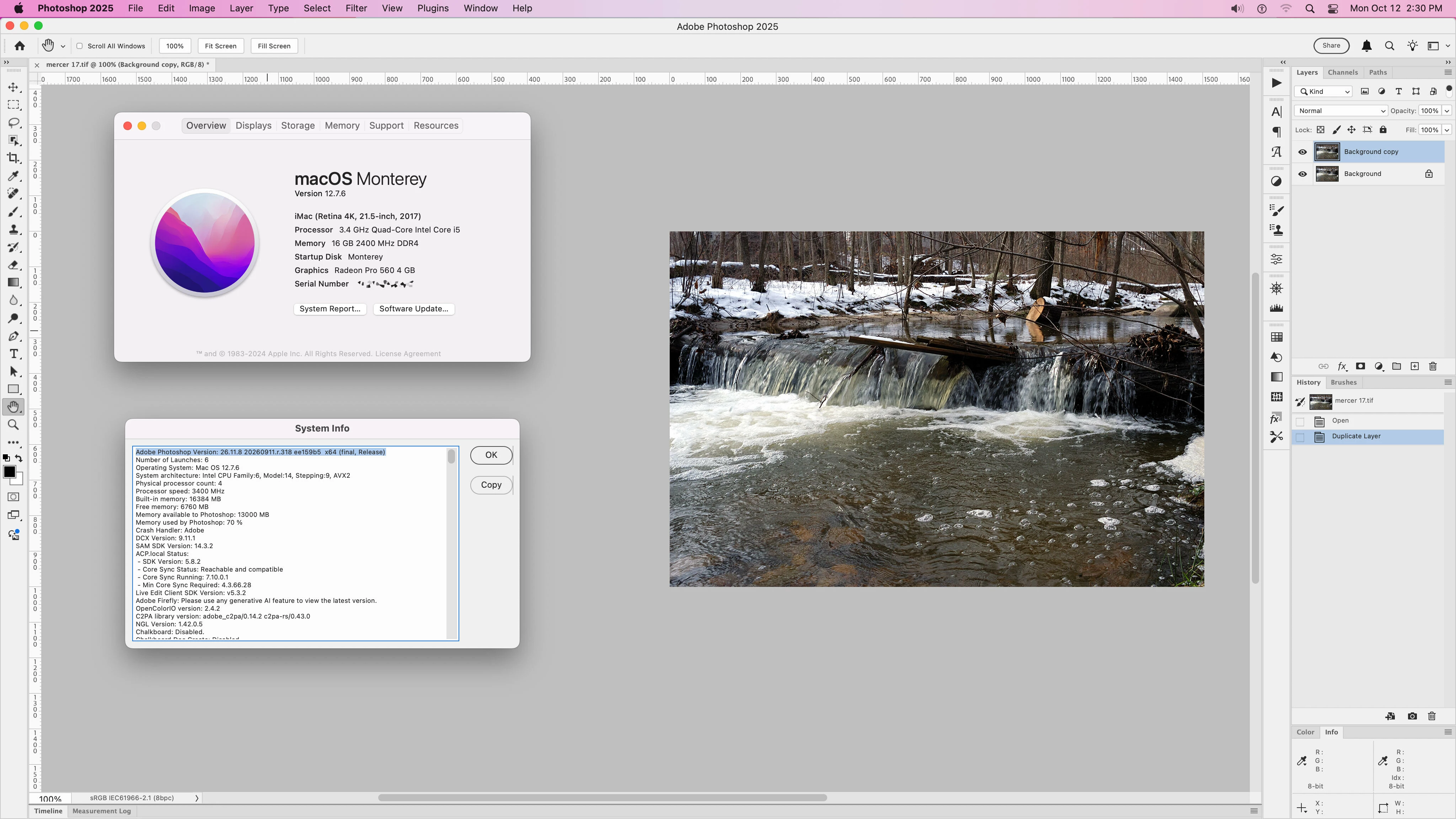
Yes on macOS Monterey 12.7.6 you should be able to run Photoshop 2025 which is version 26.8.11 and one version back from the current Photoshop 2026 which is version 27.11
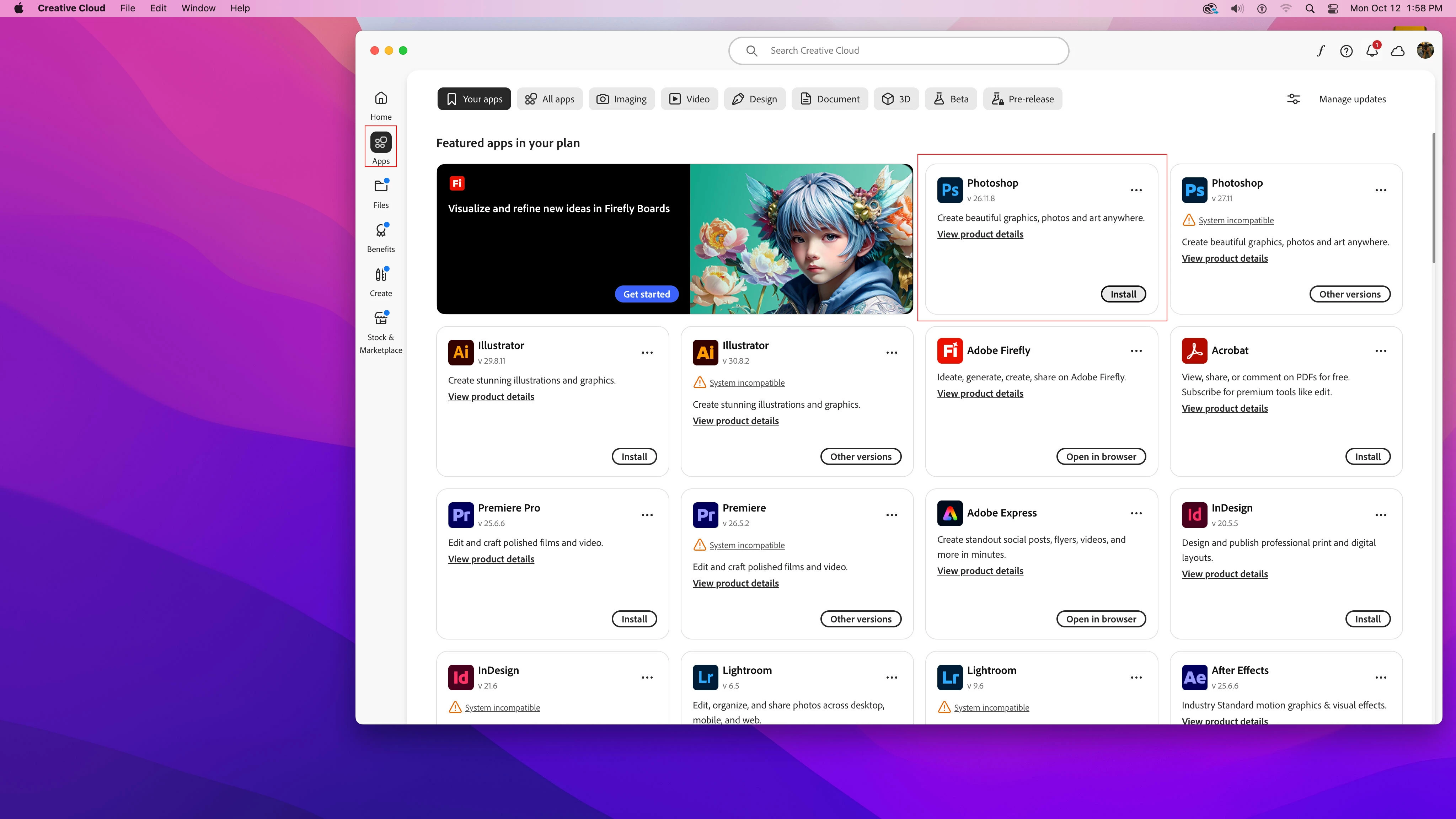
In your Adobe Creative Cloud Desktop Application under Apps you should see Photoshop 26.11.8 as ready to install.
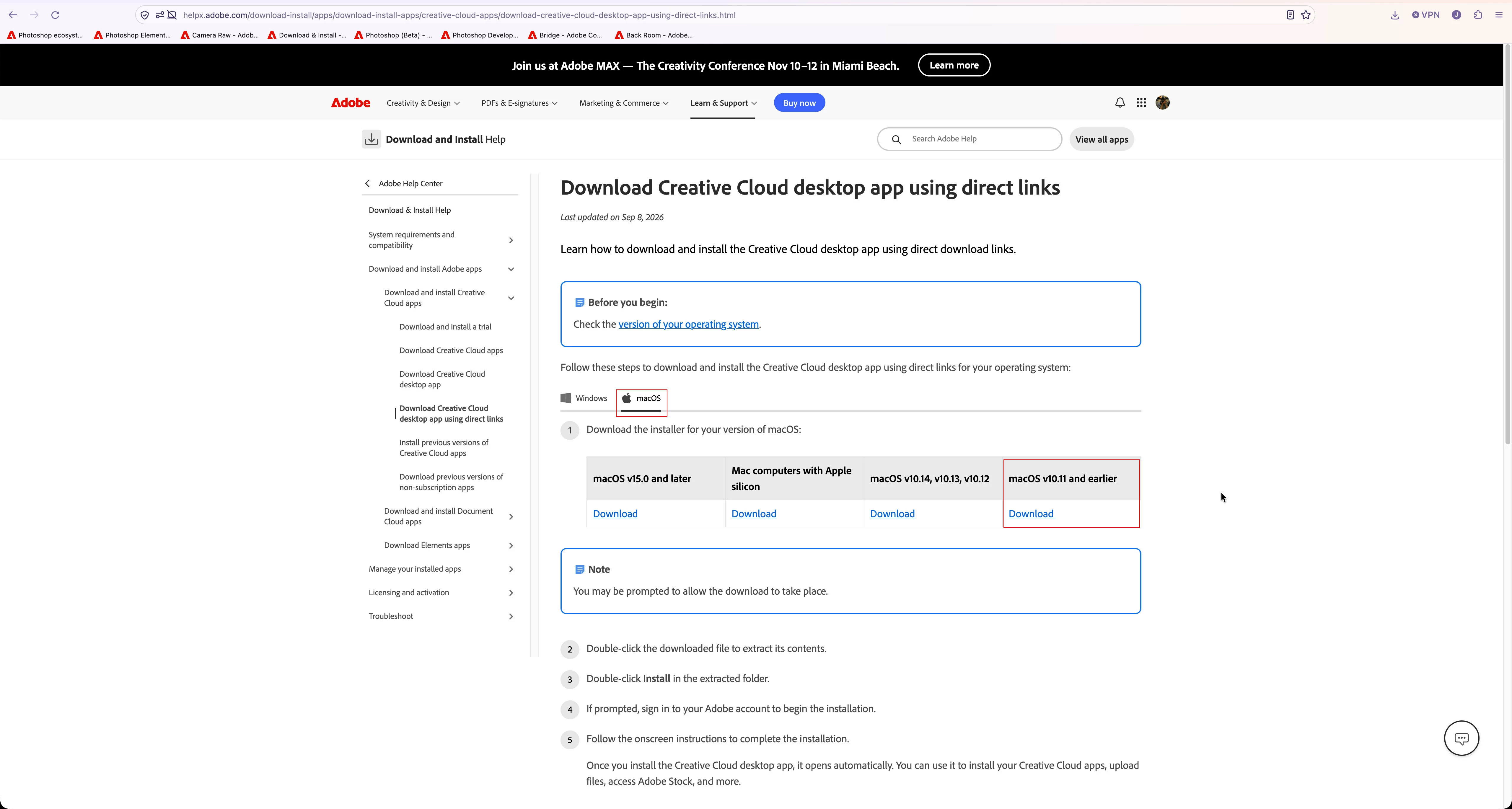
If you don’t have the Adobe Creative Desktop application installed directly on your Mac in Applications/Adobe Creative Cloud, then go here and download and install the version for macOS v10.11 and earlier and it will update to the latest version for Monterey after you open it.
Yes on macOS Monterey 12.7.6 you should be able to run Photoshop 2025 which is version 26.8.11 and one version back from the current Photoshop 2026 which is version 27.11
In your Adobe Creative Cloud Desktop Application under Apps you should see Photoshop 26.11.8 as ready to install.
If you don’t have the Adobe Creative Desktop application installed directly on your Mac in Applications/Adobe Creative Cloud, then go here and download and install the version for macOS v10.11 and earlier and it will update to the latest version for Monterey after you open it.
Adobe officially supports only the current and previous two major versions of macOS, meaning macOS Monterey (12.x) is too old for the newest Photoshop versions. To run Photoshop on Monterey, you must download a legacy version (Photoshop 2023 or earlier, depending on exact OS compatibility) via the Creative Cloud Desktop app by going to the app's three dot menu next to Photoshop > Other versions.
@detlefb60740161 on my older MacBook Pro 2013, I had 11.7 Big Sur and was only able to run Photoshop 2024 (version 25?); Once I upgrade my MacBook Pro 2025 M5 Max, Tahoe, it’s now the latest Photoshop.
Have you tried installing the older versions (have a look at the Creative Cloud Desktop App to see the if Photoshop 26.0 would work?
For guidance on accessing older versions of Creative Cloud applications, check out this helpful discussion.
As Adobe provides only one version back in the CC application (Photoshop 27 being the current general release that would mean Photoshop 26) a version for your OS version is not available anymore.




 AdChoices