
Image>Adjustments Greyed out (Inactive) - Why?
Hi folks, as I've started my learning in Photoshop I've been posting at quite a pace here and I'm strating to see the trend of the problems in the Software - it's very often restrictive in its features.
I was following a tutorial to select a particular area of a photograph and black-and-white just that bit.
The instruction was, rectangular Marquee Tool-> Select the part you want to keep the colour, Ctrl+Shift+I to select the inverted remainder, and then go to Image>Adjustments>Black and White.
However, as with most problems I keep facing with Photoshop, it doesn't want to do it.
Black and White option is greyed out and cannot be applied.
And no, it's not made clear why.
The layer is not locked, the layer is not a smart object and aside from that I don't know what more conditions it needs to satisfy for the "adjustment" options to function.
Below is the screenshot of where I'm stuck.
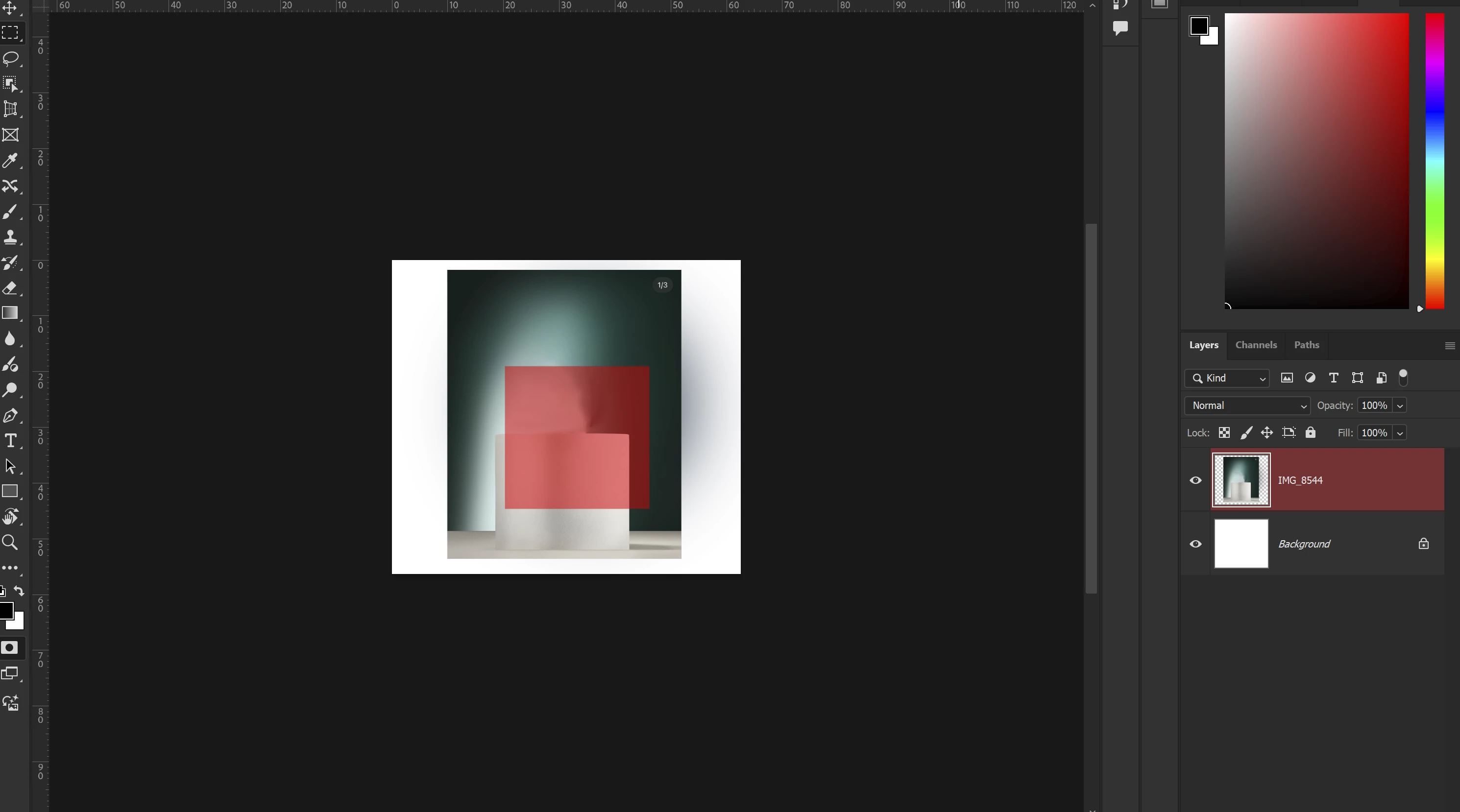
I'm concerning myself with the4 currently selected IMAGE_8544 layer and that's the one Photoshop somehow doesn't want to apply the black and white effect under the adjustment menu.
Any clue at all as to why? Thanks in advance


 AdChoices