
Participant
July 11, 2023
Answered

Image resize not working

  • July 11, 2023
  • 2 replies
  • 337 views

Hello, I am trying to very simply to decrease the size of my image under image>image size. I just change the size in inches and press ok. This worked before I updated to version 24.6.0. Now, when I rezize the image and save as a tif, the number of pixels in the new image are exactly the same as before. Anyone know how to fix?
This topic has been closed for replies.
Correct answer Jeff Arola

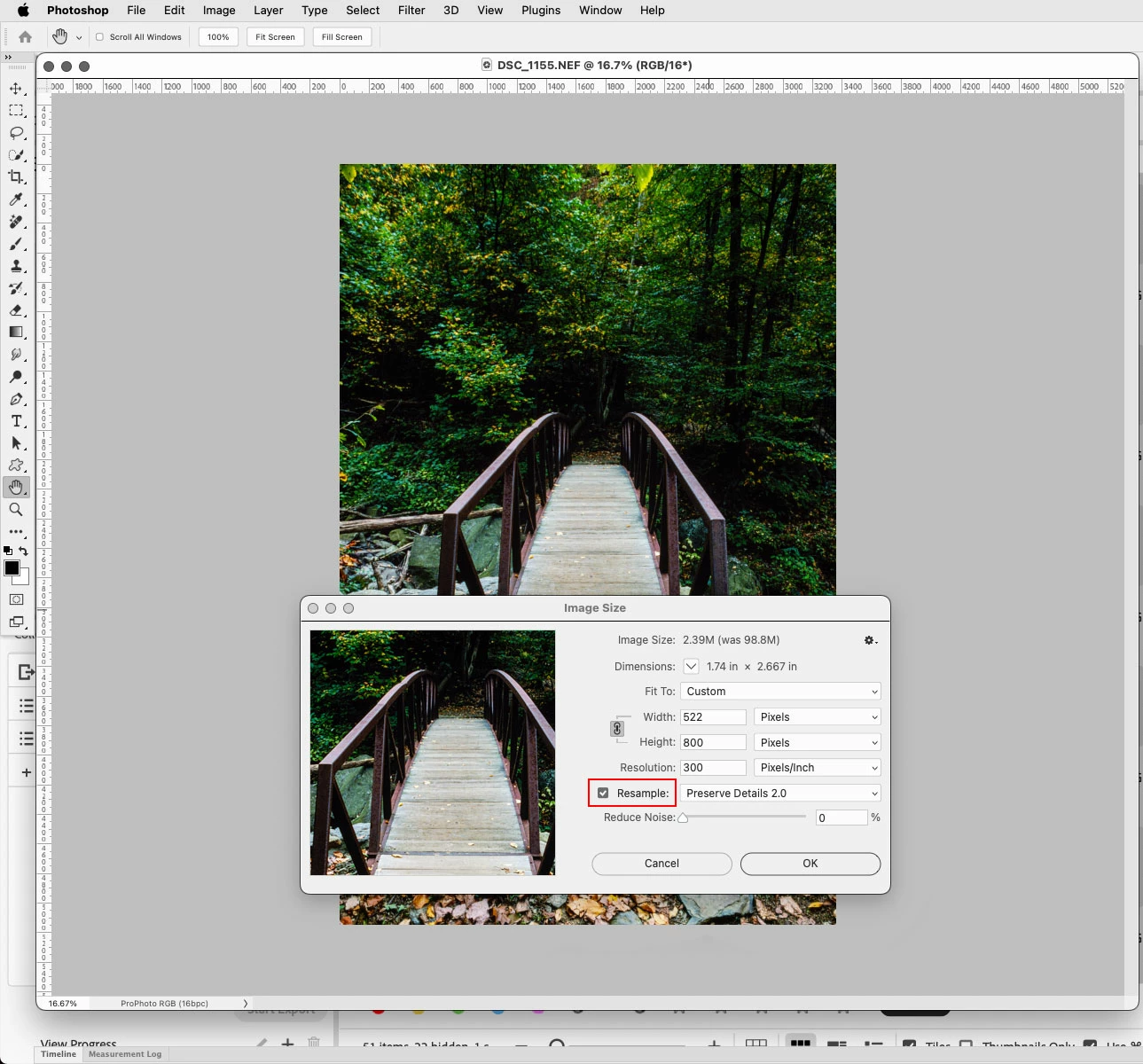
In Image>Resize Image dialog do you have Resample checked?


2 replies

Trevor.Dennis
Community Expert
Community Expert
July 12, 2023

Hi Chloe


When you adjust image size with a linear unit, like inches, then unless you have Resample checked, as Jeff asked, you are only changing the pixel density.  Linear image size in Photoshop is only really useful when printing.  Otherwise, it's the pixel size that matters.  

Jeff Arola
Community Expert
Jeff ArolaCommunity ExpertCorrect answer
Community Expert
July 12, 2023

In Image>Resize Image dialog do you have Resample checked?