MahaB82A
September 11, 2023
Answered

Import Pattern

  • September 11, 2023
  • 3 replies
  • 4287 views

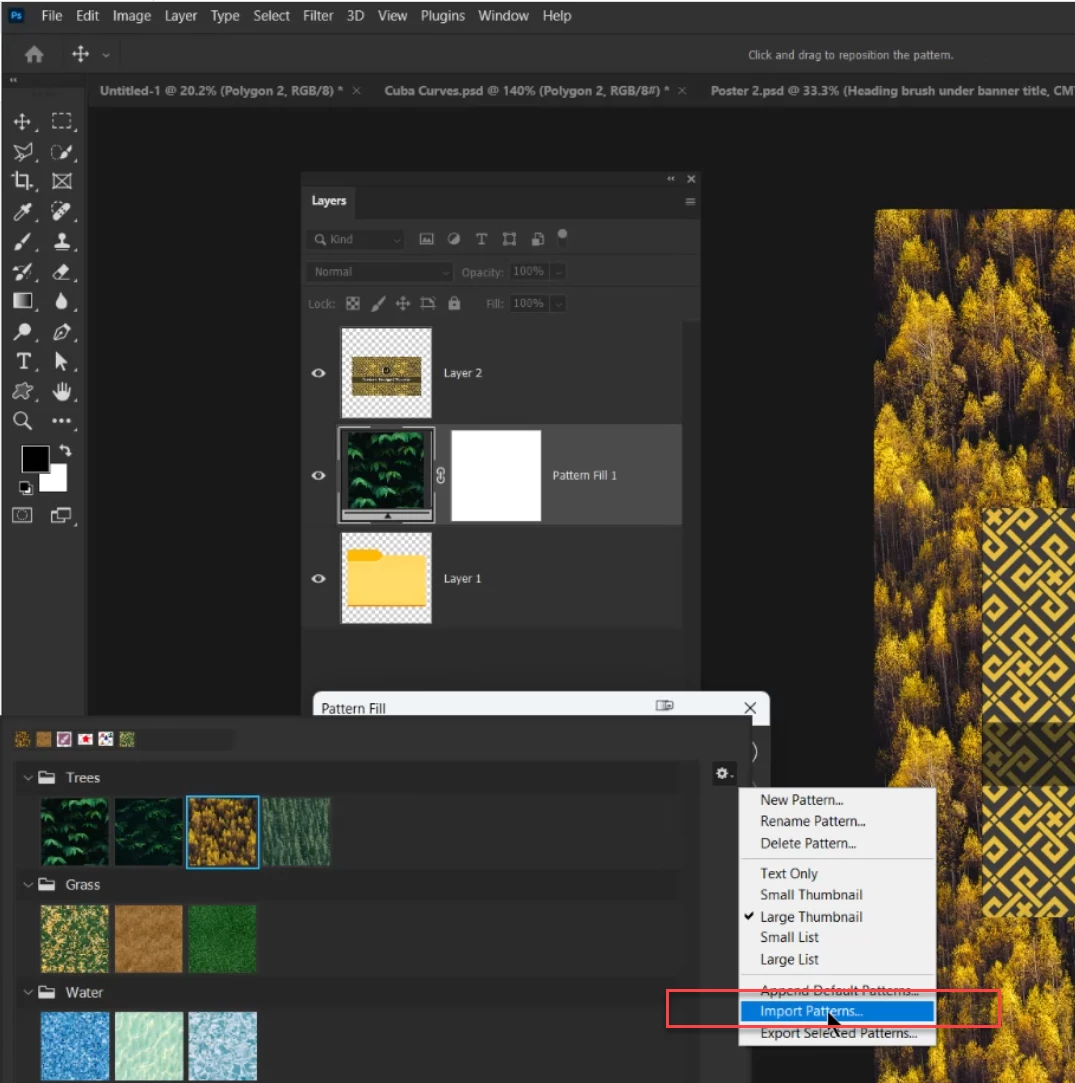
I tried to import PNG & JPEG pattern file to add pattern  in Ps but it did not work. What should be the file extension to import? PAT file extension?


This topic has been closed for replies.
Correct answer Jeff Arola

Open you jpg, png or any image in photoshop then go to Edit>Define Pattern, name it and hit Ok.

If you now look at the Patterns panel your image should be there at the very bottom.


You can make a new Group to put your Defined Patterns in then from the Patterns panel flyout menu use Export Selected Paterns to save them for future use.

3 replies

Jeff Arola
Community Expert
Community Expert
September 11, 2023

If you just want the image (pattern) in your layer stack then you can use File>Place Embedded.

Defining the Pattern is not required for that.

Bojan Živković11378569
Community Expert
Community Expert
September 11, 2023

If you have many files to convert to Photoshop pattern then record action for batch process or search for script.

MahaB82A
MahaB82AAuthor
September 11, 2023

I assume from your method, it is possible to import a pattern folder to add in Ps. If so I will try it.


Jeff Arola
Community Expert
Jeff ArolaCommunity ExpertCorrect answer
Community Expert
September 11, 2023

Open you jpg, png or any image in photoshop then go to Edit>Define Pattern, name it and hit Ok.

If you now look at the Patterns panel your image should be there at the very bottom.


You can make a new Group to put your Defined Patterns in then from the Patterns panel flyout menu use Export Selected Paterns to save them for future use.

MahaB82A
MahaB82AAuthor
September 11, 2023

Thanks for the help.

Is it necessary covert an image that you are going to add to a smart object?
