

Mallaury Studio m.com
Participant
February 18, 2026
Answered

Impossible de trouver un arrière-plan à supprimer

  • February 18, 2026
  • 2 replies
  • 160 views

Depuis quelque temps, j’ai un soucis en utilisant la fonction “Supprimer l’arrière-plan”.

J’ouvre Photoshop, je crée un document, je glisse une photo dedans en drag&drop. Là, lorsque l’image est sélectionnée, j’ai cette petite barre d’actions qui s’affiche, proposant notamment “Supprimer l’arrière-plan”. J’utilise cette fonction depuis des années maintenant, elle fonctionnait donc précédemment, mais depuis quelques mois, un message d’erreur apparait après avoir cliqué dessus: “Impossible de trouver un arrière-plan à supprimer”.
Ceci se produit avec n'importe quelle photo, et même avec des photos d’un sujet sur fond uni ou blanc, que l’outil détourait très facilement et proprement avant.
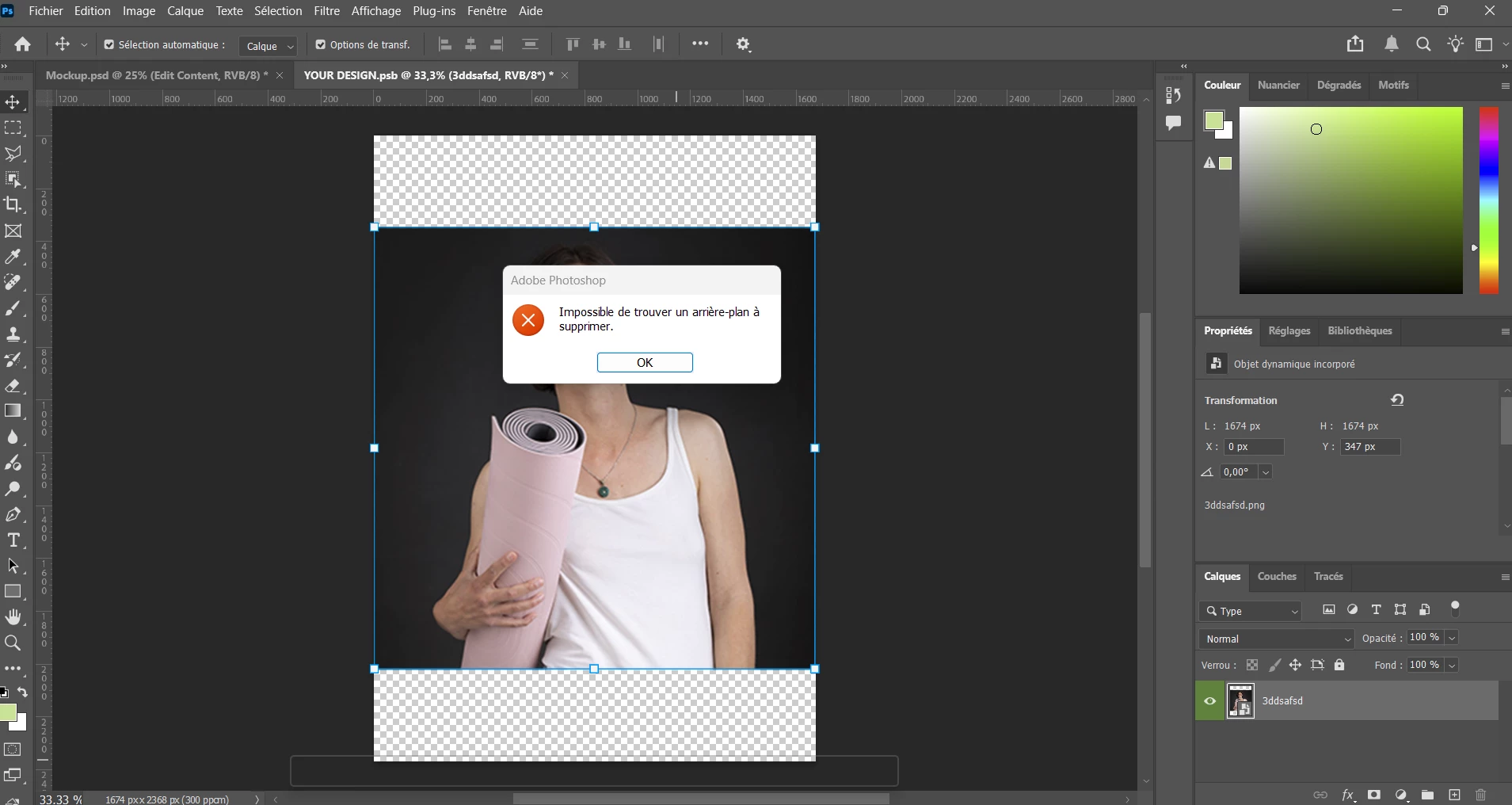


Je ne trouve pas d’autre sujet concernant ce message d’erreur sur internet… J’ai un peu l’impression d’être la seule à qui cela arrive…

Est-ce que quelqu’un a une idée de ce que je peux faire pour solutionner cela ?

Je fais toutes les mises à jour Photoshop dès qu’elles sortent.
Correct answer Ged_Traynor

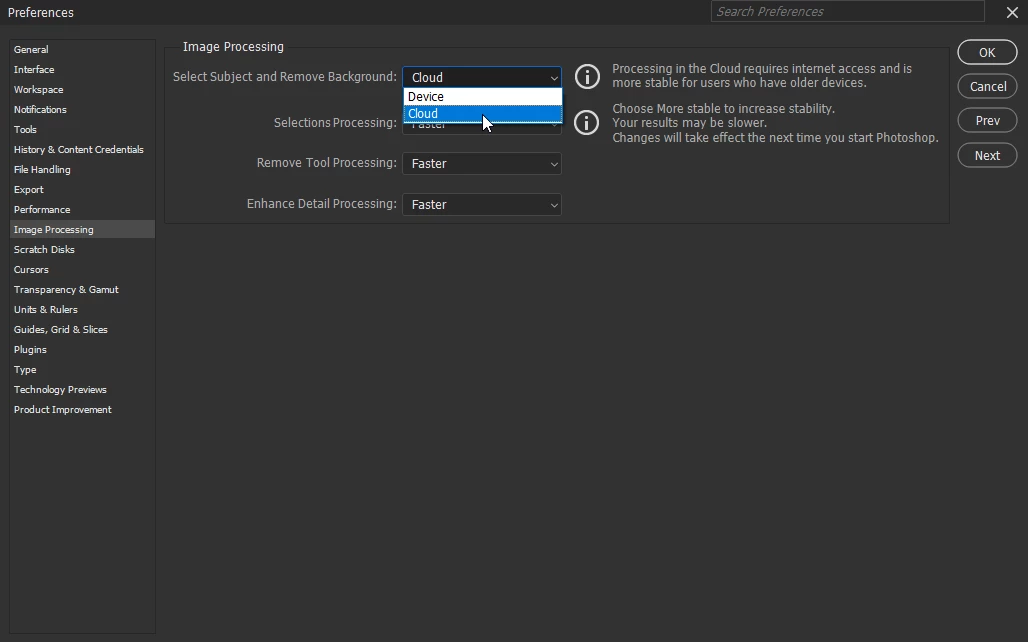
@Mallaury Studio m.com try setting this option to cloud in the preferences if it’s set to device, or device if it’s set to cloud


2 replies

Ged_Traynor
Community Expert
Ged_TraynorCommunity ExpertCorrect answer
Community Expert
February 19, 2026

@Mallaury Studio m.com try setting this option to cloud in the preferences if it’s set to device, or device if it’s set to cloud


Mallaury Studio m.com
Participant
February 24, 2026

Thank you so much, this worked perfectly !

AxelMatt
Community Expert
Community Expert
February 19, 2026

I’ve check this and it works as it should. 

In a first step try to reset the Photoshop preferences: 

https://helpx.adobe.com/ie/photoshop/using/preferences.html#Manually

Remember to back up your settings before doing the preference reset:

https://helpx.adobe.com/ie/photoshop/using/preset-migration.html


If this doesn’t help, provide a copy of your 'System Info'. This can be get from the Photoshop menu item Help > System Info. There's a copy button in the System Info dialog. Press this button and paste the info into your next forum post.


My System: Intel i7-8700K - 64GB RAM - NVidia Geforce RTX 3060 - Windows 11 Pro 25H2 -- LR-Classic 15 - Photoshop 27 - Nik Collection 8 - PureRAW 6 - Topaz Photo AI
Mallaury Studio m.com
Participant
February 24, 2026

Thank you for your help, although it didn’t work for me, but what ​@Ged_Traynor suggested did work !