
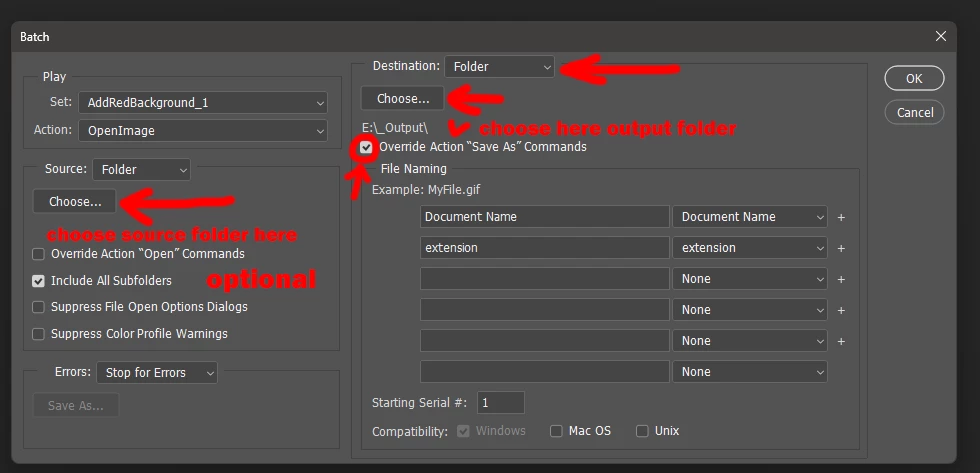
In a Batch, how to read in a constant image each iteration while Override on
Hello,
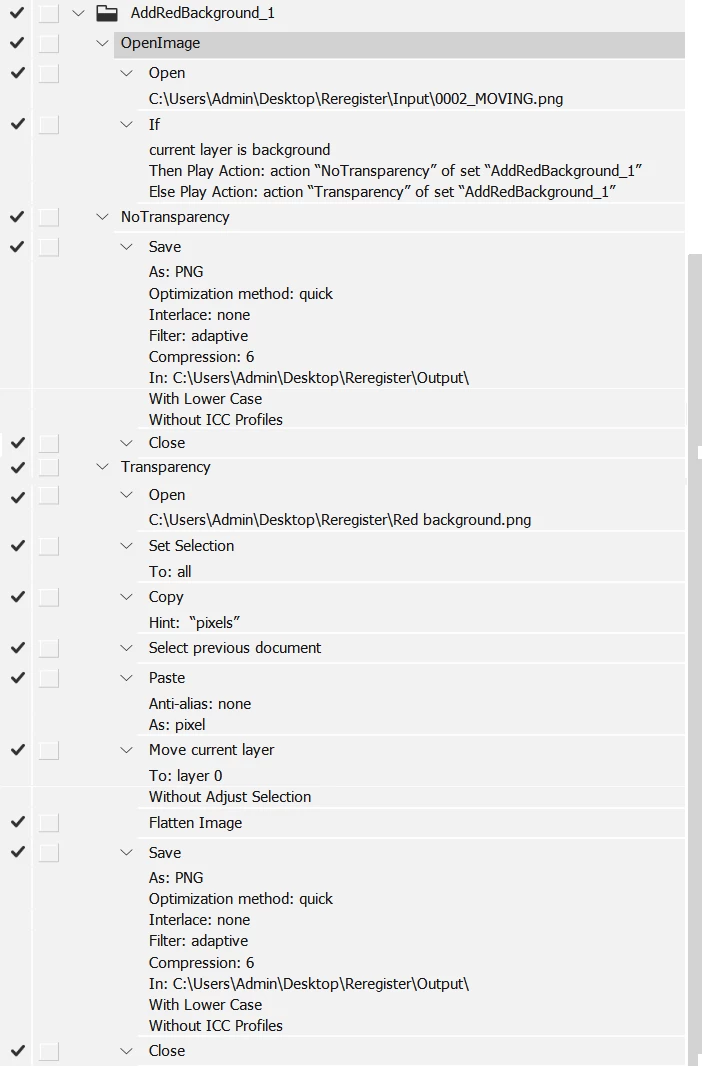
I am trying to Batch iterate through a folder of images using a Set of Actions. In addition to the input images, I need to open an existing constant image depending on whether there are transparent pixels in the input image or not (using a conditional).
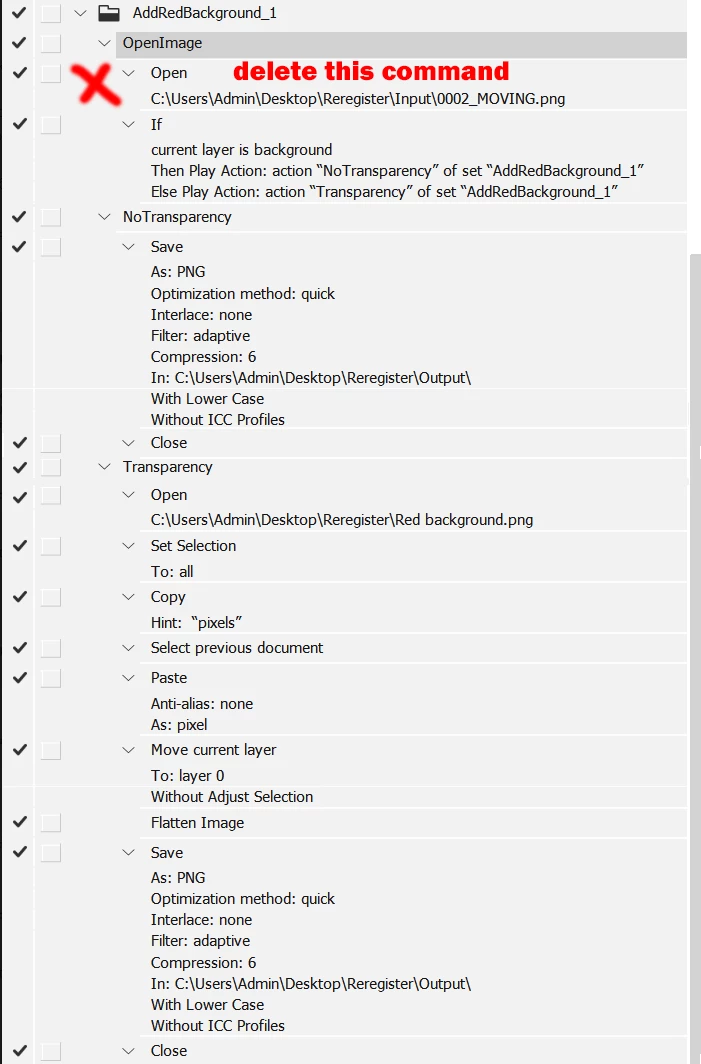
I need to have "Override Action "Open" commands" unchecked in the Batch command so Batch will iterate through all input images, but that seems to also prevent opening the constant image for each iteration when the input image is found to contain transparent pixels. When I run the Actions step by step I can see it just skip over the "Open" for the red image file each iteration.
I do want every image file in the Input folder to be saved with the same file name, but in an Output folder.
Could someone please point out the obvious, i.e. what I'm missing?
Should I instead create this image during the action each time? But what if it had to be a bitmap image rather than a solid color as in this case?
Below is a copy of the Set of Actions.
Thanks for any help with this,
Ian Jaffray


 AdChoices