
In Photoshop 2026 the Lasso Tool selects an area to the right of where I'm selecting.
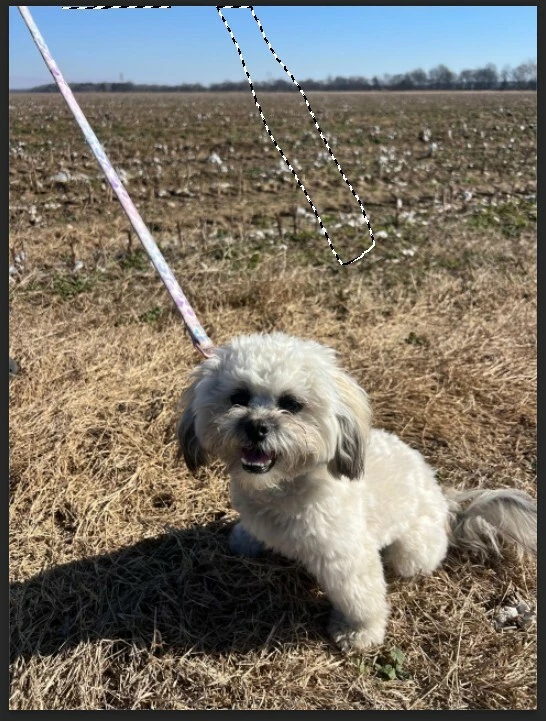
When I use the Lasso Tool in Photoshop version 27.3.1 the selection appears to the right of where my Lasso Tool is pointed. In the included picture I started to at the top left of the dog leash and dragged down on the left, then over to the other side of the leash where it attaches to the dog collar, then up along the right side and finally across the top to the left side of the leash. You can see the selection show where I started, but completes on the far right of the leash.
My Performance option “Use Graphics Processor” is checked. Note: I’ve unchecked this option and the problem is still the same.
History States set to 50
Cache Levels: 6
Cache Tile Size 1028K
Advanced Graphic Processor Settings:
Use OpenCL checked
Anti alias Guides and Paths: Checked
30 Bit Display: Unchecked
GPU compositing; Checked
My computer specs:
CPU: AMD Ryzen 9 7900
GPU: NVidia RTX 5060 ti 16 GB
RAM: CORSAIR Vengeance DDR5 RAM 96GB (2x48GB) 6400MHz CL32 Intel XMP iCUE


 AdChoices