Participant
September 23, 2015
解決済み

In Photoshop, how do I change units from metric to imperial (inches)?

  • September 23, 2015
  • 返信数 3.
  • 25368 ビュー

Does some one have an answer for me?

    このトピックへの返信は締め切られました。
    解決に役立った回答 Chuck Uebele

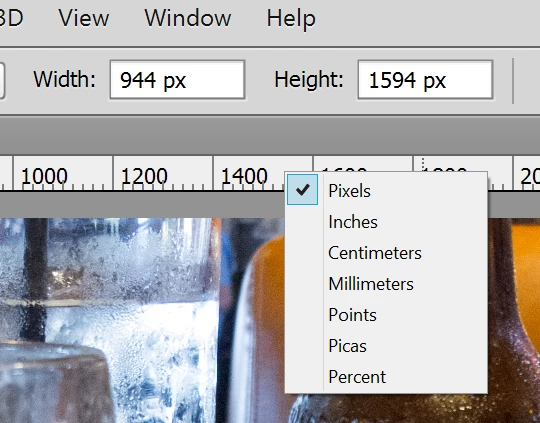
    If you have rulers enabled, you can also right click on the rulers to change this:
    返信数 3

    Trevor.Dennis
    Community Expert
    Community Expert
    September 23, 2015

    I'll add my 2 cents worth.  Chuck's suggestion is the usual way.  It is quick, easy, and can be done on the fly.  If you have an image that was created with a metric size, open up the image size dialog, and uncheck Resample.  Then use the size drop down and chose your unit.

    Before

    After

    Note that you won't normally get a nice rounded result like above, depending on the number of pixels.   In this instance 1 Inch = 25.4mm so it worked out nicely.

    Chuck Uebele
    Community Expert
    Chuck UebeleCommunity Expert解決!
    Community Expert
    September 23, 2015

    If you have rulers enabled, you can also right click on the rulers to change this:

    Mrinmay Majhi
    Participating Frequently
    September 23, 2015

    Hi Michelineh,

    Please follow the below steps to change the units in Photoshop.

    > Launch Photoshop

    > Click Photoshop > Preferences > Units & Rulers (In Mac)

                   Edit > Preferences > Units & Rulers (In Windows)

    > Change Rulers to Inches


    > Click on Ok.

    > Relaunch Photoshop and check for the issue.

    Hope this helps.

    ~Mrinmay
