
Known Participant
May 27, 2026
Question

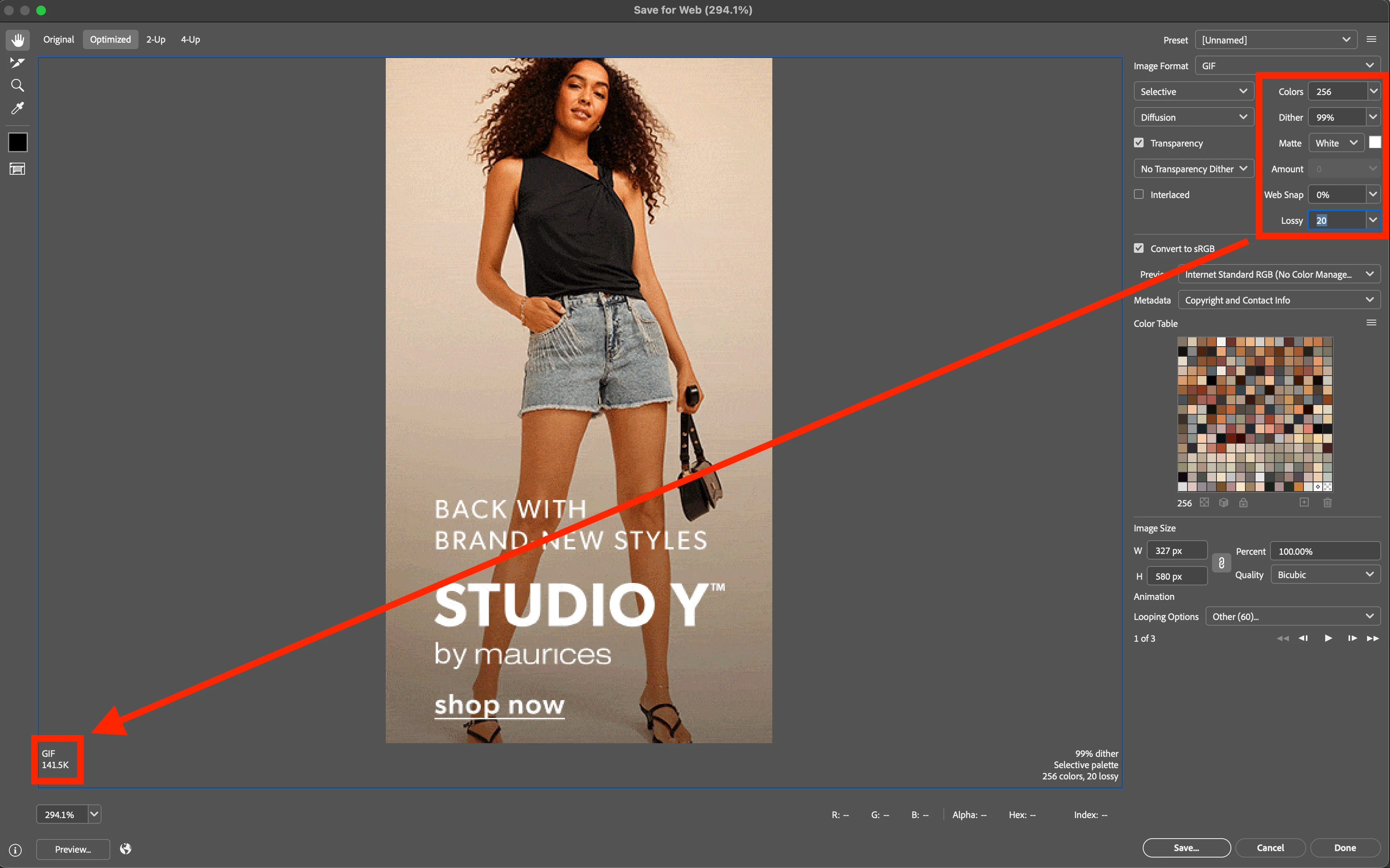
In "Save For Web", the output file size no longer updates when a variable is selected.

  • May 27, 2026
  • 3 replies
  • 38 views

When using “Save For Web”, the output file size is not updating when actively changing values like “lossy” or “dither”. The user must exit out of the value box in order for the file output size to update. This “bug” occurred after a recent update to the Photoshop app (27.7.0 Release) and is an undesired experience causing workflow issues. Please look into this. Thanks.
 

    3 replies

    Participant
    June 18, 2026

    I updated to PS 27.7 and I noticed that in the Save for Web the Quality Preview no longer auto-updates when changing the value (w/o clicking on another field). In previous versions that was very helpful to zoom in a bit and see at what level of quality the images gets significantly worse. I could simply SHIFT+(up/down) to update in increments of 10 and (up/down) for single increment steps. Now I have to click or tab into another field for the preview to occur. This has nerfed my keyboard workflow!! (EDIT: Im asking about the quality adjust W/O clicking tabbing into another field!) What used to be simple is now slower than typing all this... :( (I now have to adjust, tab out, see the preview, tab back with shift, adjust, preview, but I can no longer do quick comparisons!). Any idea if that can be 'reverted back' somehow? Other suggestions?

    Sameer K
    Community Manager
    Community Manager
    May 28, 2026

    Hey, ​@Paul M. Zahorosky. Thanks for bringing this up. While following what ​@Jeff Arola shared will bring back the older Save For Web UI. 

    I’d like to clarify that the calculation will update and refresh as you click away, or change focus from the field you’ve selected. In the previous SFW panel, there was a visible gap in input, and populating the estimated output size. 


    I hope this helps. Thanks!
    Sameer K

    Known Participant
    May 28, 2026

    Hi, ​@Sameer K.

    Thanks for the reply. Yes, I did note that the calculation only updates after clicking away from a variable field. This is the undesirable experience and is different than SFW has always functioned. When I’m working with images in SFW, I typically adjust values in small increments using the arrow keys while watching the file output size calculation actively change in order to get the exact file size I need. If the “new” SFW only recalculates the file output size after clicking away or changing focus from a field, I can no longer quickly fine-tune file sizes.

    As this makes the “new” SFW less useful, I will need to use Jeff’s suggestion to revert SFW to the old version. My recommendation is for Adobe to consider enabling the file output size calculation to update immediately with any change regardless of focus.

    Thanks.

    Jeff Arola
    Community Expert
    Community Expert
    May 28, 2026

    Does it make any difference if you go to Photoshop 2026>Settings>Technology Previews, uncheck Enable Modern User Interface and restart Photoshop?


    Known Participant
    May 28, 2026

    Hi, ​@Jeff Arola.

    Thanks for the reply and recommendation. While it is not ideal to disable all “modern” features in PS just to “fix” one issue, I will certainly consider it.

    Jeff Arola
    Community Expert
    Community Expert
    June 26, 2026

    As far as i know, and hopefully someone from Adobe will correct me if i’m wrong, the Enable Modern User Interface doesn’t add any features, but just changes the look of the Photoshop dialogs so your not missing anything by leaving Enable Modern User Interface unchecked.