Participant
June 7, 2026
Question

Installing flaming pear flood plugin with PS 2026

  • June 7, 2026
  • 5 replies
  • 61 views

I am trying to install flaming pear flood plugin with Photoshop 2026 but it says that the file is not recognised. I have read previous posts however the files it is mentioning are not visible. Can this plugin no longer be used in the later PS versions or is there a way around it?
    5 replies

    Jeff Arola
    Community Expert
    Community Expert
    June 8, 2026

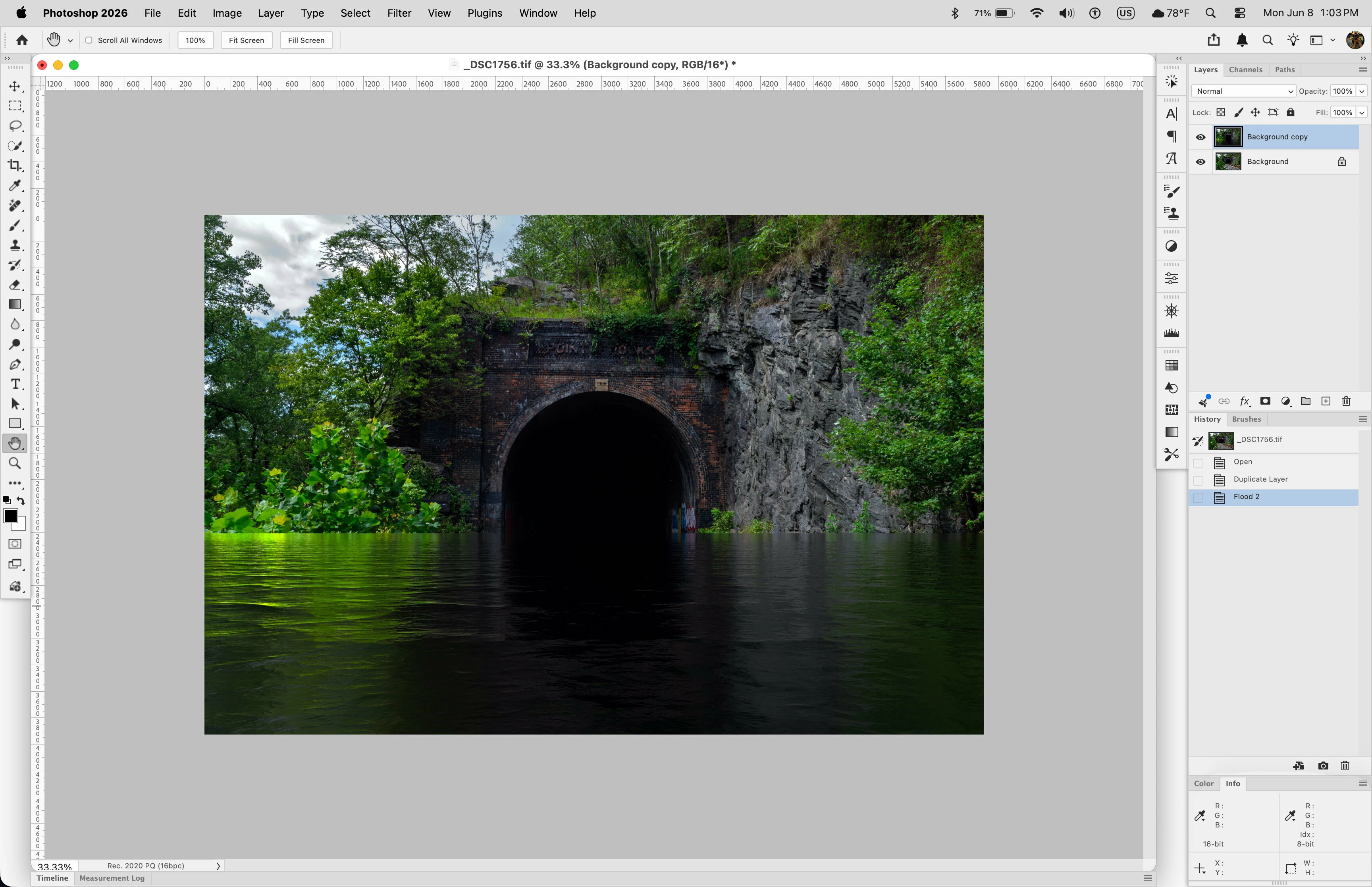
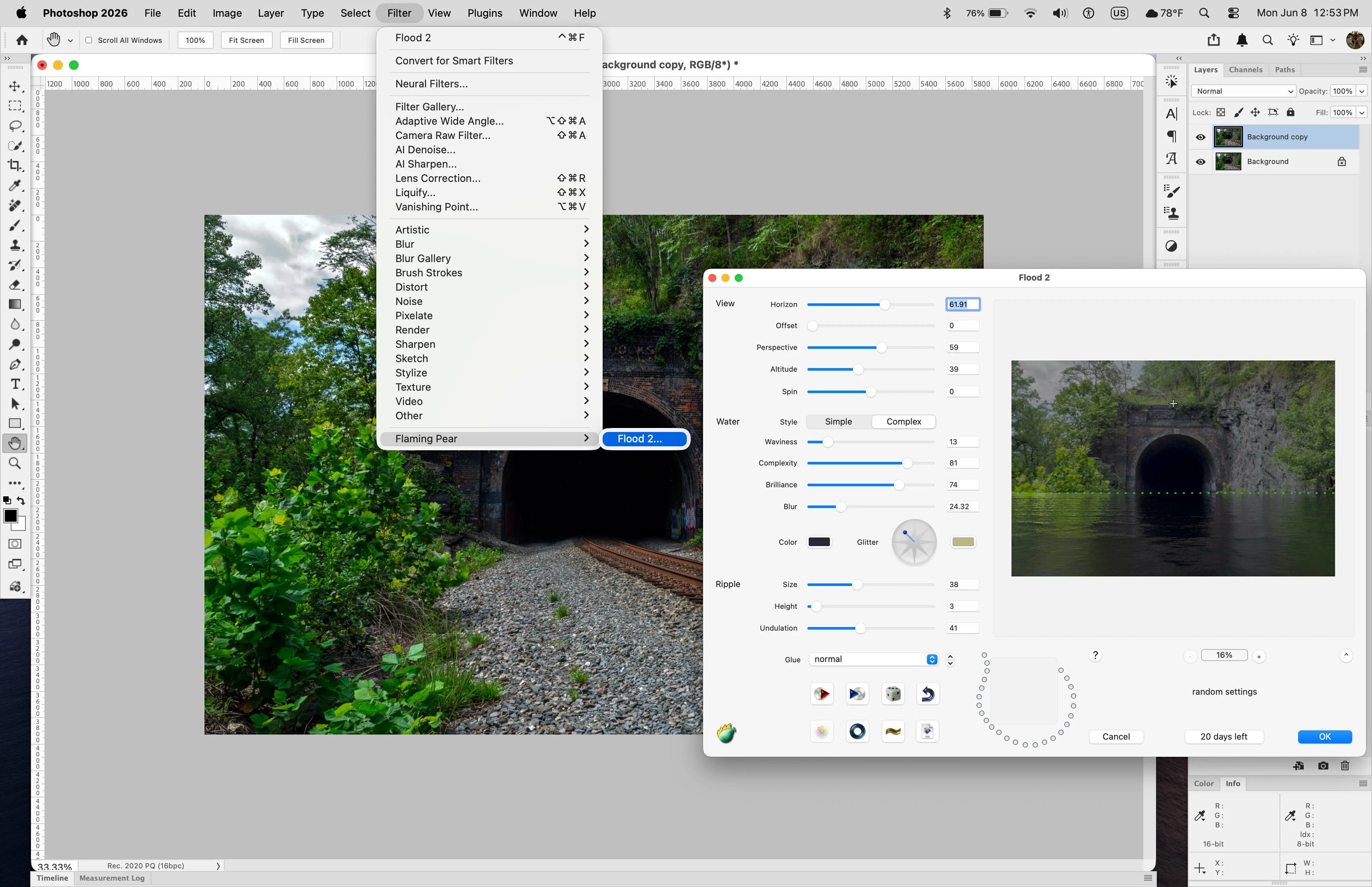
    The Flood 2 plugin works here under macOS Tahoe 26.5.1 with an M4 chip and Photoshop 2026 (ps ver 27.7)


    First I downloaded the trial version from here:

    http://www.flamingpear.com/free-trials.html


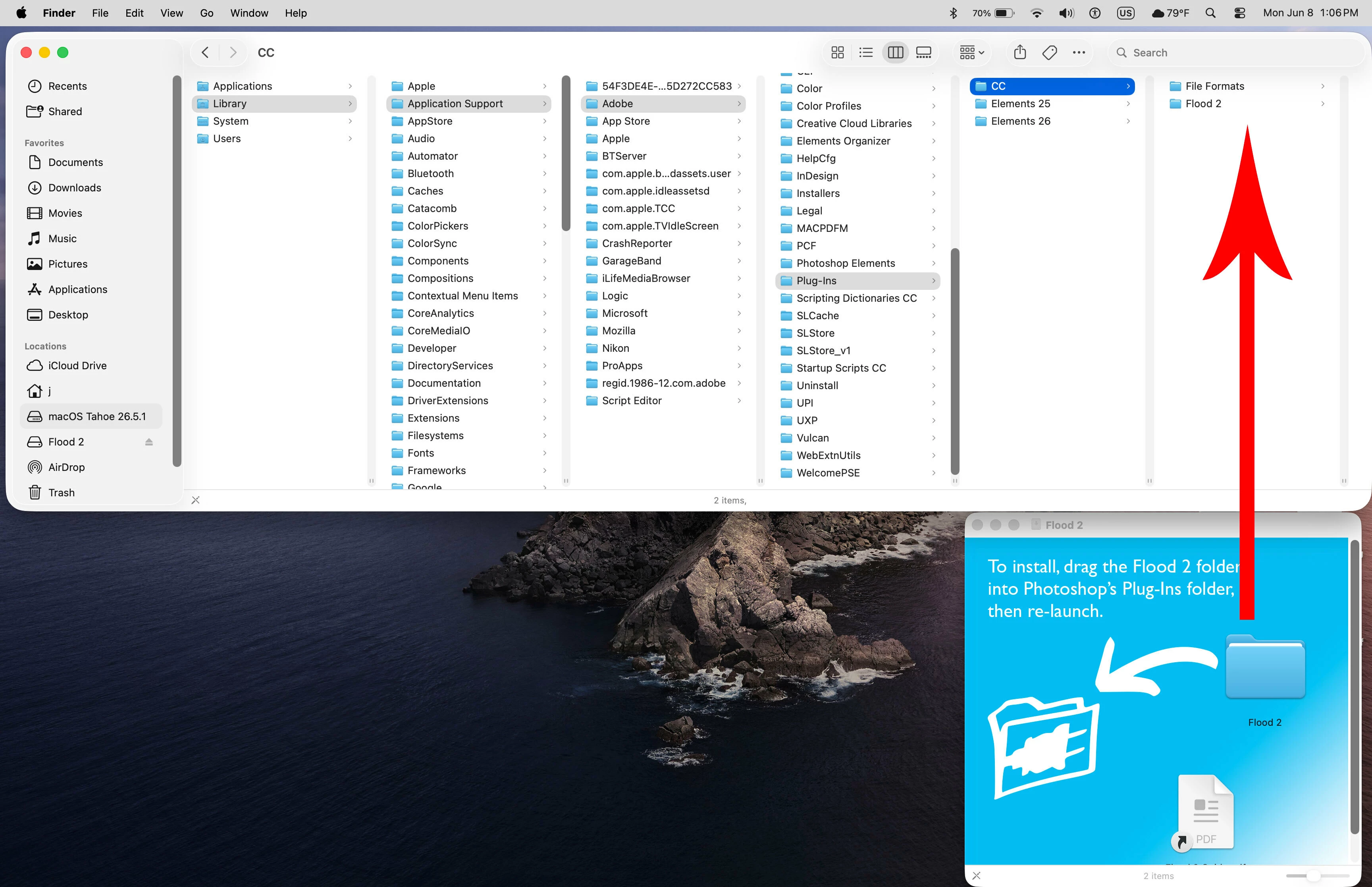
    Then opened the flood-mac-latest.dmg and dragged the Flood 2 folder to

    Macintosh HD/Library/Application Support/Adobe/Plug-Ins/CC


    Ged_Traynor
    Community Expert
    Community Expert
    June 8, 2026

    I downloaded the trial version, and it works with Photoshop version 27.7 on Windows 11, you do get this error message when you open Photoshop, but the filter still works

    In the Flood 2 folder there’s a 32 bit 8BF and 64 bit 8BF file


    JohanElzenga
    Community Expert
    Community Expert
    June 8, 2026

    Even Flood 2 is a very old plugin, possibly still 32 bits. Their website talks about ‘Photoshop 2018 or later’ and does not seem to be updated since then. 32 bits software won’t run on your computer.

    -- Johan W. Elzenga
    Jeff Arola
    Community Expert
    Community Expert
    June 7, 2026

    What operating system are you using?

    If it’s a macOS, is it Apple Silicon or Intel?

    Participant
    June 8, 2026

    macOS Sonoma 14.6.1 with an M2 chip

    c.pfaffenbichler
    Community Expert
    Community Expert
    June 7, 2026

    Have you checked with the makers of the plugin whether there is an available version that’s compatible with Photoshop 2026?