
Ken Nielsen
Legend
January 22, 2021
Answered

Is it possible to have the erase tool have a soft edge, changes tools when I try to apply soft edge

  • January 22, 2021
  • 1 reply
  • 3245 views

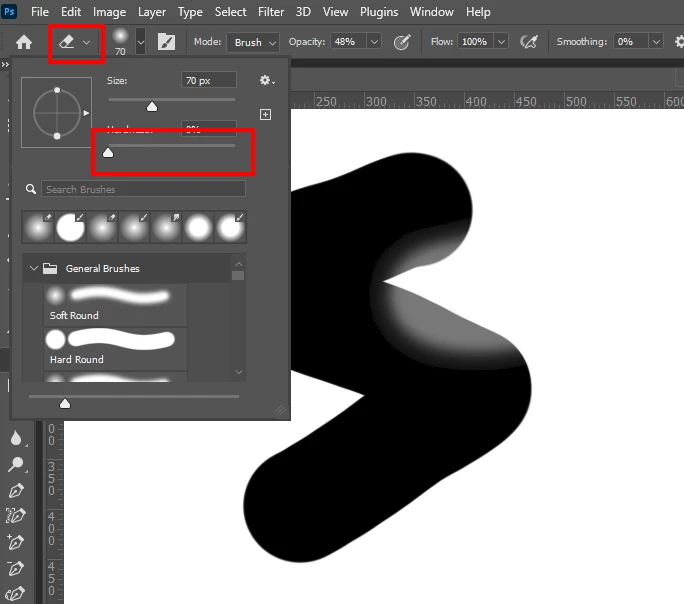
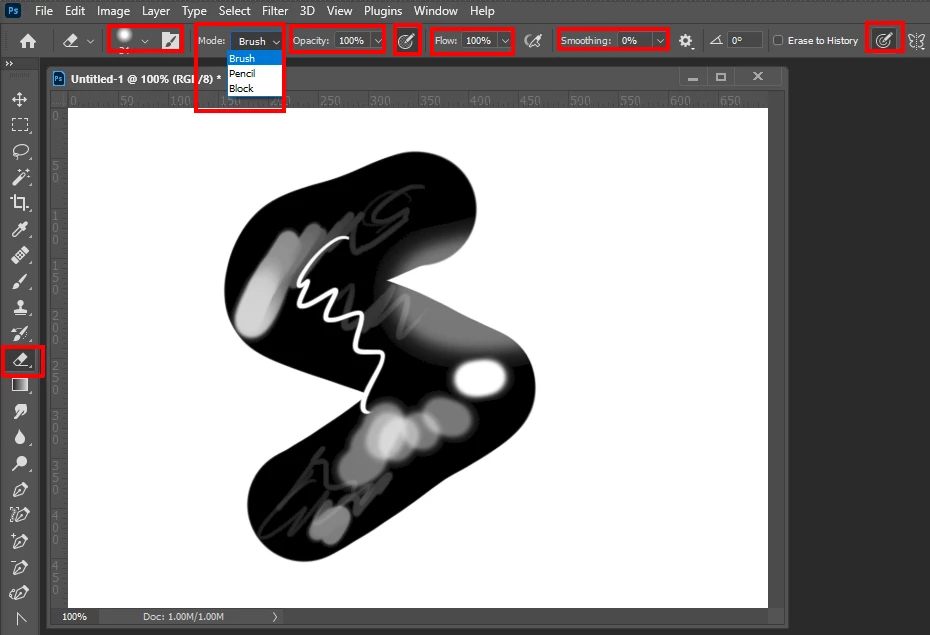
For over 30 years now, I have never been able to get Photoshop to have an erase tool apply a soft edge, it always only allows a hard edge circle. If I try to change the tool to a soft edge it changes tools to the dodge tool. My question is it possible at all to have the erase tool have a soft edge so I can 'brush' away parts of a overlay to see the layer underneath in a gradated fashion?
This topic has been closed for replies.
Correct answer JJMack

Its a brush type tool adjust the brush hardness


1 reply

JJMack
Community Expert
JJMackCommunity ExpertCorrect answer
Community Expert
January 22, 2021

Its a brush type tool adjust the brush hardness


JJMack
Ken Nielsen
Legend
January 22, 2021

I accept this as the answer then and thank you for the very complete and descriptive answer. Let me ask as I see adjusting opacity is the way to get it to not just erase harshly all or none.... but, a brush tool, when you select the brush you can get a 'feathered' hardness from the center outward to completely soft... That is what I was hoping to get as an eraser tool, but asking for too much I think. Thaks again for the correct answer JJMack.