
Inspiring
March 15, 2024
Question

Is there a Better Way to Use Custom Shapes Tool?

  • March 15, 2024
  • 4 replies
  • 444 views

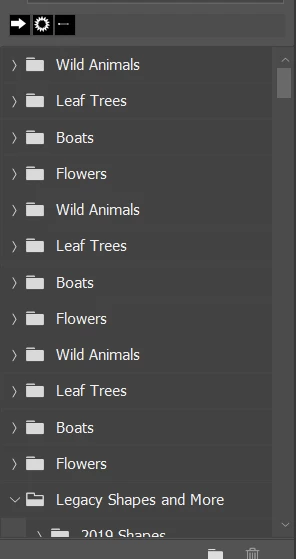
I am hoping someone can give insight in how they acutally USE the Custom shapes. They just seem to be a bunch of vecors in folders, that you have to drill down to every time and find the one that might work for you. 


Is there a side tool or setup you might use so you can browse your shapes another way? 


This topic has been closed for replies.

4 replies

Jeff Arola
Community Expert
Community Expert
March 25, 2024

Trevor,


I got the idea for putting all the default shapes in one folder from older Photoshop versions that had an All in the

Shape picker flyout menu to load all the default shapes at once.


Photoshop CC 2018


Trevor.Dennis
Community Expert
Community Expert
March 25, 2024

As I have just replied to Jeff's excellent idea of moving all shapes to a single custom folder, I like to use the search bar in the main shapes panel.  IIf I have an issue finding what I know is there, I rename it when I do find it so I can find it more quickly next time.

Semaphoric
Community Expert
Community Expert
March 15, 2024

Shapes, as well as Patterns, Gradients, and Styles, can be dragged out of any group, and dropped into another, or also between two groups. I set my panels up so my favorites are together at the top of the panel.

Jeff Arola
Community Expert
Community Expert
March 15, 2024

I put all the Shapes into a single folder.


Even with just the Default shapes plus the Legacy Shapes and More, if you keep them in the folders as shipped with the all the folders open, won't nearly fit on the screen so you can see all of them.


geekazineAuthor
Inspiring
March 23, 2024

I actually used to do this, but then a new major update / change of computer/reload Photoshop would muck my work all up. The depreciation of images also didn't help. 


c.pfaffenbichler
Community Expert
Community Expert
March 24, 2024
quote

The depreciation of images also didn't help. 

What are you talking about? 


Did you actually save your presets and back them up in the pervious version of Photoshop?