
Mateo_trdl
Participant
June 25, 2026
Question

Is there a reliable offline tool to reduce JPG/PNG export sizes without losing detail?

  • June 25, 2026
  • 2 replies
  • 31 views

Hi everyone.

I’m looking for an offline tool that can reduce JPG/PNG export sizes from Photoshop or Lightroom without noticeable loss of detail or color accuracy.

I work with large batches of images (client galleries, events, etc.) and I’m trying to optimize storage and upload times while keeping fine details like skin texture, hair, fabric patterns, and micro‑contrast intact.

Recently I came across a tool called ETK Image Compressor Pro, which claims up to 90% size reduction while preserving detail. It’s Windows‑native and works after exporting from Adobe apps.

Has anyone here tested similar offline tools or has experience with this one?  
2 replies

rayek.elfin
Legend
June 25, 2026

...and one more AI generated post --by a new user with a single post-- that answers its own question by mentioning this rad new tool that doesn't do anything new. 

I agree with D Fosse: use a modern image file format such as AVIF, WebP, or QOI instead. In particular AVIF results in much smaller file sizes versus maintaining image quality.

If those are not supported by the software or website/app that you are using, newer JPG and PNG optimization methods and algorithms exist to assist in achieving smaller file sizes. 


A good free tool is Squoosh, which runs both on the web and local on one’s machine. It will allow you to squeeze the last ‘bits’ out of an image file. No need to pay for a commercial compression tool!

https://squoosh.app/

Btw, I checked out that ETK tool: it doesn't even support AVIF! And they ask $60 for it! 


D Fosse
Community Expert
Community Expert
June 25, 2026

@Mateo_trdl 

“claims up to 90% size reduction while preserving detail.”


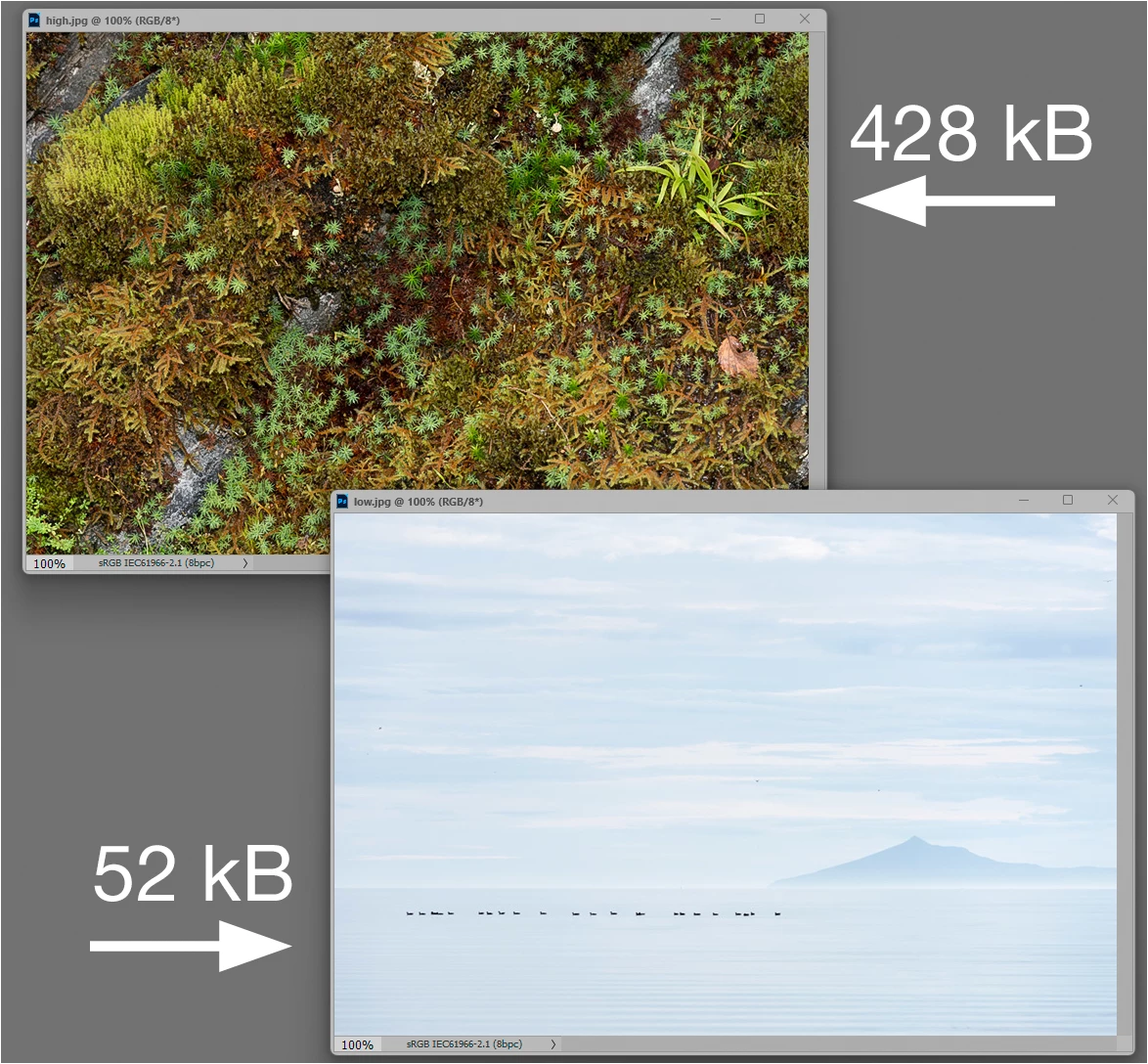
That depends on so many factors that you simply have to take that with a spoonful of salt. I’d take a look at newer format specifications like .webp and .avif, which claim to have more effective non-destructive compression algorithms. 


With jpeg for instance, flat areas compress much more effectively than busy detail - so the biggest variable is in fact image content. These are saved at the same compression level: