

Participant
September 16, 2026
Question

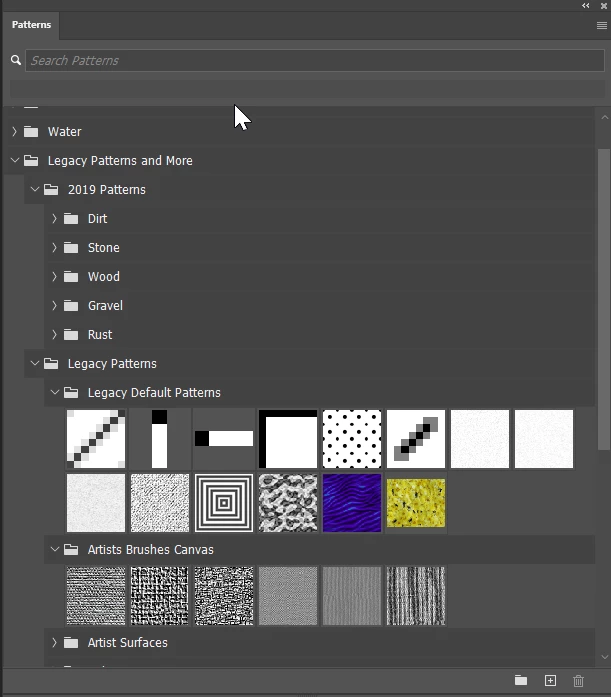
Is there a way to have Photoshop folders unpack by default? I teach a lot of students who struggle with reading comprehension and they could access the brushes and patterns more readily if the folders were all expanded.

  • September 16, 2026
  • 1 reply
  • 13 views


    1 reply

    Claire H.
    Community Manager
    Community Manager
    September 16, 2026

    Hi ​@Adam23298323c14q, Welcome to the Photoshop Community Forums! Unfortunately, there isn't a setting to have folders expanded by default. But here are a few tips that should help:

    1. Expand all folders at once: Ctrl+click (Win) / Cmd+click (Mac) any folder's disclosure triangle. This expands every folder in the panel in one click.

    2. Photoshop should remember your expanded state between sessions. If folders keep collapsing on relaunch, make sure you're on the latest version of Photoshop (this was a bug that's since been fixed).

    3. For your students, you might also try switching the Brushes/Patterns panel to a large thumbnail grid view (via the panel's ☰ menu). It's more visual and doesn't rely on reading folder names. You could also create a single custom group with just the presets they need to keep things simple.

    If other Community members have any recommendations for their class, please feel free to add to this thread. Please don't hesitate to reach out if you have any other questions. I hope this helps! ^CH