

The Octopus Lady
Participating Frequently
April 22, 2026
Question

Is there a way to randomly fill a section of an image without the pattern getting cut off at the edges?

  • April 22, 2026
  • 4 replies
  • 75 views

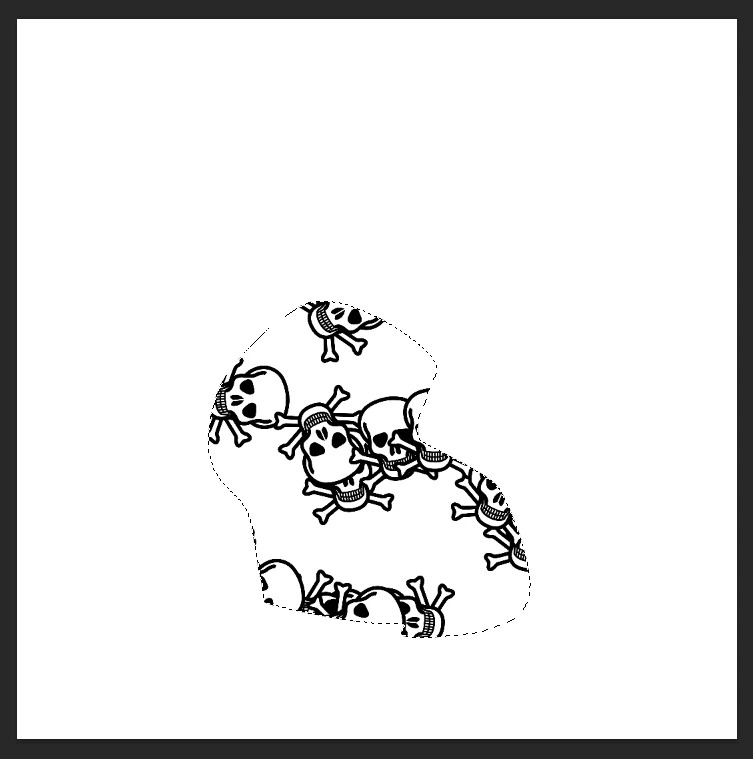
I’m trying to use Random Fill to fill the selection in this image with skulls, but I don’t want the skulls at the edge of the selection to get cut off.

I want it to look more like this.
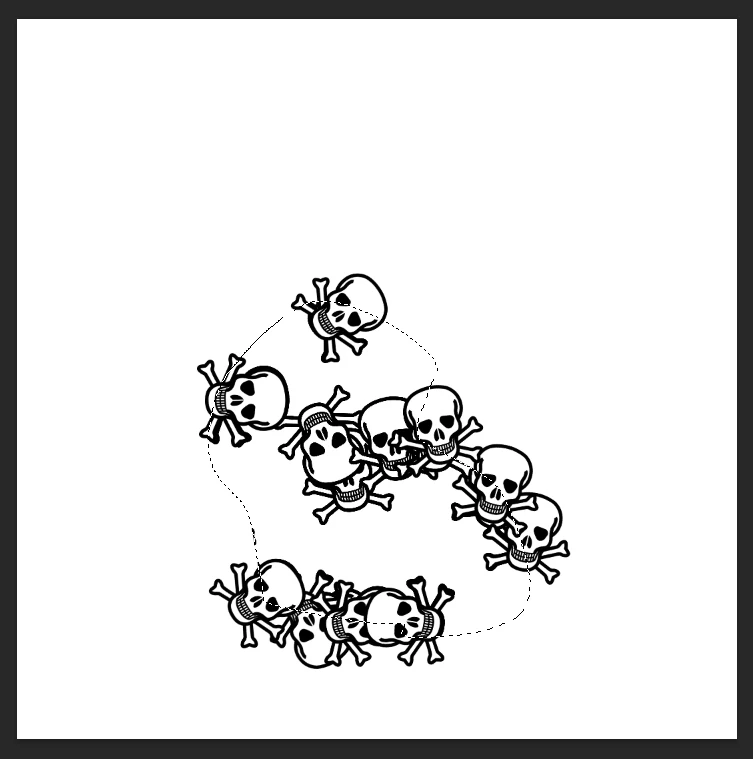
The only way I can get it to look like this is if I manually add in each individual skull that got cut off, which is really annoying and time consuming, especially when I make selections that get bigger and there are more and more skulls around the edge that get cut off.

Any help would be appreciated, thank you!

    4 replies

    Trevor.Dennis
    Community Expert
    Community Expert
    April 25, 2026

    It’s tempting use Generative Fill nowadays.  I used the following text instruction to create the example below.  Note the typos, which did not appear to bother the Ai.  I tried Firefly at first, which failed badly.  The example was first try with Gemini 3 (I was using the release version, which does not have 3.1


    fill the shape with skull and cossbones that are each approximately 10% the width of the shape. The skulls hould be white with black outlines.  None of the skulls should cut off by the outer edge of the shape.


    Chuck Uebele
    Community Expert
    Community Expert
    April 24, 2026

    I modified the scripted fill to do this. This was before it had a UI, and I created my own. I would create a black and white layer with the shapes that I want. Then run tje script that would sample that layer and create a file with the tonal values. Then I would run the pattern fill and my script would put a pattern where there was black and not where there was white. This could also be done with normal scripting. Here a link to my script: uebelephoto.com/CS6_Fill.html


    c.pfaffenbichler
    Community Expert
    Community Expert
    April 23, 2026

    With a graphic like this (sharp edged) I think doing it in Illustrator would be preferable for the vector output – which may not be a meaningful concern for you in this case, though. 

    In Photoshop I would recommend a Smart Object-approach. 


    May I ask if the task is a frequent one? 

    @mj
    Community Expert
    Community Expert
    April 23, 2026

    Hi ​@The Octopus Lady ,

    Use Scatter Brush Instead of Pattern Fill.  Brushes do not tile, so no grid clipping occurs.

    Steps

    1.  Convert object to a brush: Edit → Define Brush Preset
    2. Open Brush Settings
    3. Enable: Shape Dynamics
      Scattering
      Angle Jitter
      Spacing
    4. Paint inside selection

    Let us know how you get along