

TBox9
Known Participant
April 28, 2026
Question

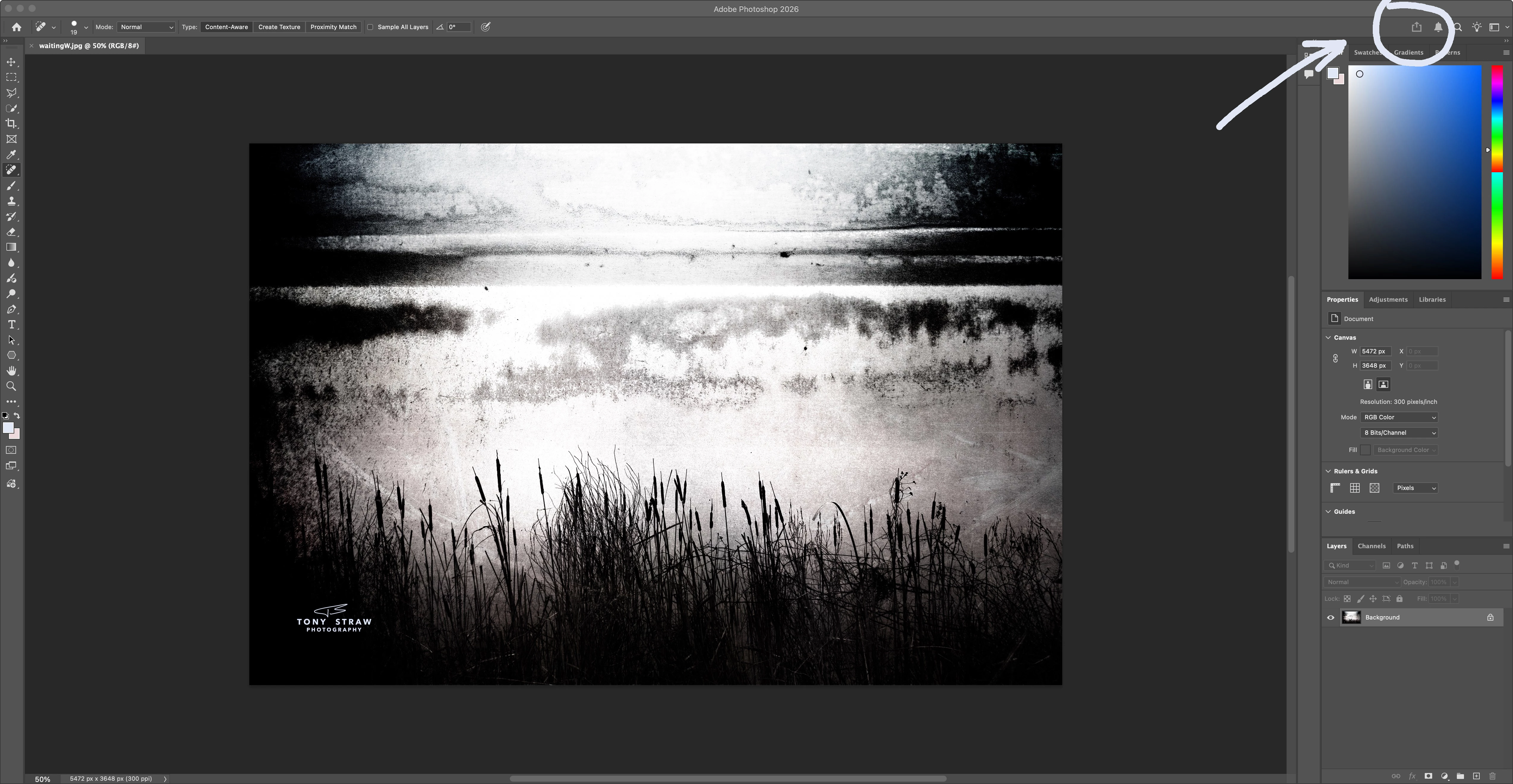
Is there a way to turn on the "Share" icon ??

  • April 28, 2026
  • 1 reply
  • 89 views

I’m on a fairly new Apple M4 and I have Photoshop Desktop 2026.  For some reason my “share” icon is greyed out and non-functioning.  Is there a way to manually turn it on?   If not, anyone know why it’s not working?? 
 

    1 reply

    Legend
    April 28, 2026

    My Export or share files icon “grayed” out when I closed the document I had open.
    I did a quick search in Preferences for a setting; didn’t find one. I’ll continue looking...

    Larry
    TBox9
    TBox9Author
    Known Participant
    April 28, 2026

    Thanks Larry.  Appreciate your efforts.  

    Legend
    April 29, 2026

    I had to start my replay again, lost all my typing (“something happened”)

    Search Assist (Ai) ---

    “The Share button may be greyed out in Photoshop if you are not logged into Creative Cloud or if the feature has been disabled in your version of the software. Additionally, some users have reported that the Share button can be unresponsive due to specific updates or settings.


    Reasons for a Greyed-Out Share Icon in Photoshop

    Common Causes

    • Not Logged into Creative Cloud: Ensure you are logged into your Adobe Creative Cloud account. The Share button may be disabled if you are not authenticated.
    • Software Version Issues: Some updates or specific versions of Photoshop may have bugs that affect the functionality of the Share button.

    Troubleshooting Steps

    Step Action
    1. Check if you are logged into Creative Cloud. If not, log in.
    2. Verify that you are using the latest version of Photoshop. Update if necessary.
    3. Restart Photoshop after making any changes to settings or updates.
    4. Check if the Share feature is enabled in your version of Photoshop.

    Additional Considerations

    • Feature Availability: The Share button may not be available in all versions of Photoshop, particularly if you are using an older version or a specific configuration that disables it.
    • User Settings: Sometimes, user preferences or workspace settings can affect the visibility and functionality of the Share button. Resetting preferences may help resolve the issue.

    Following these steps should help you identify and resolve the issue with the greyed-out Share icon in Photoshop.”

    Larry