

Issue when I toggle the layer mask on/off as rubylith.
Hi, my usual workflow when refining the mask of an object is to toggle the layer mask on as rubylith ("\" so the black masked area is red) and then disable the layer mask so I can see the the whole image and where my mask falls in relation to it.
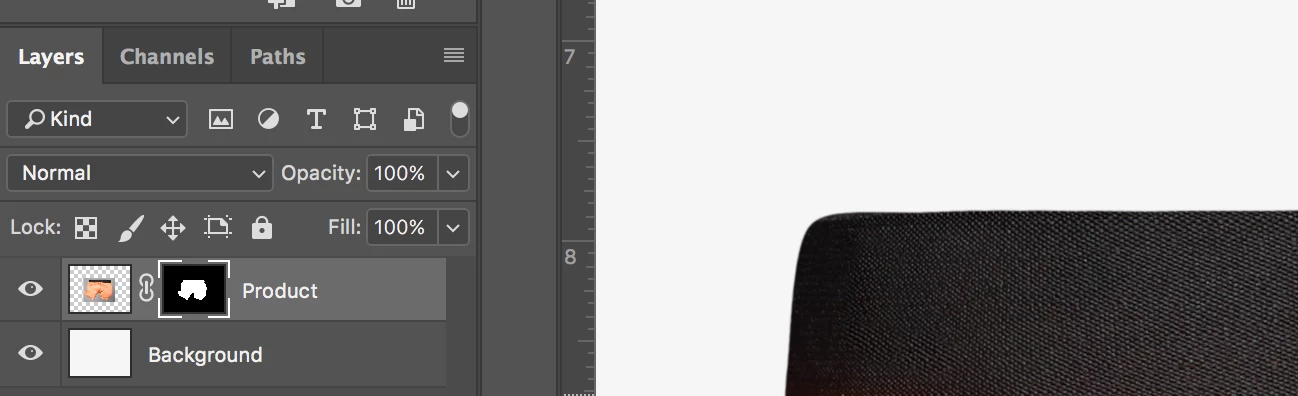
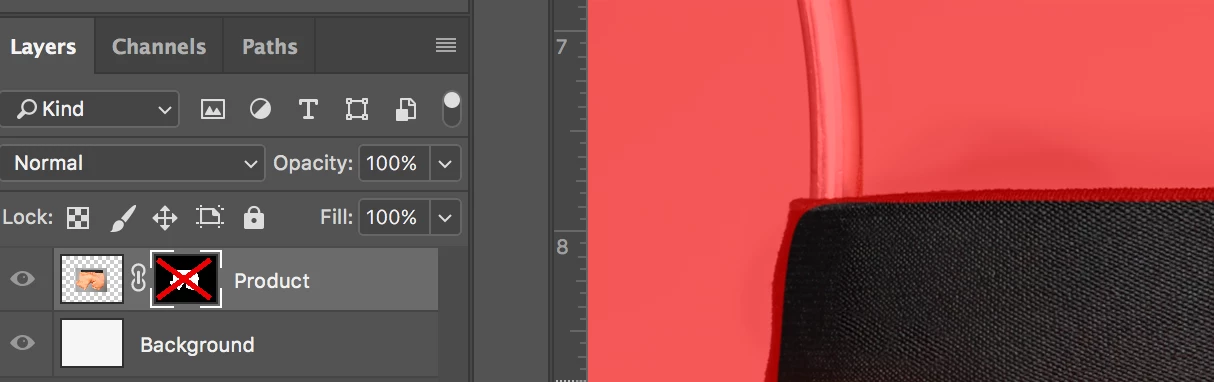
Usually I can use the brush tool to continue to paint the mask, and in this state it paints the black in as the transparent red so I can see the edges of the original object.
But sometimes my brush tool doesn't work. My cursor is the brush, and the history will show that I used the brush tool, but there's no change to my mask, whether I'm painting in pure black or pure white. Opacity is at 100%, the brush and layer modes are normal. If I re-enable the mask on the layer, then the brush works. But that's not helpful to me.
Anyone know why disabling the layer mask would affect my brush tool? I don't understand why it works sometimes and not others.
Thanks for any help.


 AdChoices