
Participant
January 14, 2025
Question

Issue with cleaning up edge between Sky and Landscape

  • January 14, 2025
  • 3 replies
  • 509 views

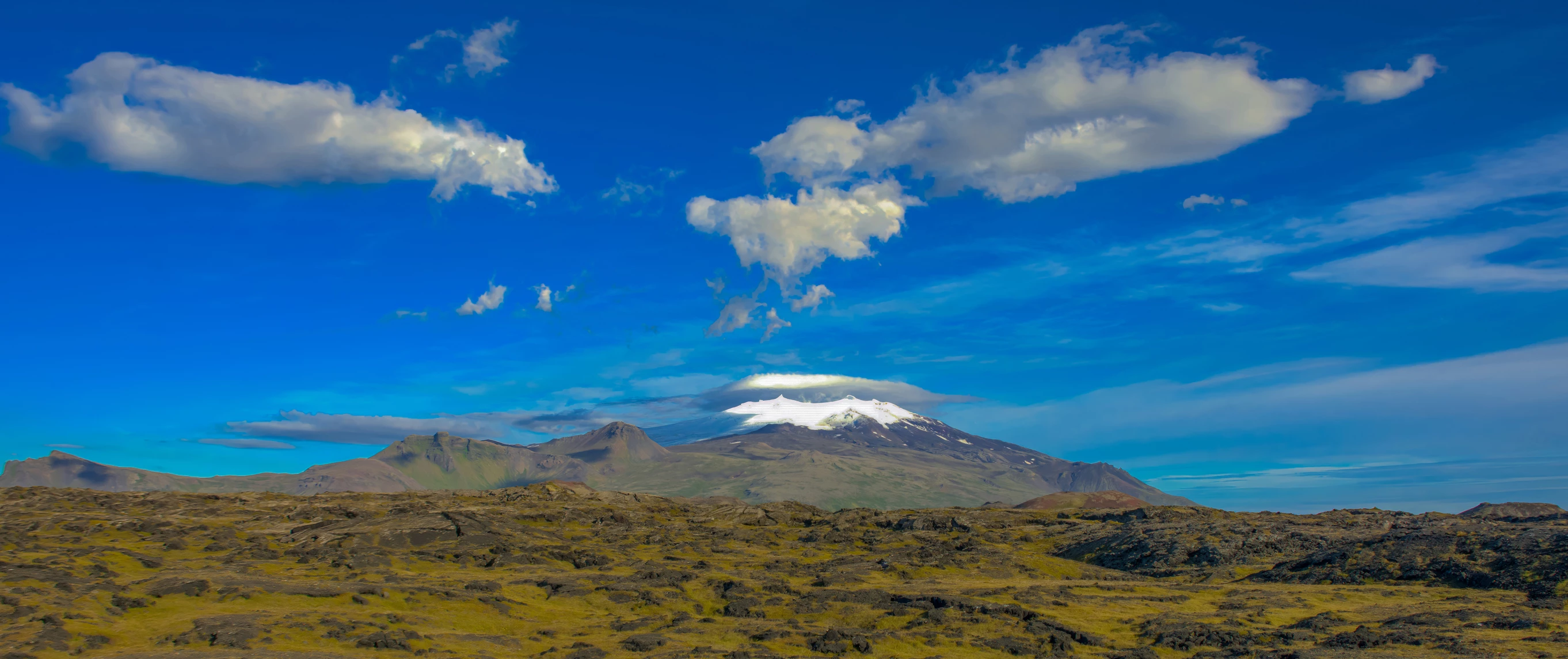
I have tried several different methods found on the internet to clean up/refine the edge between the actual sky and mountain landscape in the attached photo with no success.  I assume this can be accomplished in Lightroom CC or Photoshop 2025.    Any help or recommendation is greatly appreciated.  Thanks before hand.
3 replies

Trevor.Dennis
Community Expert
Community Expert
January 16, 2025

Copy the BG layer

Go Select > Sky

Delete.

It's not perfect, but it doesn't matter.


Move the layer without the sky up a couple of pixels

This is zoomed in 400%


Bojan Živković11378569
Community Expert
Community Expert
January 15, 2025

A tiny one-pixel line? It can be resolved using various cloning tools or the Brush tool, just remember to frequently sample the nearby sky color when using the standard Brush and paint on a separate layer.

Participant
January 15, 2025
Bojan,

First, yes on the one or multiple pixel line between landscape and sky.
Thanks for your recommendation. The use of Clone or Brush tools is
something I tried before, but was hoping there was a simpler less time
consuming method. I have seen several postings using the Refine Edge
method, but have not been successful. Perhaps such a method does not
correct this issue.

Thanks,
Russell West
Community Expert
January 14, 2025

There are several ways you can do this. One of the oldest ways from way back is using the Clone Tool to do just there.

Participant
January 15, 2025
Daniel,

Thanks for your reply. Perhaps I did not clearly explain the issue I am
trying to address. If you can zoom into the photo provided at least to
300% to an area where the mountain edge meets the sky edge you will see
that it is not clean in most places. I am trying to smooth out this edge.
I will give this tool a try since it is not one attempted before.

Thanks,
Russell