



Answered
Issues with saving in Photoshop
We are experiencing an issue with Photoshop on our MacBooks. Essentially, Photoshop is unable to overwrite existing files. This happens both when using the normal save function (Command + S) and when using Save As with the same filename.
When we try to save, Photoshop displays the error message "Disk Error", and the file is not saved
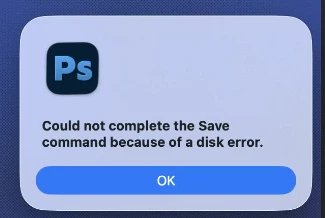
The scratch disk is not full, and the issue only occurs when working with files stored on our file server. We have also verified the file permissions, and everything appears to be correct, with the affected users having the necessary read and write permissions.
This issue occurs on all of our macOS computers, including macOS Sonoma, macOS Sequoia, and macOS Tahoe.

 AdChoices