


leawehrle
Participant
Apr 3, 2026 11:54 AM UTC
Question

je b'ai pas l'option arbre dans filtre rendu elle est grisé comment faire
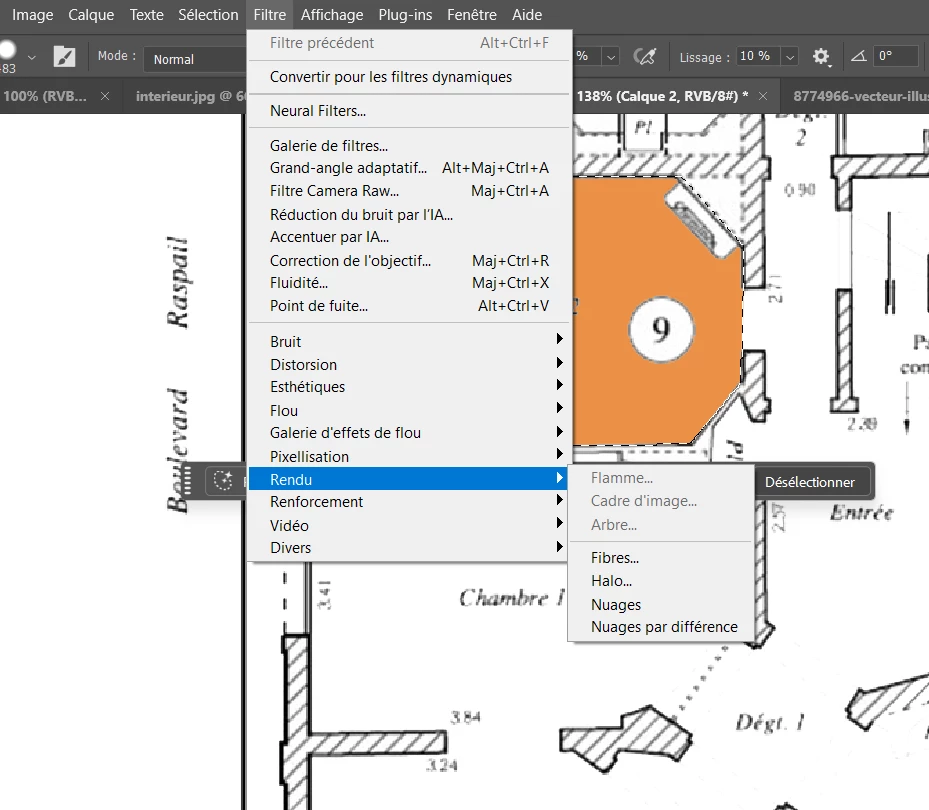
Bonjour j’aimerais avoir l’accès à l’option arbre mais cela ne fonctionne pas comment faire ? mon calque est dévérouiller 

    5 replies

    Trevor.Dennis
    Community Expert
    Community Expert
    Apr 15, 2026 5:30 AM UTC

    Other than what Dave has said, that you need to have a raster layer selected, there’s not a whole lot that will cause Render > Tree to be greyed out.  I have a feeling that it uses the GPU, so issues with the GPU driver and settings might be to blame.  I suspect that Dave is on the money, and that you did not have a plain raster layer selected, but things would be much clearer if you showed us a full sized screen shot of your workspace with the layers panel selected, as Jane has suggested.

    Translate
    davescm
    Community Expert
    Community Expert
    Apr 13, 2026 8:21 PM UTC

    Is your selected layer a smart object, which would cause the render tree to be grayed out?
    Dave

    Translate
    jane-e
    Community Expert
    Community Expert
    Apr 3, 2026 12:42 PM UTC

    ​@leawehrle 

    Have you created a Path and is it selected?

    Jane

    Translate
    leawehrle
    leawehrleAuthor
    Participant
    Apr 13, 2026 3:29 PM UTC

    yes i did it but i don’t have the option 

    Translate
    jane-e
    Community Expert
    Community Expert
    Apr 14, 2026 6:25 PM UTC

    ​@leawehrle wrote: “yes i did it”


    So we can better assist, please show us a screenshot of your Paths panel with the path selected.


    Jane

    Translate