Known Participant
March 26, 2017
Answered

jewelry remove background to white?

  • March 26, 2017
  • 1 reply
  • 1461 views

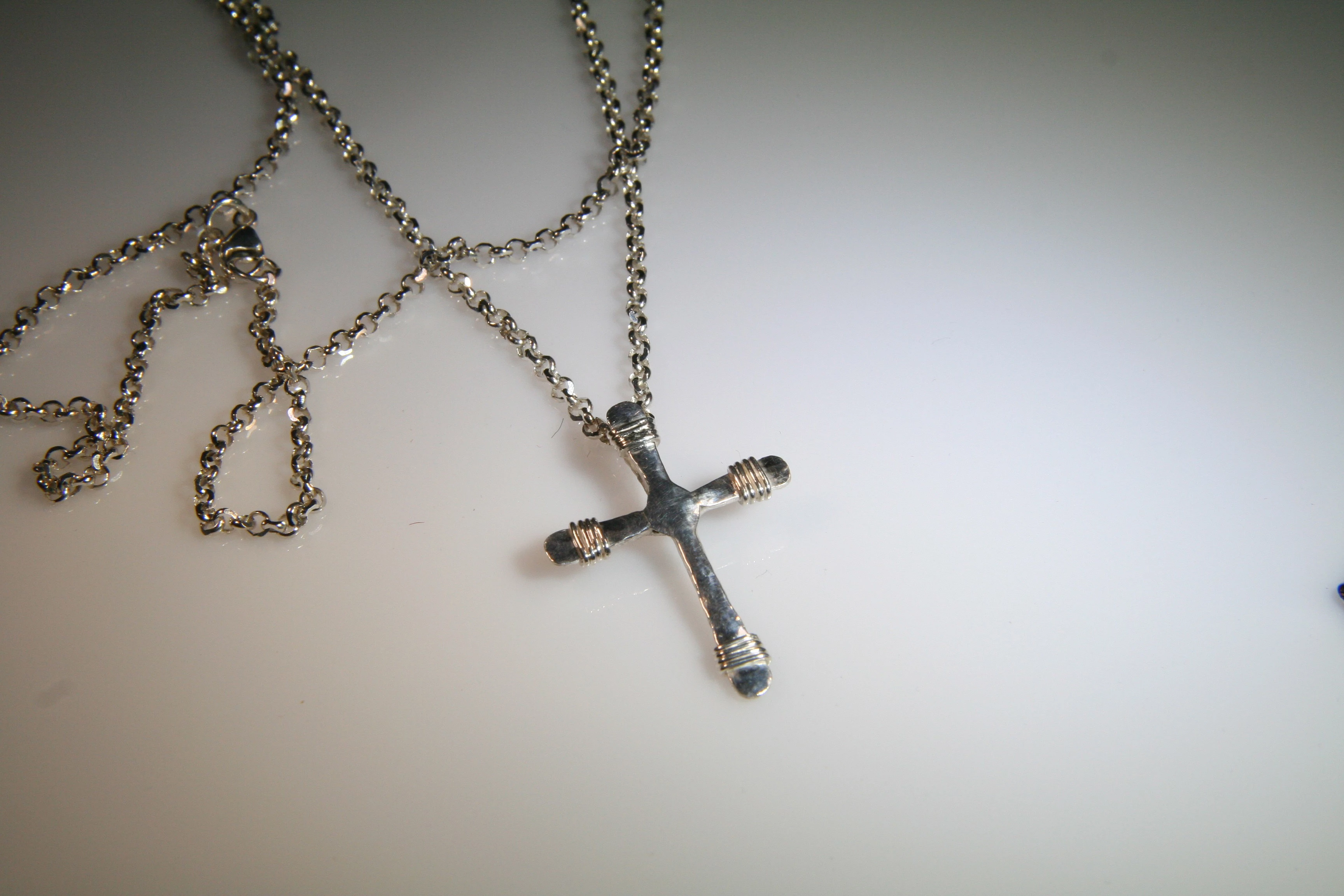
I'm trying to find CC2017 tutorials on how to remove this background to white.

I'll need to do many for an eCommerce catalog -- in a very short turn around time. I can find old tutorials on youtube. Thanks for any help.


.

    This topic has been closed for replies.
    Correct answer davescm

    In principle this is simple. You need to produce a mask so that the wanted areas are white on the mask and the unwanted areas black. Then you just put a white fill layer underneath.

    In, practice, with that photograph, there are many areas where the wanted content is the same colour and brightness as the unwanted content. Look at the loops in the chain.  So you will need to take a lot of time manually going over the mask so that every part of the chain is selected and every gap is deselected.  This will take you a long time.

    If it was me, I would photograph it again with much better lighting - or get the photographer to do the same. Then some simple tone adjustments should do it

    Dave

    1 reply

    davescm
    Community Expert
    davescmCommunity ExpertCorrect answer
    Community Expert
    March 26, 2017

    In principle this is simple. You need to produce a mask so that the wanted areas are white on the mask and the unwanted areas black. Then you just put a white fill layer underneath.

    In, practice, with that photograph, there are many areas where the wanted content is the same colour and brightness as the unwanted content. Look at the loops in the chain.  So you will need to take a lot of time manually going over the mask so that every part of the chain is selected and every gap is deselected.  This will take you a long time.

    If it was me, I would photograph it again with much better lighting - or get the photographer to do the same. Then some simple tone adjustments should do it

    Dave