
Participant
November 6, 2023
Question

JPEG do not synchronise with PSD

  • November 6, 2023
  • 3 replies
  • 253 views

Why my JPEG file turns out different from what I did in. PSD file? 
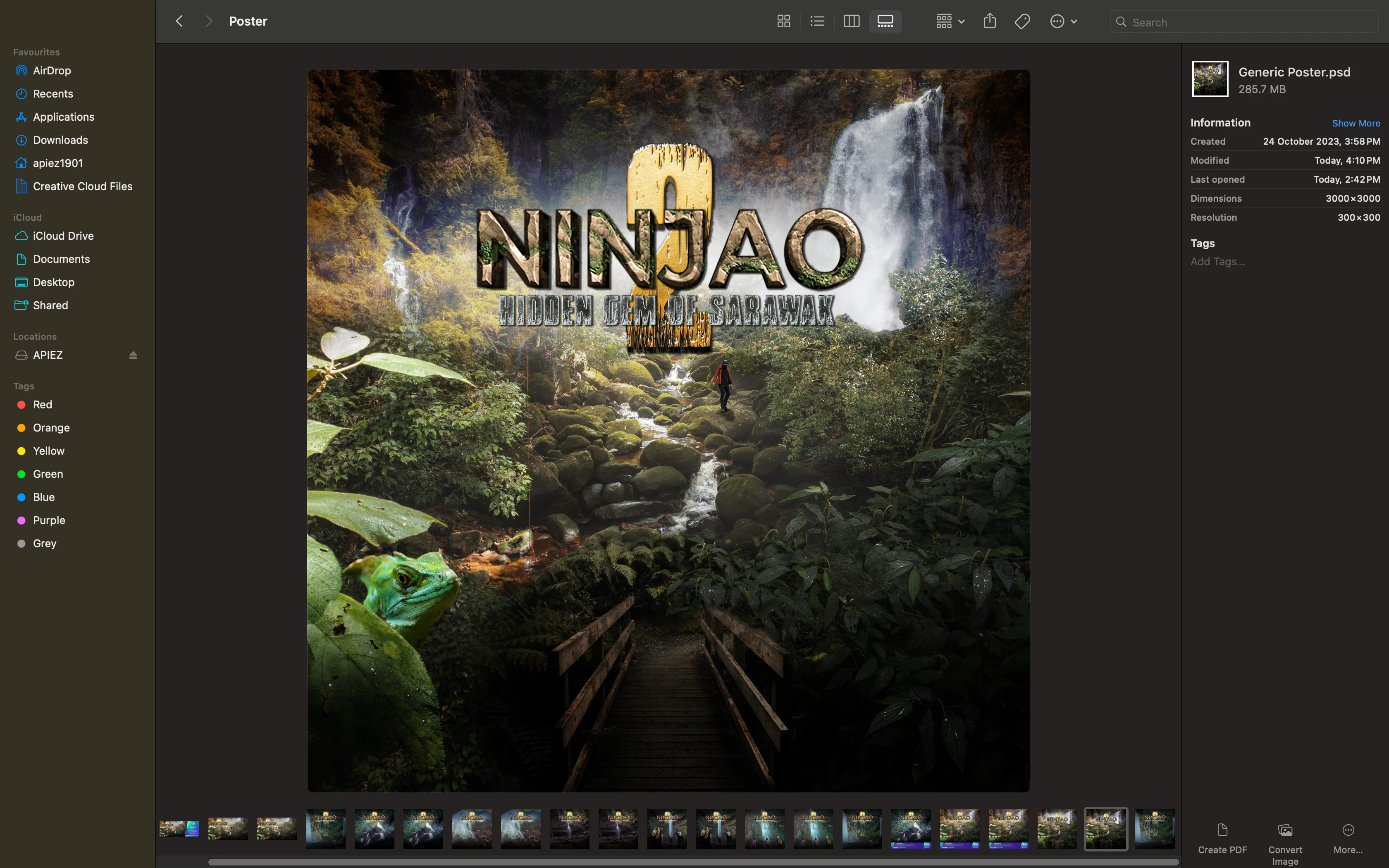
 This is the expected result when I am saving it as JPEG...
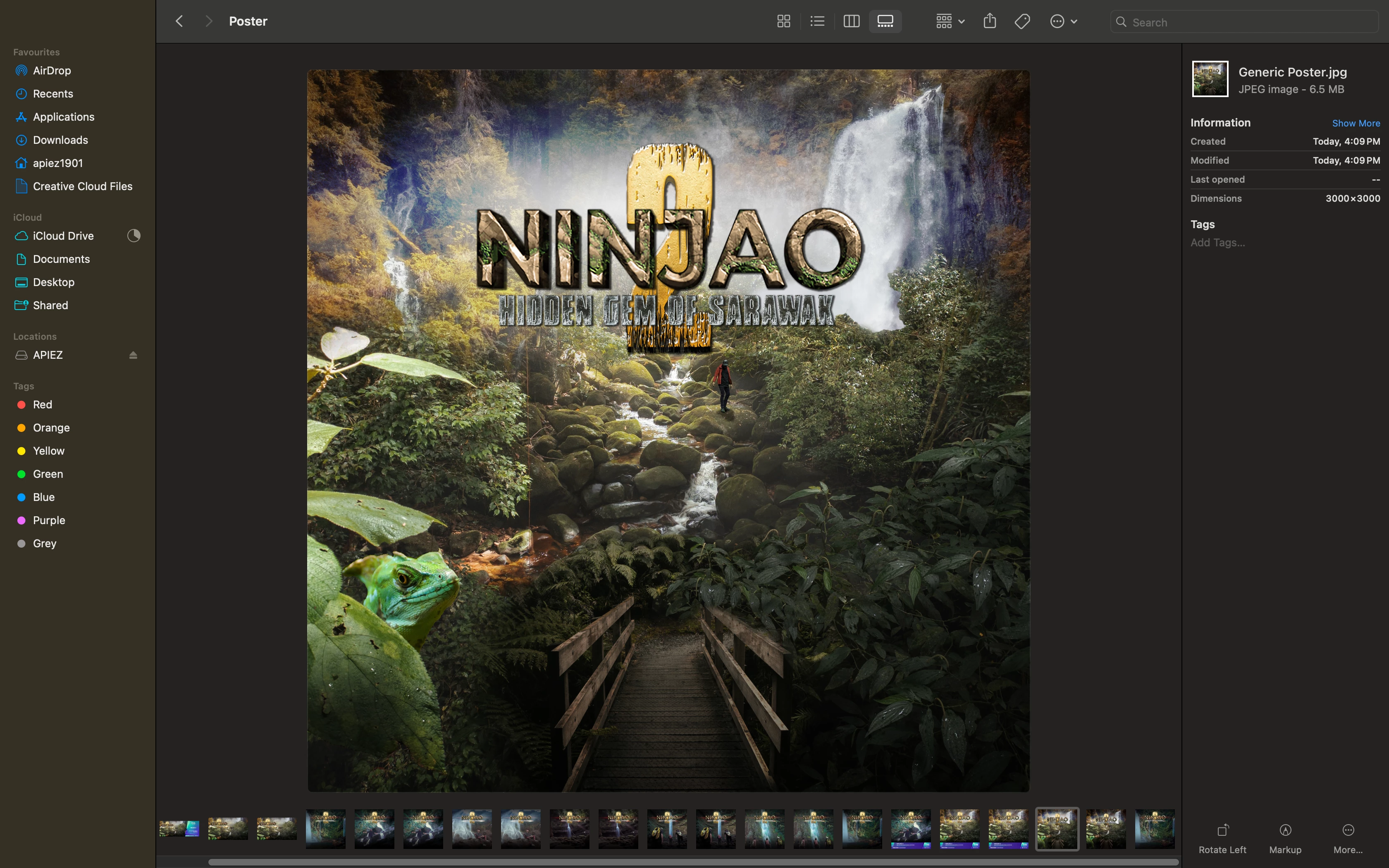
 

 BUT it turned out to be like this. As if the layers been slightly off.


Anyone knows how to fix this issue?

Another info, I just moved from Windows to Mac. The original PSD was edited in Windows.

This topic has been closed for replies.

3 replies

Gulshan212
Participating Frequently
November 6, 2023

I think you need to ensure that you are saving the JPEG in the appropriate file format.  

Thanks 

Software Developer
John T Smith
Community Expert
Community Expert
November 6, 2023

New screen shows Photoshop

You need to ask program questions in the forum for the program you are using
To ask in the forum for your program please start at https://community.adobe.com/
Moving from Using the Community (which is about the forums) to the correct forum

jane-e
Community Expert
Community Expert
November 6, 2023

@Apiez1901 


I was about to move your post from Using the Community (for questions about the forums) to Photoshop, but this does not look like the Photoshop interface.


Which application are you using?


Jane

Apiez1901Author
Participant
November 6, 2023

Hello there Jane.

Yes, it's not from Photoshop interface but I screenshot it from my MacBook Pro folder. By the way, did you not noticed the file name on the picture? Clearly stated there "Generic Poster.psd"

 There you go... This is the result I should be getting when saving it to JPEG


 BUT it turns out to be like this instead.