
Participant
January 6, 2024
Frage

JPEG saved in sRGB profile only shows correct color in some programs / apps

  • January 6, 2024
  • 2 Antworten
  • 838 Ansichten

For years, I have been using Adobe Camera Raw to edit photos which shoot in Adobe RGB colour profile. I thought Adobe RGB color profile is a better option but now I just realise that those jpeg files exported are showing a colour mismatch. I have noticed this issue previously but I didn't take it as a concern until now.


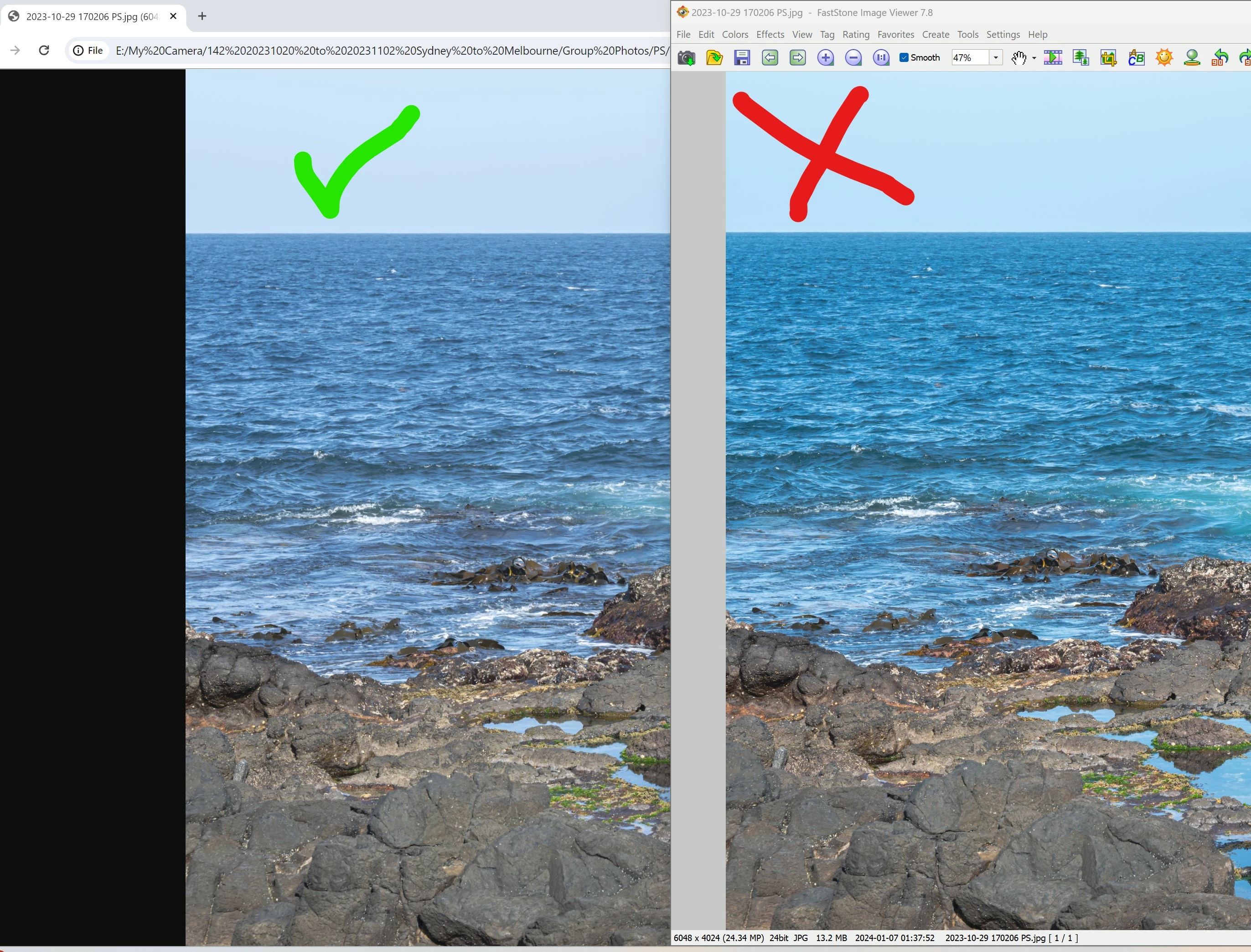
Comparison of same file:
Left: Google chrome showing a more neutral and natural colour as seen in Adobe Camera Raw 

Right:  More saturated and shadowed photo displayed by Fast Stone Image Viewr despite the "Color Management System / Color Space aware" is on in the setting.
 

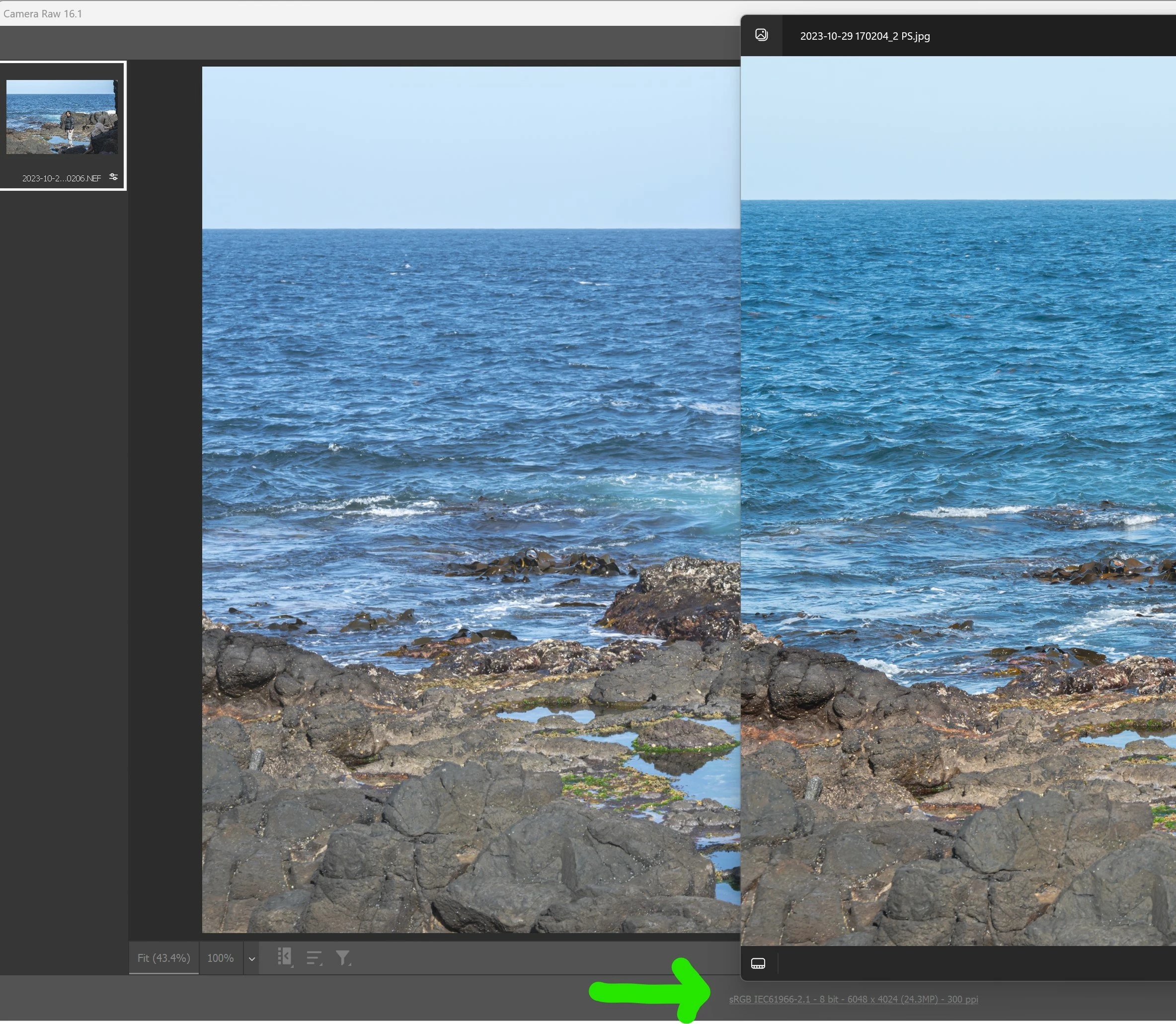
Below is the screenshot comparing the original raw file and the output jpeg file (I also tried viewing it in Windows Photo).

As you can see, I also set the work space in ACR to sRGB + 8 bit colour.


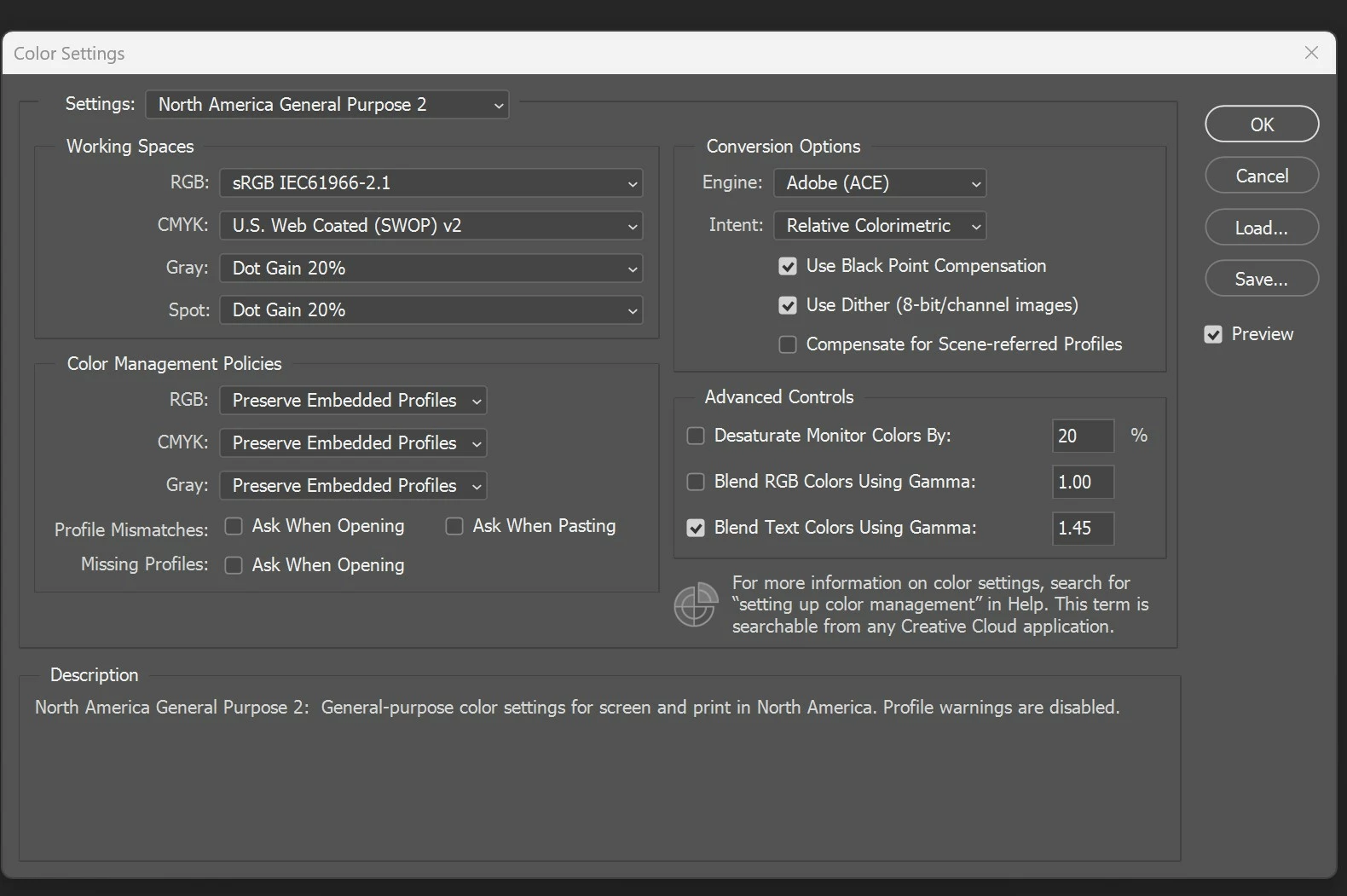
After reading articles online for few hours and tried out on the changing of colour space and export settings, I couldn't fix the issue. 


Below are the settings in my Photoshop / ACR:
 

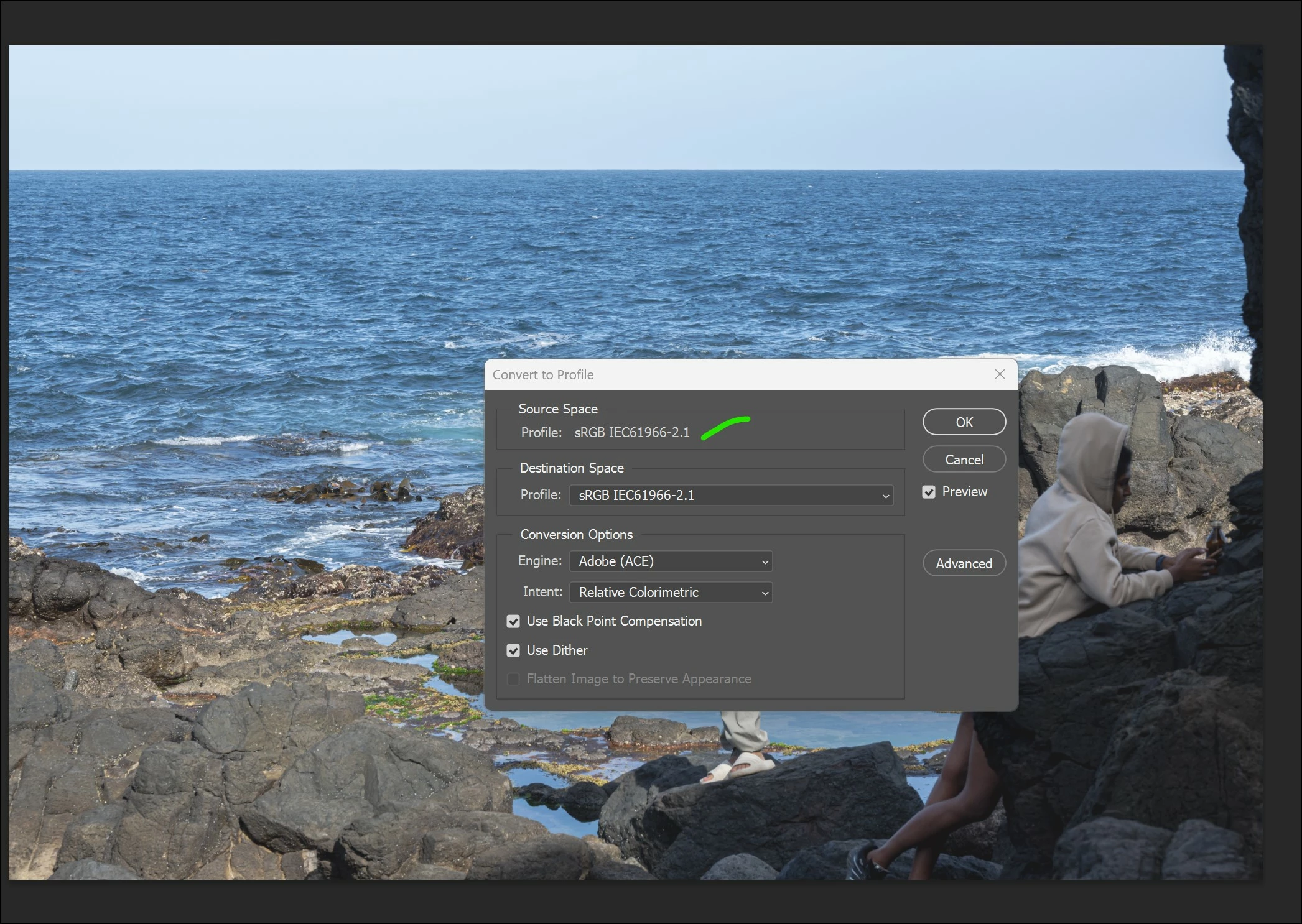
I confirmed that the colour profile is in sRGB when importing from ACR to Photoshop:


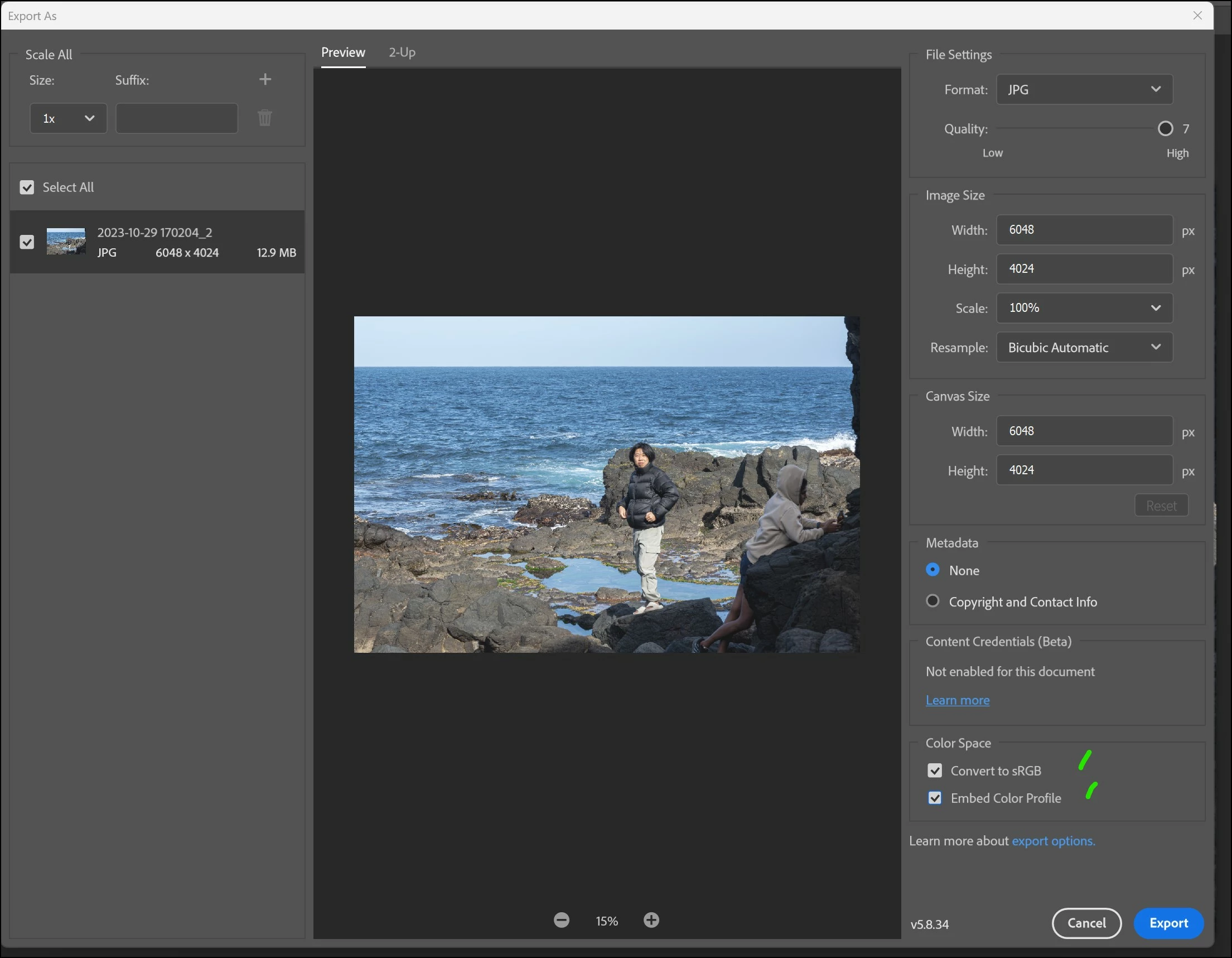
I have ticked the two boxes when exporting.

There is no difference if I export from ACR directly.
 

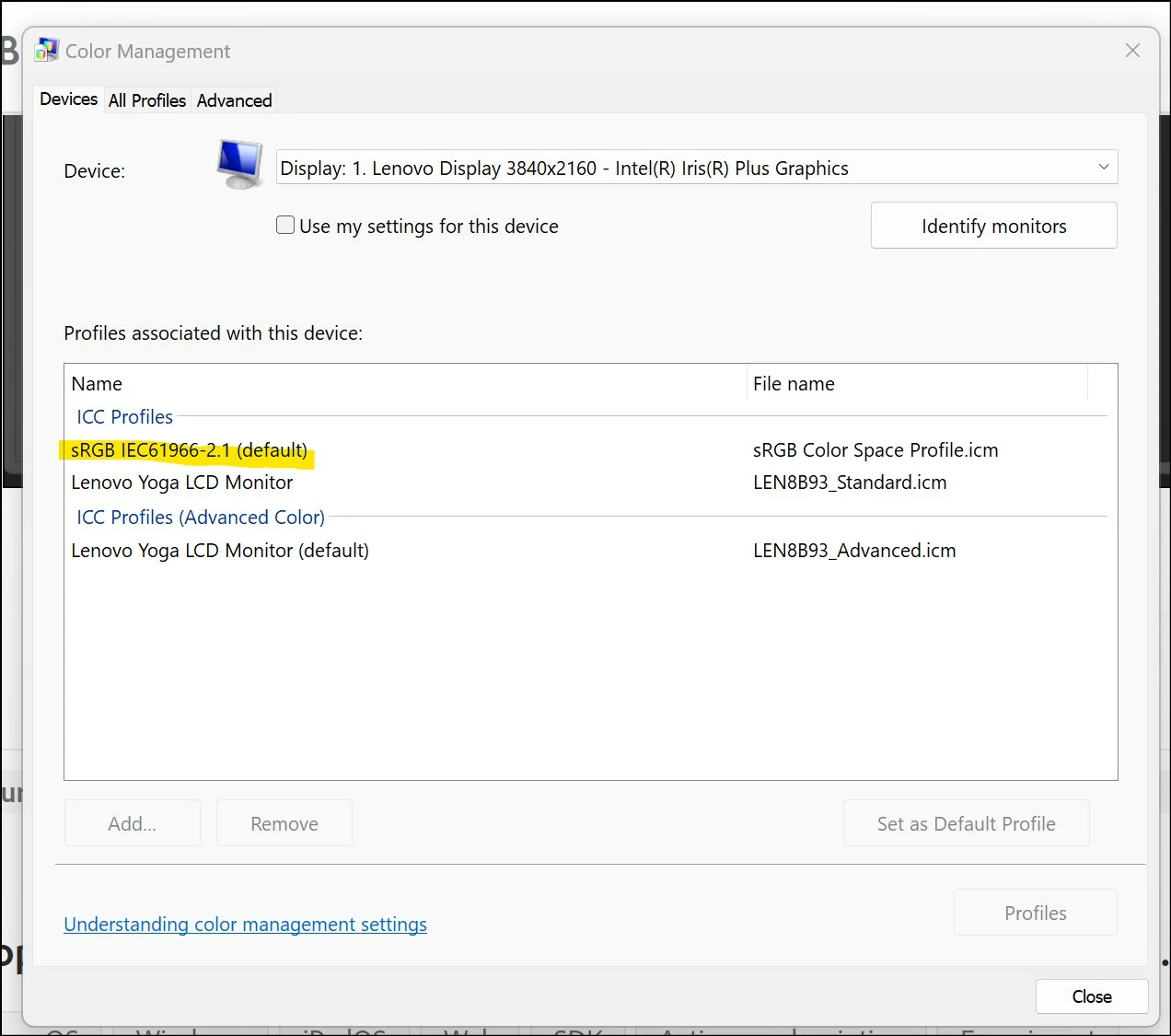
I also tried adding a sRGB profile to the Windows 11 Color Management:
 

I hope someone can help me on the issue.


Many thanks in advance!!


Dieses Thema wurde für Antworten geschlossen.

2 Antworten

Per Berntsen
Community Expert
Community Expert
January 6, 2024

Did you also check the other box, Auto-detect and use monitor color profile?

Both must be checked for color management to work.


Participant
January 7, 2024

Yes, I checked both boxes in Fast Stone Viewer.

As I already saved the file in sRGB, I hope the photo can show correct color in any apps / program.

D Fosse
Community Expert
Community Expert
January 7, 2024

Then we need more info. Where does your monitor profile come from - are you using a calibrator? Which one? Single or dual monitors? What type - standard gamut or wide gamut? Is this a laptop with dual graphics?


In any case, as long as you have a valid monitor profile, Photoshop is your reference for correct display.

D Fosse
Community Expert
Community Expert
January 6, 2024

So the short version seems to be that Faststone's color management is broken? All the others agree?

Participant
January 7, 2024

The colour profile display incorrectly not only in Faststone but also in Windows Explorer, Whatsapp and also on my mobile phone (Pixel 7).

It seems that the jpeg is showing the wrong color profile in most app.

I also tried saving the photo in PNG but the output is the same. I doubt if I have missed any step.