Participant
October 14, 2026
Answered

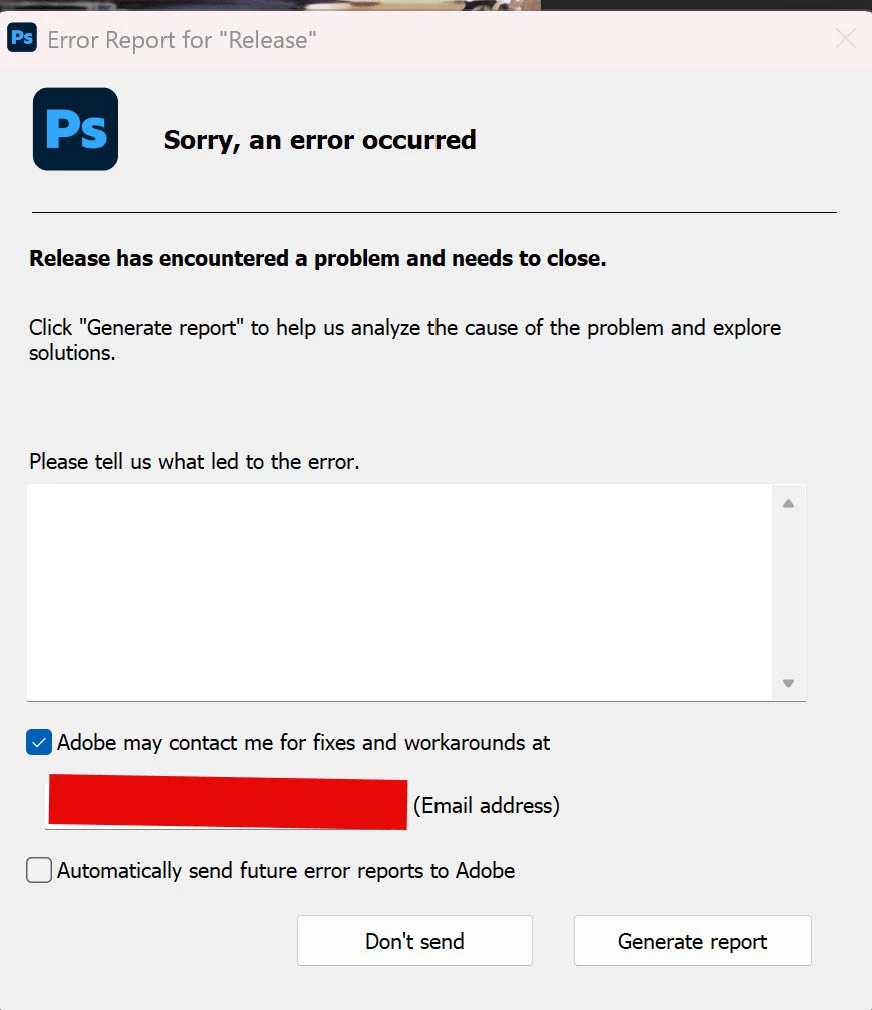
Just updated to 27.11. Cannot save files. Any kind of file. Photoshop crashes. I can Export to .jpg or whatever but when I click Save or Save As, the program crashes with an error message.

Doesn’t matter if it’s a layered file or a flattened file. Photoshop Beta, which was also updated today, works fine.  
 

    Ged_Traynor
    Ged_TraynorCorrect answer
    Community Expert
    October 14, 2026

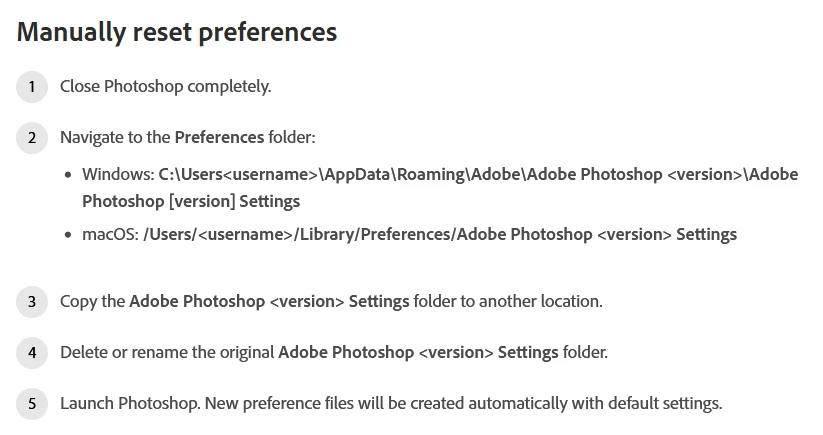
    ​@mhwarner try manually resetting your Photoshop preferences to see if it helps


    3 replies

    Inspiring
    October 16, 2026

    As you say Photoshop Beta works just fine. 

    How would we add back preferences?

    Translate
    Ged_Traynor
    Community Expert
    Ged_TraynorCommunity ExpertCorrect answer
    Community Expert
    October 14, 2026

    ​@mhwarner try manually resetting your Photoshop preferences to see if it helps


    Translate
    mhwarnerAuthor
    Participant
    October 15, 2026

    Thanks!  Was trying to avoid this route, but it did the trick.  Now I will have to add back some of my previous preferences one by one to see which breaks it.  There’s probably only a few I care about like Workspaces, brushes, actions, patterns,styles and keyboard customizations,  so I’ll try those.  Many of the others have just accumulated over the years and are likely not that necessary.

    I appreciate your help!

    Translate