Participant
March 16, 2025
Answered

Kein Bedienfeld „Pfade“

  • March 16, 2025
  • 3 replies
  • 352 views

Befehl Pfade (Paths) in Menü Fenster (Windows) kann nicht gewählt werden -> kein Haken bleibt und kein Bedienfeld erscheint. Was ist zu tun, bitte?

Correct answer Harbachoed Karl

Menu ‚Fenster‘ (Windows?) did not mark the command ‚Pfade‘ (‚Path‘ ) and did not show a Bedienfeld.
I tried to install PS on an older OS, though it was to old.
Coming back I must log in and all was correct. Though the Bedienfeld was stashed behind others.
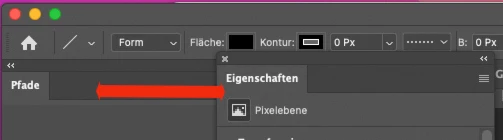
 So the problem is solved.
Other pictures for the languages:
Pfade is german and means paths
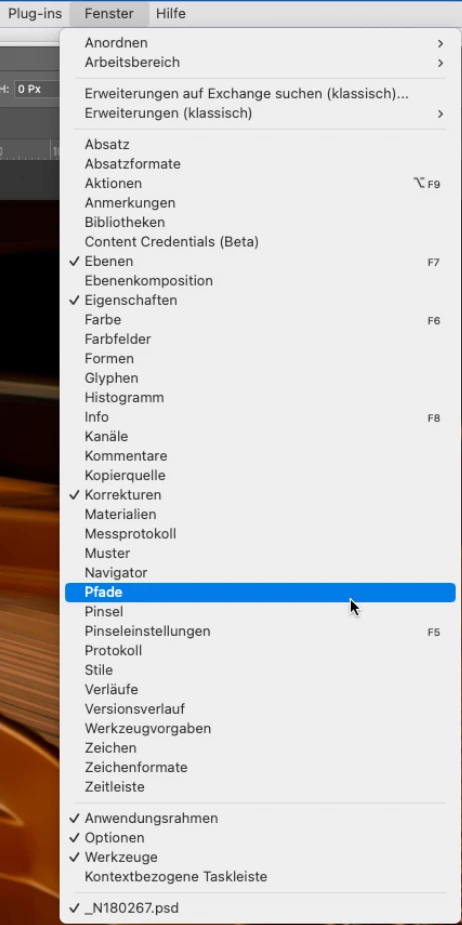
 Choosing the command or option did not induce the √ sign.
__________
So all works now fin and I thank you very much efforts!


3 replies

Harbachoed KarlAuthorCorrect answer
Participant
March 17, 2025

Menu ‚Fenster‘ (Windows?) did not mark the command ‚Pfade‘ (‚Path‘ ) and did not show a Bedienfeld.
I tried to install PS on an older OS, though it was to old.
Coming back I must log in and all was correct. Though the Bedienfeld was stashed behind others.

 So the problem is solved.
Other pictures for the languages:
Pfade is german and means paths

 Choosing the command or option did not induce the √ sign.
__________
So all works now fin and I thank you very much efforts!


 

Legend
March 17, 2025

English/German:

Navigator - Navigator

Path - Pfade

Command - befehl


Where is this in Photoshop, Karl? Photoshop 2025>Window>Navigator causes display of Navigator and Histogram only. Path and Command are not seen under Window.

Larry
Jeff Arola
Community Expert
Community Expert
March 17, 2025

What version of Photoshop and macOS are you using?


A reset of the Photoshop preferences might solve the issue:

https://helpx.adobe.com/de/photoshop/using/preferences.html
