

MahaB82A
June 20, 2025
Answered

Lasso Tool & Polygonal Lasso Tool

  • June 20, 2025
  • 4 replies
  • 441 views

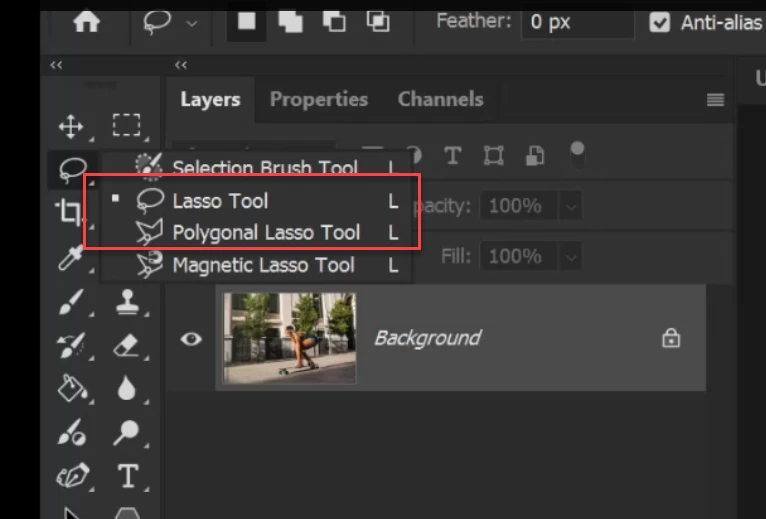
What is the difference between Lasso Tool & Polygonal Lasso Tool? In my view the only difference is Lasso Tool has less control whereas Polygonal Lasso Tool has more control when using.


Correct answer Ged_Traynor

@MahaB82A the lasso tool is used for freehand drawing, whereas the polygonal lasso tool draws in straight lines, use the tools that best suits your needs, I very seldom use either, my go-to tools for selections is the pen tool or the object selection tool

4 replies

Trevor.Dennis
Community Expert
Community Expert
July 12, 2025

I don't have the Polygonal Lasso tool in any of my toolbars, because, like Conrad has mentioned, you can do everything with the ordinary lasso tool plus the Alt/Opt keys, which makes for a more fluid workflow. 

It gets a bit finicty when you want to remove from a selection, but it is still doable.  Hold down Alt/Opt and click anywhere inside or outside an existing selection. Release and reapply the Alt/Opt key, and keep it held down as you click each point around the area you want to remove.  When that area would be contained within a straight line to current cursor position and the starting point, realease the Alt/Opt key and it will automatically complete the remove area.

Conrad_C
Community Expert
Community Expert
July 11, 2025

They might have offered both for simplicity and clarity, especially for newer users. Although you can hold down a modifier key to make the Lasso tool work like the Polygonal Lasso tool, sometimes it’s easier to just grab the Polygonal Lasso tool.


There are other examples of this in Photoshop…


The Edit > Transform submenu has commands like Scale, Rotate, Skew, Distort, and Perspective. But technically all those commands are not necessary, because you can do all of those with the Edit > Free Transform command already…if you memorized the modifier keys that do them. If you’re a new or casual Photoshop user, you probably haven’t memorized those keys so it’s easier to just pick the command you need.


The Tools panel has Rectangle, Triangle, and Polygon tools. But you could do them all with the Polygon tool by setting it to the number of sides you need, so the Rectangle and Triangle tools are technically unnecessary. Again, though, a lot of people find it easier to have dedicated tools that are already set up to do rectangles and triangles.

Participant
July 11, 2025

The polygonal lasso tool is much easier to zoom in & make precise selections & edits. I haven't been using the iPad version of Photoshop because it didn't have the polygonal tool.

Ged_Traynor
Community Expert
Ged_TraynorCommunity ExpertCorrect answer
Community Expert
June 20, 2025

@MahaB82A the lasso tool is used for freehand drawing, whereas the polygonal lasso tool draws in straight lines, use the tools that best suits your needs, I very seldom use either, my go-to tools for selections is the pen tool or the object selection tool

MahaB82A
MahaB82AAuthor
June 20, 2025

Thanks for the explanation.

