
Layer aspect changes after opening a smart object filter
Hi guys. I'm working on a project, but a problem arose that is driving me crazy.
Basically, I have a smart object with some filters I duplicated several times. At first, I can change the filters parameters normally, but as I proceed adding more layers and enriching the project, the problem shows up. When I try to change a filter parameters (let's say Levels), the layer preview becomes distorted and after applying the changes the aspect changes. I don't even have to change anything, I just open the filter to modify it, I confirm and the same happens.
I think all this is related to the Chrome filter, because when I try to change a filter applied to a smart object (let's say I just open it) that doesn't have the Chrome filter applied, the preview becomes distorted, but the layer aspect doesn't change. I don't know what to do.
There's no going back. The fun part is when I update the smart object content (even adding a new blank layer is enough) and I see the layer preview restored, so I think "Oh, the preview is normal now, finally!", but sadly, the layer aspect remains unaltered after the initial distortion.
Currently I can't touch my smart objects where there's the Chrome filter applied, otherwise the layers aspect will change. I hope someone can help me. Thank you.
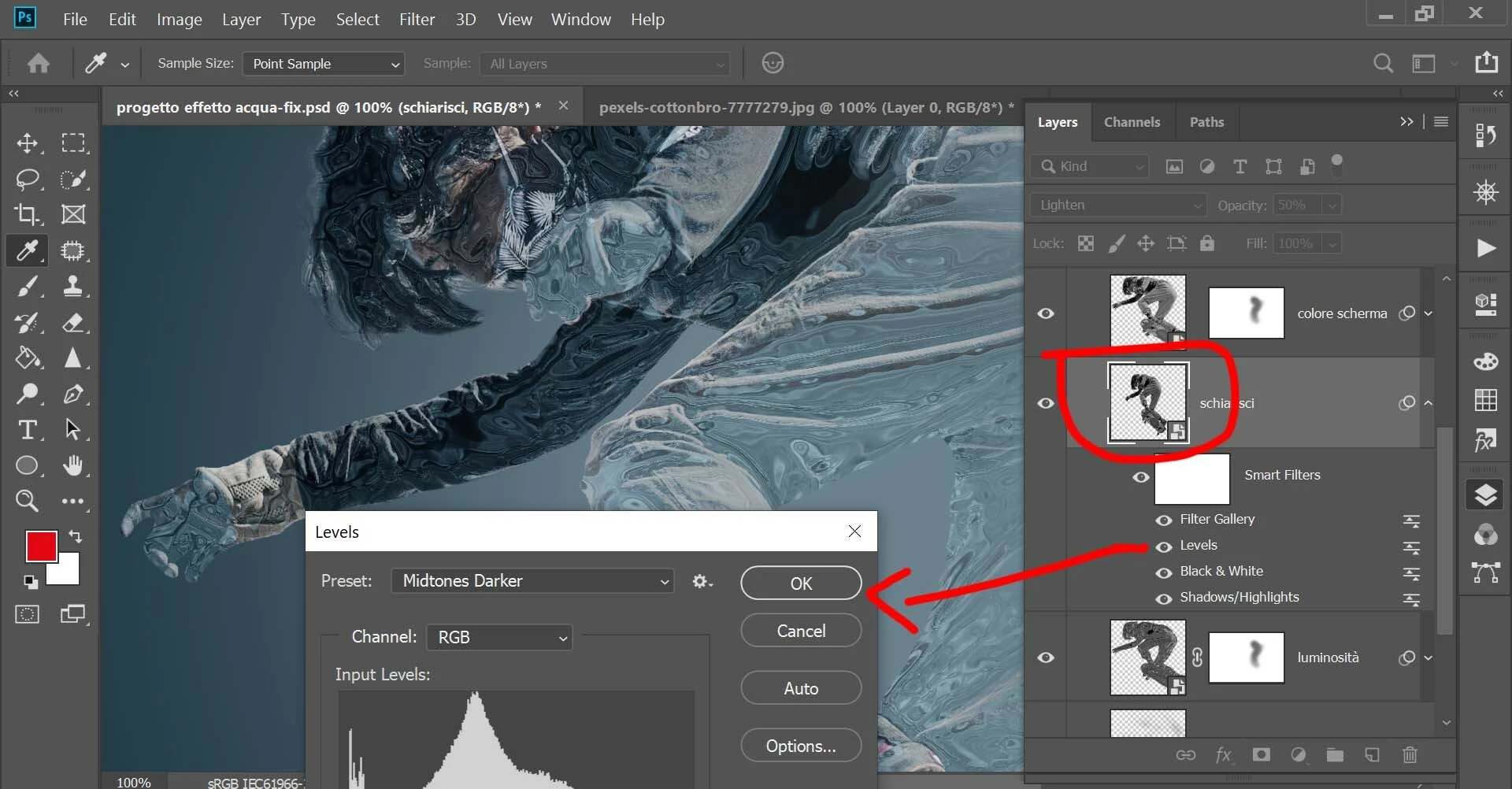
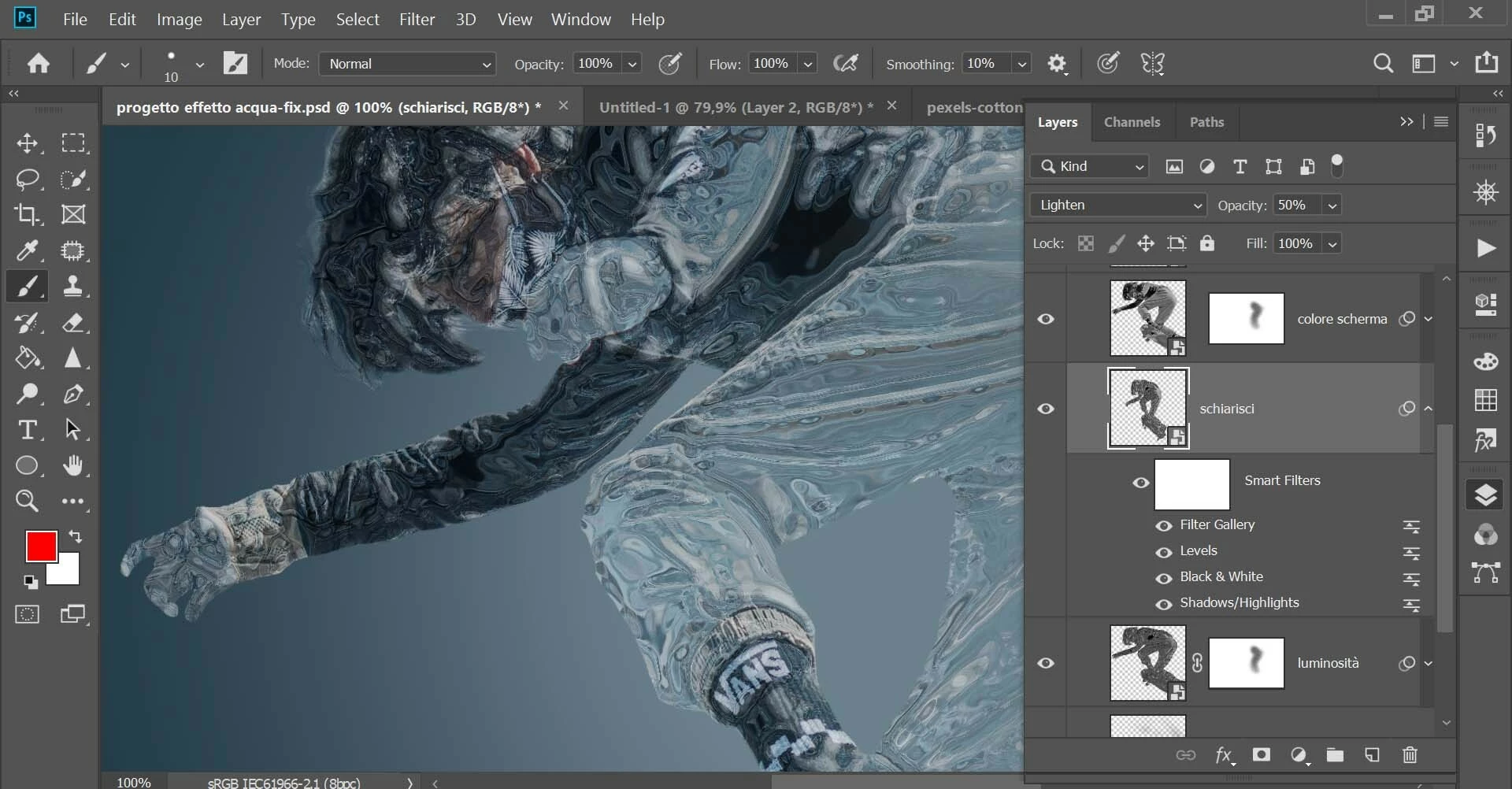
In the example below, I opened the Levels filter without applying any changes (the Chrome filter is applied to the smart object, you can see it under the name Filter Gallery). As you can see, the layer preview becomes distorted (image 1). After confirming, you can see that the image changes (image 2).
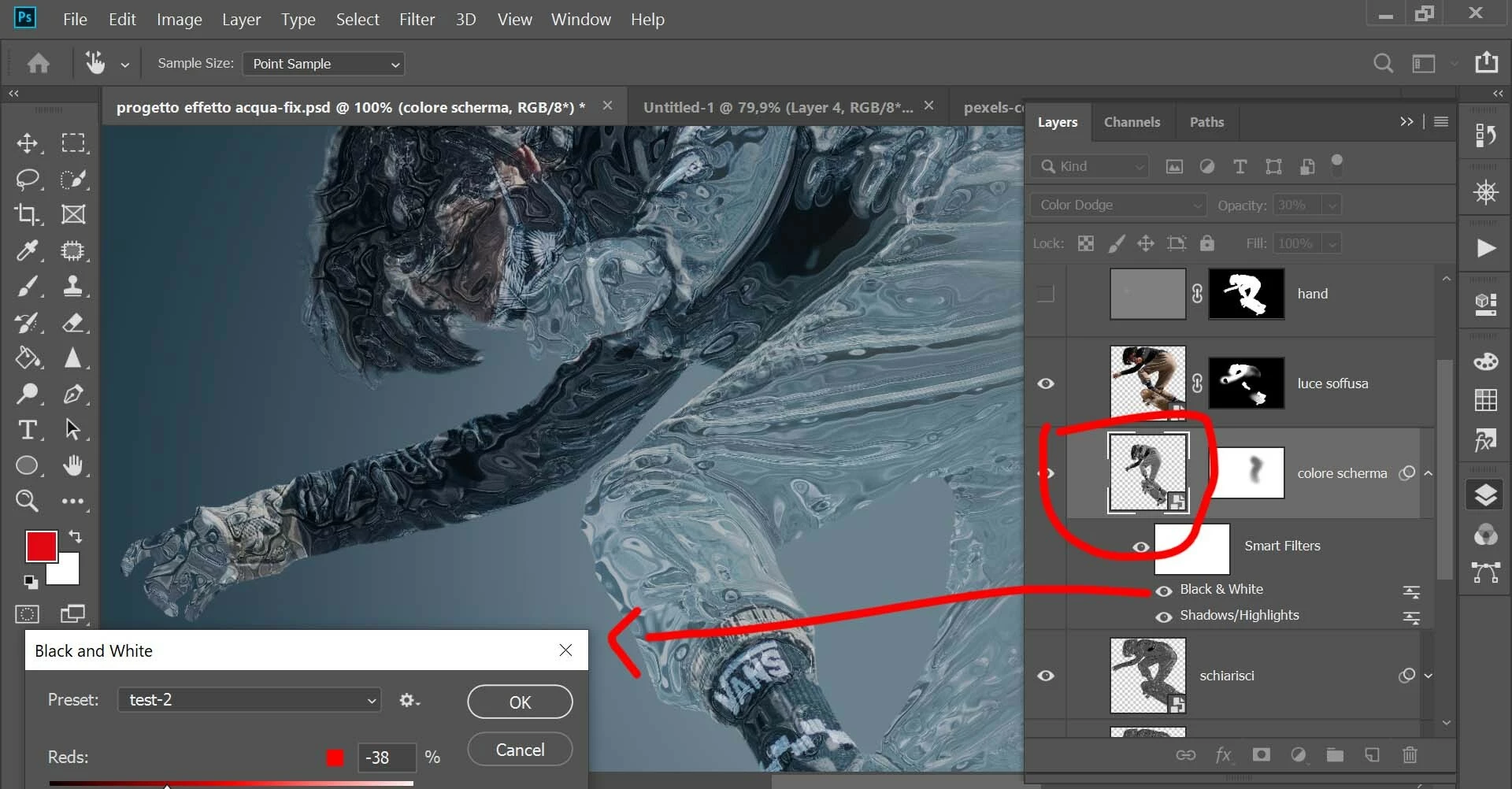
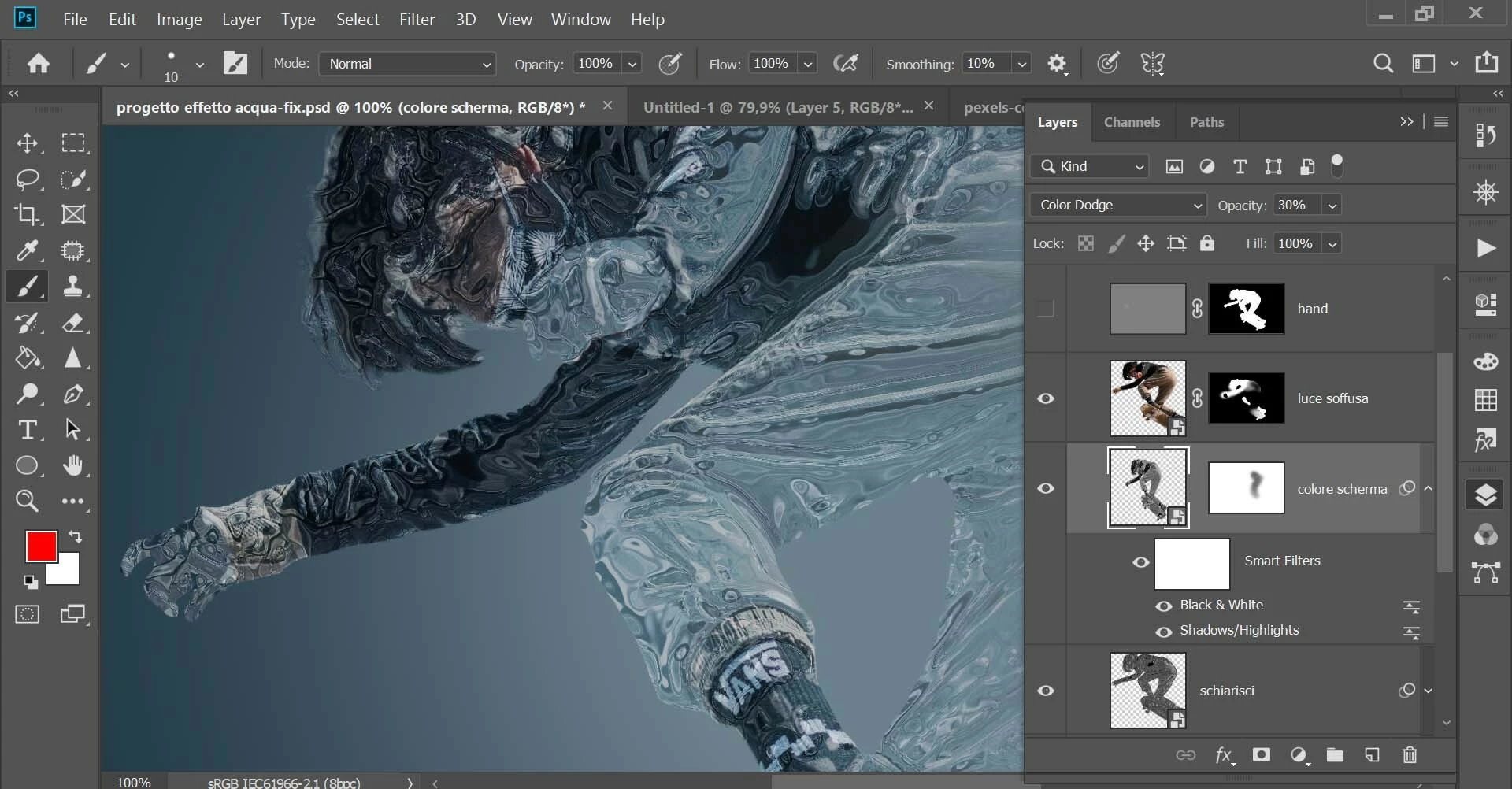
In the example below, I opened the Black and White filter without applying any changes (image 1). The Chrome filter is not applied to the smart object. The layer preview becomes distorted, but after confirming, no change happens (image 2).


 AdChoices