
Question
layer.bounds is different from bounds in Photoshop
I have this document:
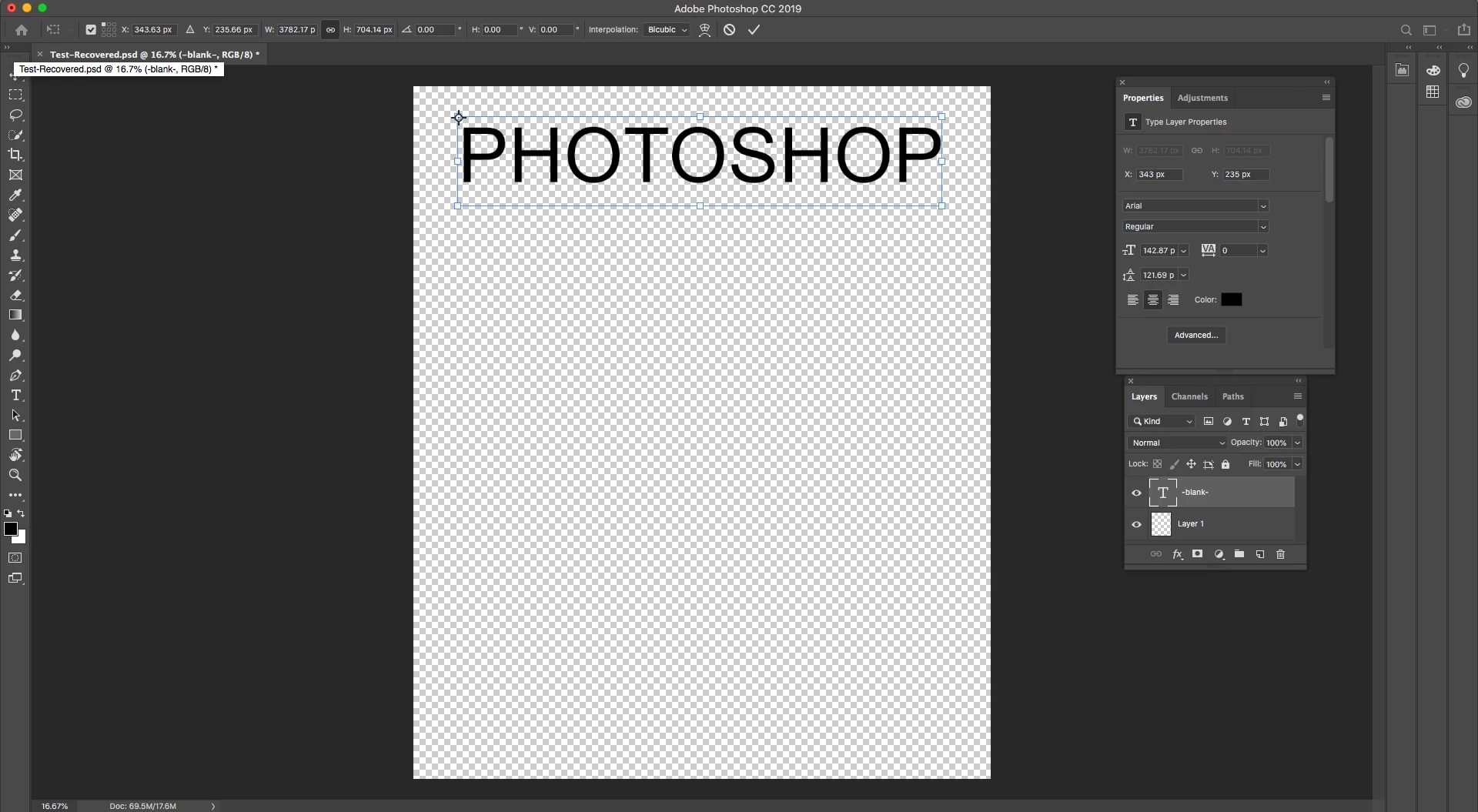
The Transform show the X, Y, W, and H:

However, when calling this script:
var doc = app.activeDocument
var layer = doc.layers[0]
alert(layer.bounds[0])
alert(layer.bounds[1])
alert(layer.bounds[2])
alert(layer.bounds[3])
I get this:
X: 389 px
Y: 311 px
W: 4111 px
H: 751 px
As you can see, this differs from the X, Y, W, and H that I received from the Transform.
Why is this?
Looking at the text layer in Photoshop, it appears the blue outline on the left side is offset from the actual text by some pixels. It also appears to be offset from the top and bottom sides, but not the right side.
I would like the layer bounds to be consistent from Photoshop to my script. I am not sure if this is possible, however.
 AdChoices