cozborn
Participant
September 22, 2023
Answered

Layer disappeared in Photoshop 2024

  • September 22, 2023
  • 4 replies
  • 2950 views

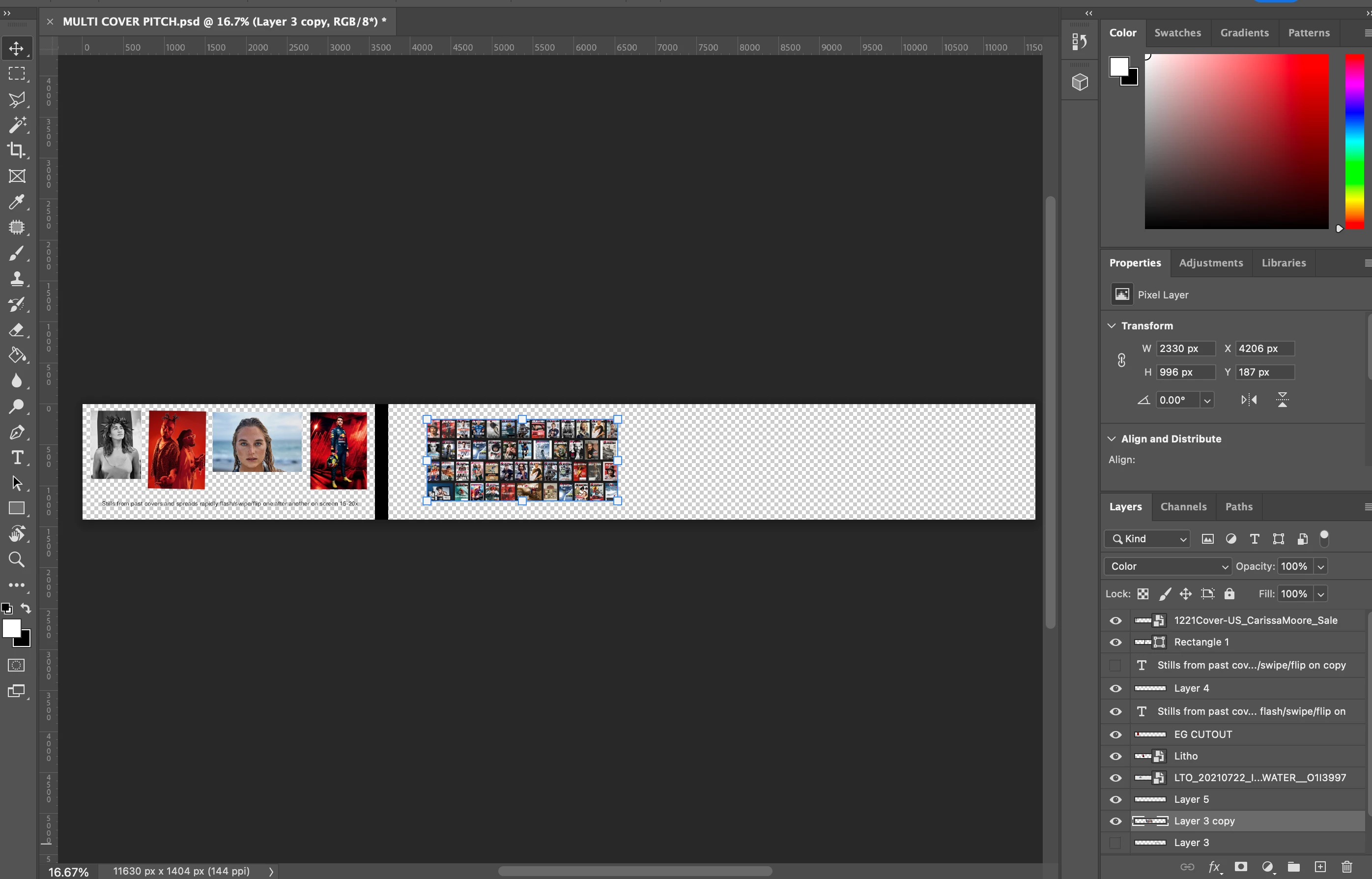
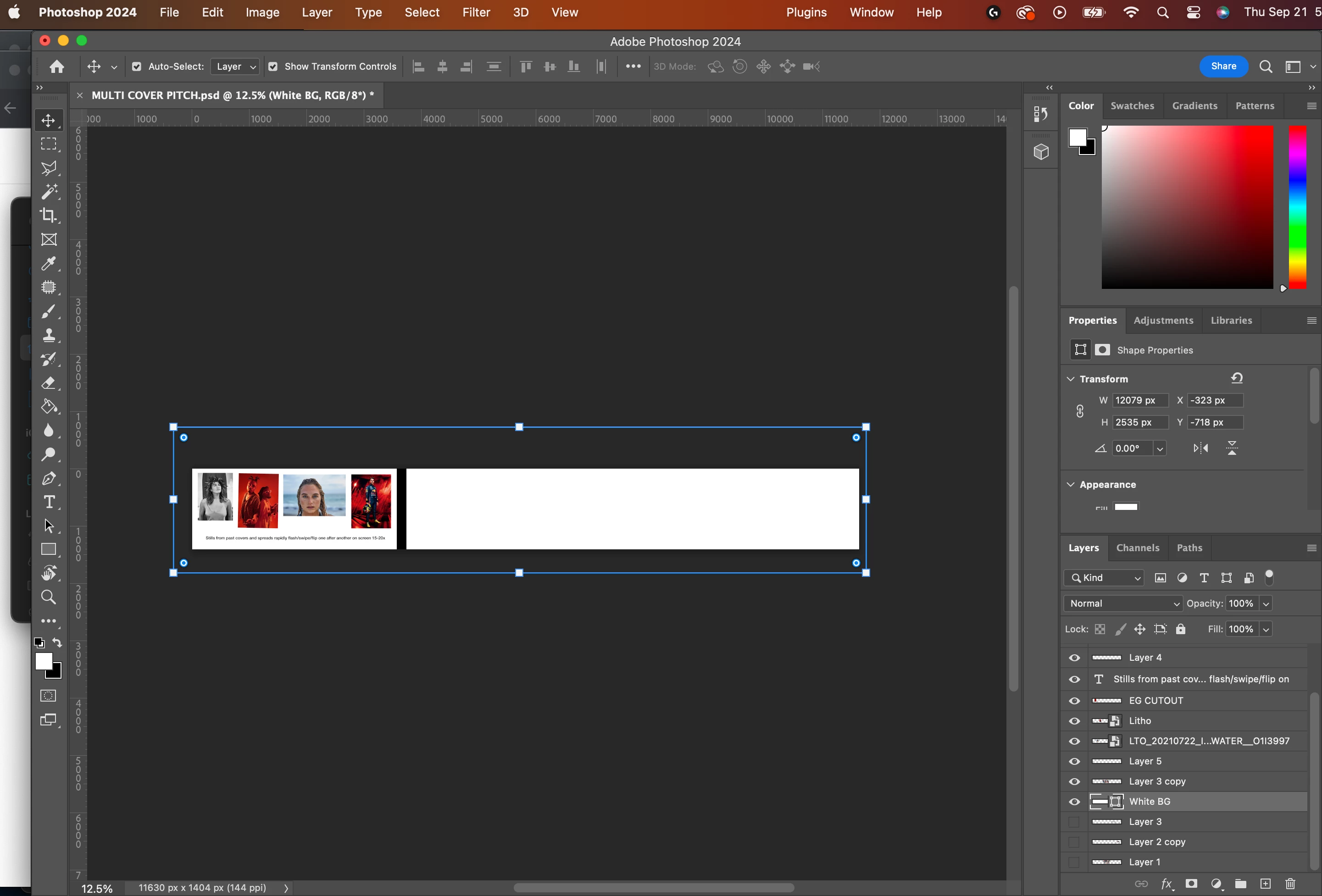
This is happening to me too. When I use the rectangle tool to make a background, one of my layers (layer 3 copy) just disappears. 


Branched to new thread.

This topic has been closed for replies.
Correct answer jane-e

@cozborn 


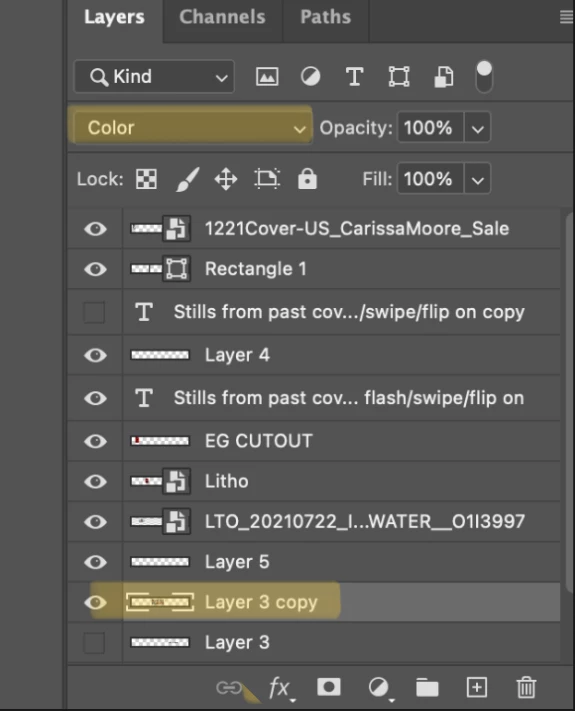
Change the blending mode for Layer 3 copy from Color to Normal and it will reappear.


Jane

4 replies

cozborn
cozbornAuthor
Participant
September 22, 2023

Haha, totally. I was trying to remember the 'change canvas size' shortcut and started pressing all things nearby, lol. You nailed it!

jane-e
Community Expert
Community Expert
September 22, 2023


@cozborn 


You're welcome — what most likely happened is you accidentally used the keyboard shortcut for the Color mode when you meant to do something else.

Color

Shift + Alt + C

Shift + Option + C

https://helpx.adobe.com/photoshop-elements/using/keys-using-blending-modes.html


Thank you for the screenshots — it helped us to see your issue quickly! 🙂


Jane

cozborn
cozbornAuthor
Participant
September 22, 2023

Thx that solved it! Must've accidentally bumped that setting. It coincided with my first use of '24, though it was a bug. 😎👍

jane-e
Community Expert
jane-eCommunity ExpertCorrect answer
Community Expert
September 22, 2023

@cozborn 


Change the blending mode for Layer 3 copy from Color to Normal and it will reappear.


Jane