
Participant
May 1, 2024
Question

Layer Effects/Styles not exporting with Export

  • May 1, 2024
  • 4 replies
  • 988 views

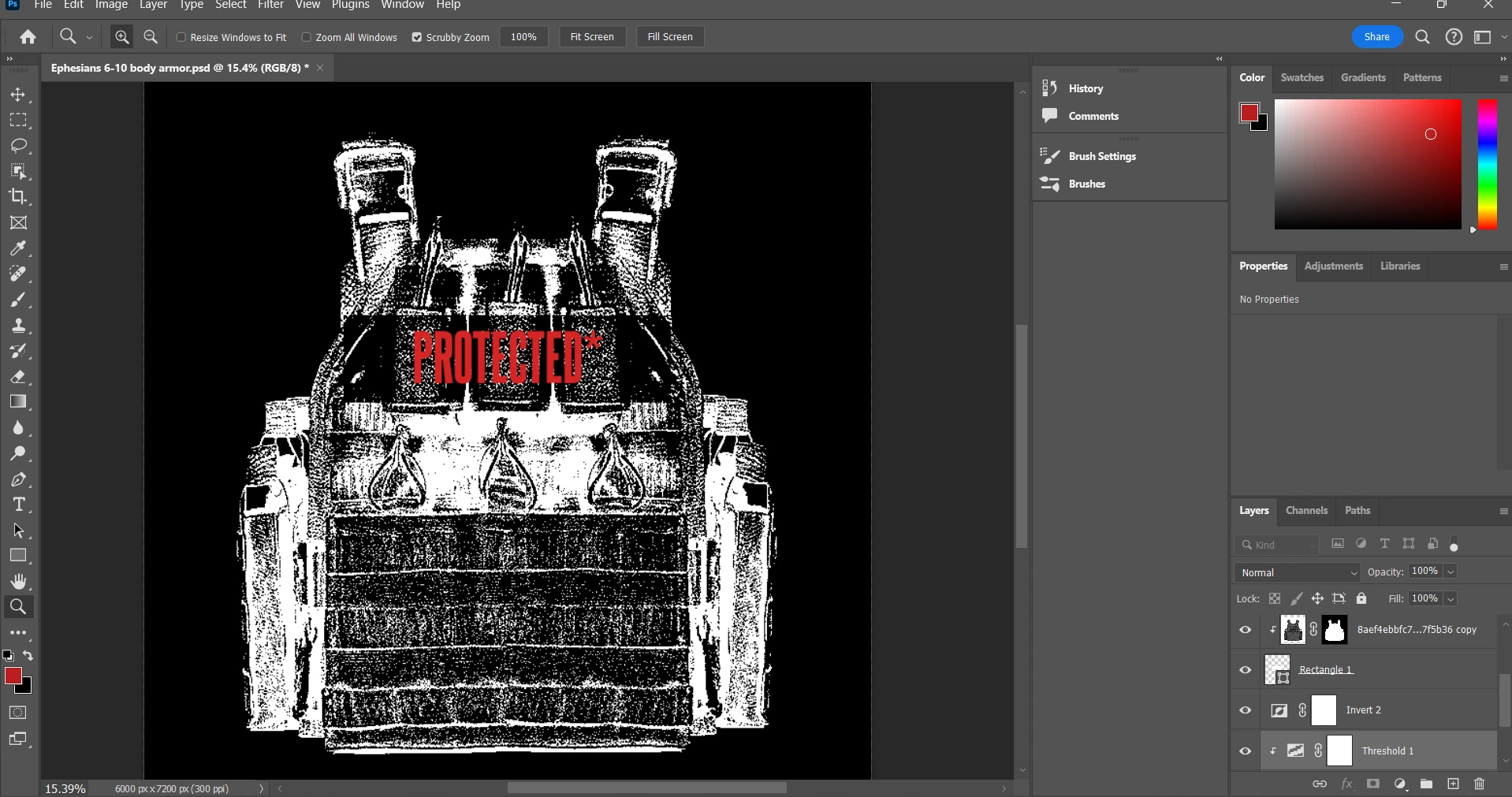
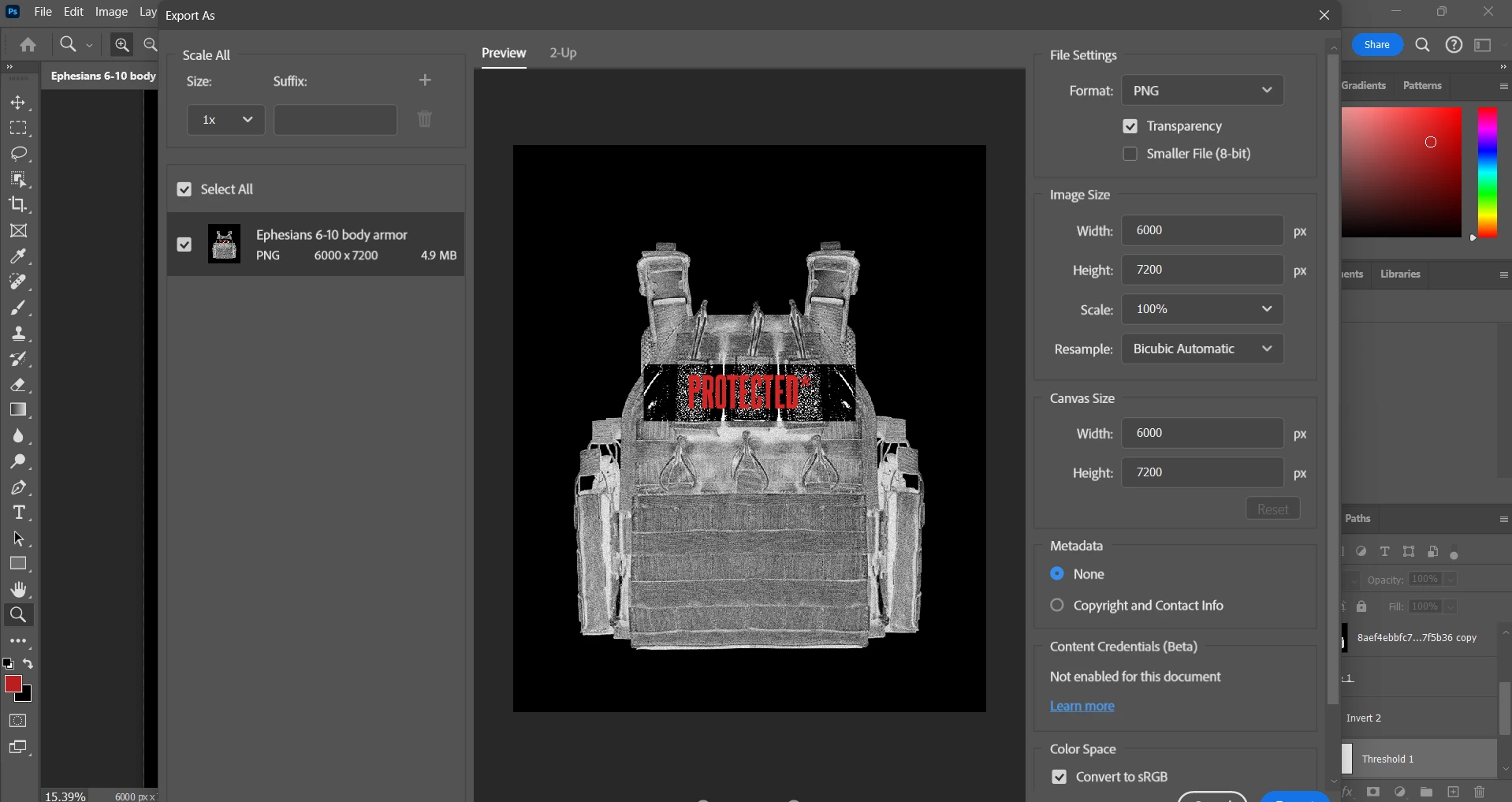
I'm relatively new to PS but usually when I export a project it retains all layer/effect info so the image displayed is the same one exported. However I am having trouble exporting this one project properly. It have to images overlayed both with Threshold and invert applied. I made a clipping mask so that I could see through one layer to have one area of the subject have differing effects. It all looks great and fine but when I try to export it the ONLY one threshold layer gets changed. I cant figure out why, the only thing I do is try to export like I normally would. Help??
This topic has been closed for replies.

4 replies

Participant
May 2, 2024

Like I want to try and keep that simplified two color contrast because I'm going to be screen printing

Jeff Arola
Community Expert
Community Expert
May 2, 2024

You could resize the image in photoshop to the Export size and then apply the effects, filters or adj layers.

Participant
May 2, 2024

I See, thank you so much.

Would you be able to give some tips or filters to keep the exported image looking like the more simplified first image? Because it keeps it simple for the clipping mask, just not the main image

Jeff Arola
Community Expert
Community Expert
May 1, 2024

View your image at 100% or View>100% before exporting to see how it really looks.


In photoshop at view percentages of less than 100%, interpolation is involved and one doesn't always see the true look of an image especially when layer blending modes, certain adj layers like threshold and layer effects are involved.