
Layer mask, brush, opacity issue
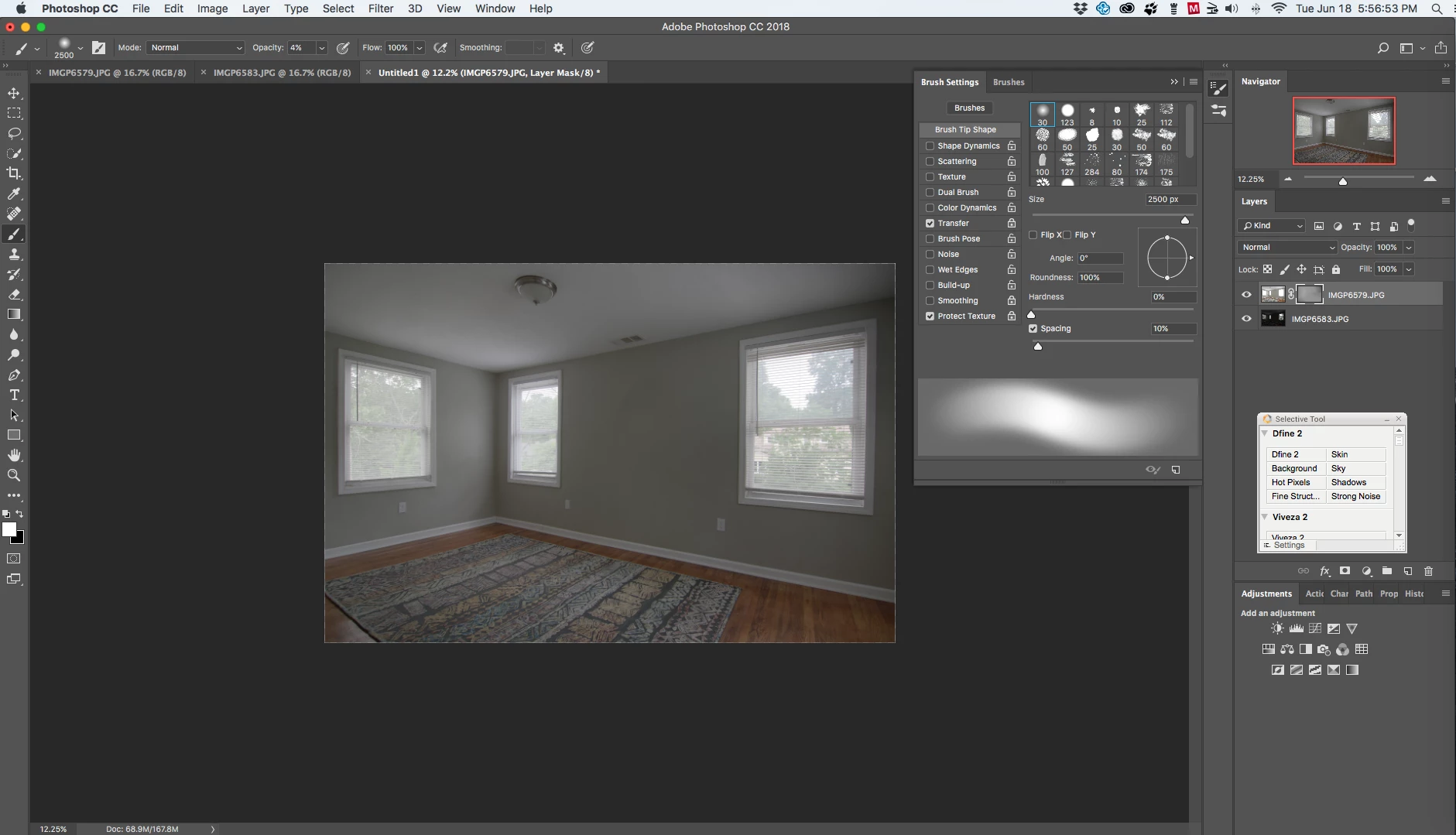
hello. as a photographer i create image stacks in Ps CC 19.1.8. as part of my work flow i use luminosity masks to brush in elements from multiple layers. up until a few days ago, while holding down on the left mouse button to reveal the elements (lights/darks) from masks below, if i continued to brush over a certain spot, eventually that spot would be 100% revealed. now, when utilizing that same technique, the very same spot will only reveal up to a certain %, meaning, while 'painting or revealing' i have to continue un-clicking and re-clicking the left mouse button to further advance the elements below of a particular spot. my brush settings have always been the same:
•soft round
•hardness: 0%
•opacity: 4%-6%
•flow: 100%
•smoothing: off
the other thing i've noticed is the amount of lagging has seriously increased. plus, after brushing an image, i'm now seeing very faint circular brush marks left behind.
i first thought it might be related to my recent download of Lumenzia v 1.7. however, after i did a complete wipe of that, the problems did not change. other than downloading Lumenzia, i have not made any other changes to my machine.
could it be my mouse? i thought of this. my wireless Apple Magic Mouse has quite a few miles on it. to rule out this theory, a new one is on its way.
i've attached a screen shot.
 AdChoices