


Participant
April 18, 2025
Answered

layers panel search missing in Photoshop 26.5.0 for macOS Apple Silicon?

  • April 18, 2025
  • 1 reply
  • 206 views

I no longer see the search/filter function at the top of the Layers Panel in Photoshop 26.5.0.

I'm running on a Mac mini M4 Pro with macOS Sequoia 15.4.

Is there a configuration setting someplace that needs to be toggled to get that feature back?

Correct answer Jeff Arola

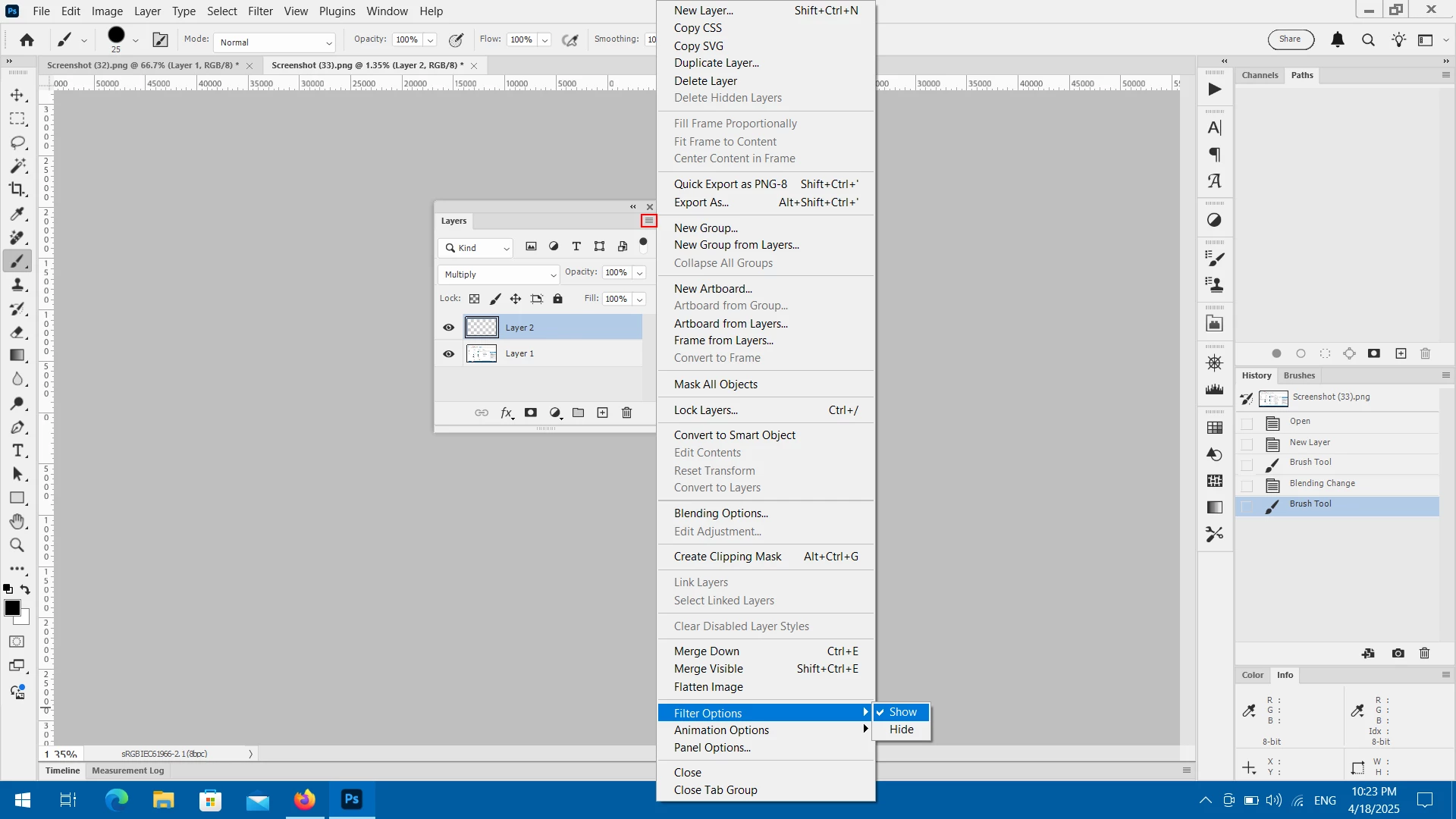
Go to the Layers panel flyout menu and make sure Show is checked under Filter Options


1 reply

Jeff Arola
Community Expert
Jeff ArolaCommunity ExpertCorrect answer
Community Expert
April 19, 2025

Go to the Layers panel flyout menu and make sure Show is checked under Filter Options
