
Answered
layers transparency issue
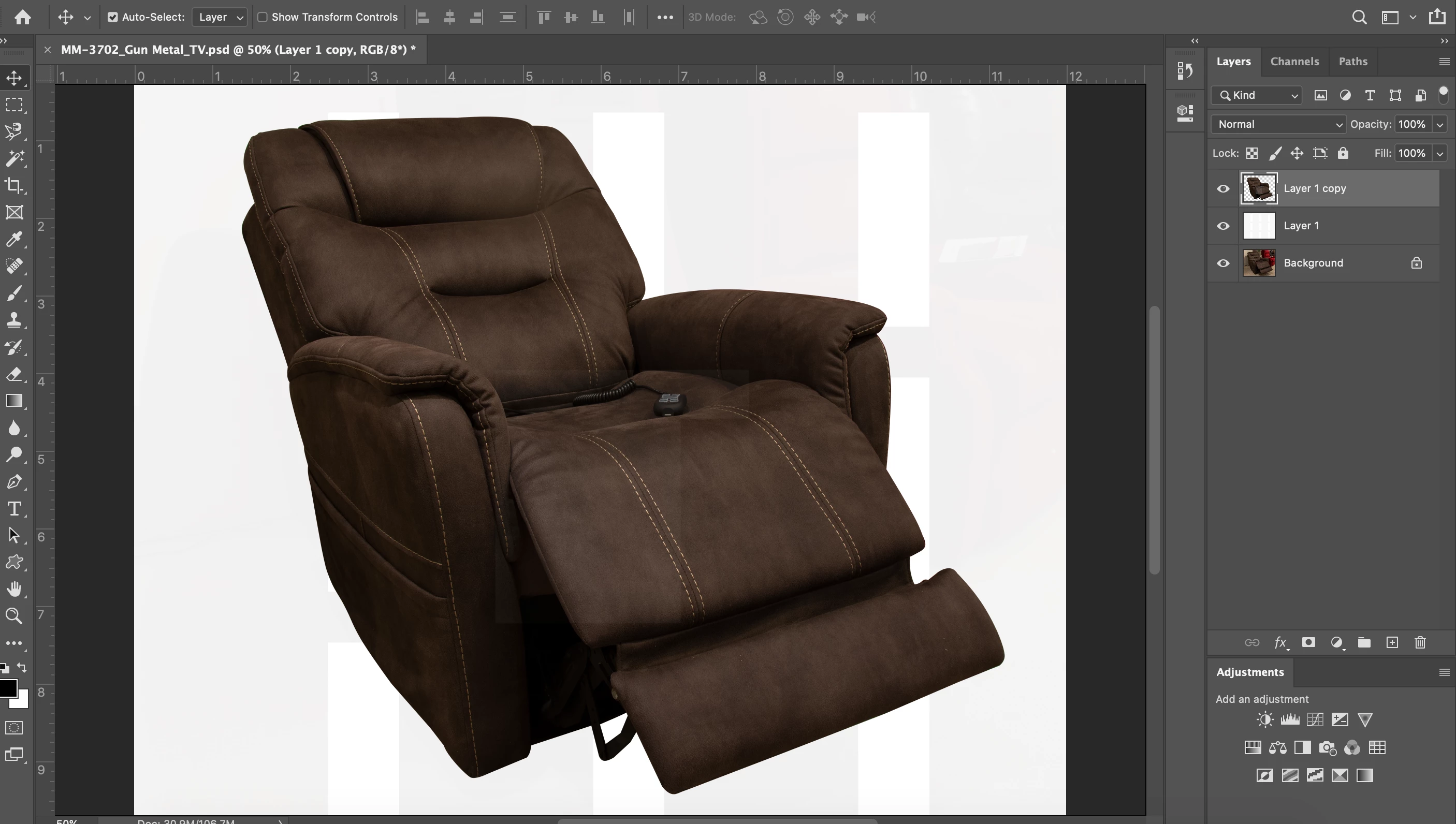
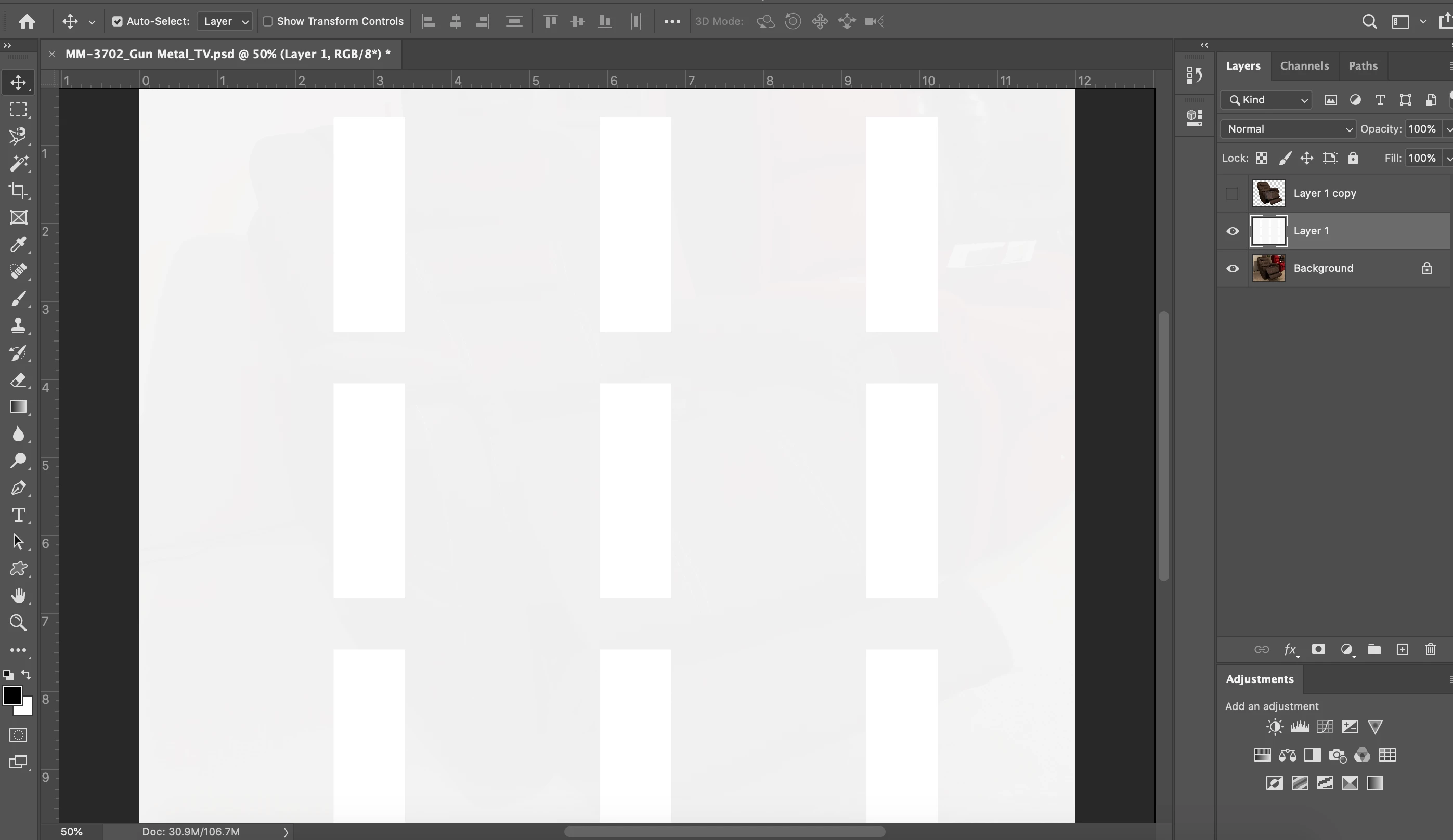
Help! I am a seasoned PS user, but I absolutely cannot figure out what has happened. All settings appear to be an 100%, but a fill layer is maybe 80% with a strange block pattern, and even the image layer has some sort of transparency or odd pattern overlay. I've never seen this before. I have opened new files, shut down, looked at all settings I can find, and no resolve. I have to stack images and eliminate any background to not get the pattern going on, or a slight transparency. Please see the photos. What is this pattern and why a transparency when set to 100% Any suggestions or resolve is very much appreciated. On a time sensitve project of course!


 AdChoices