


Participant
October 7, 2025
Question

LEADING DOESNT WORKS ON PHOTOSHOP

  • October 7, 2025
  • 1 reply
  • 239 views

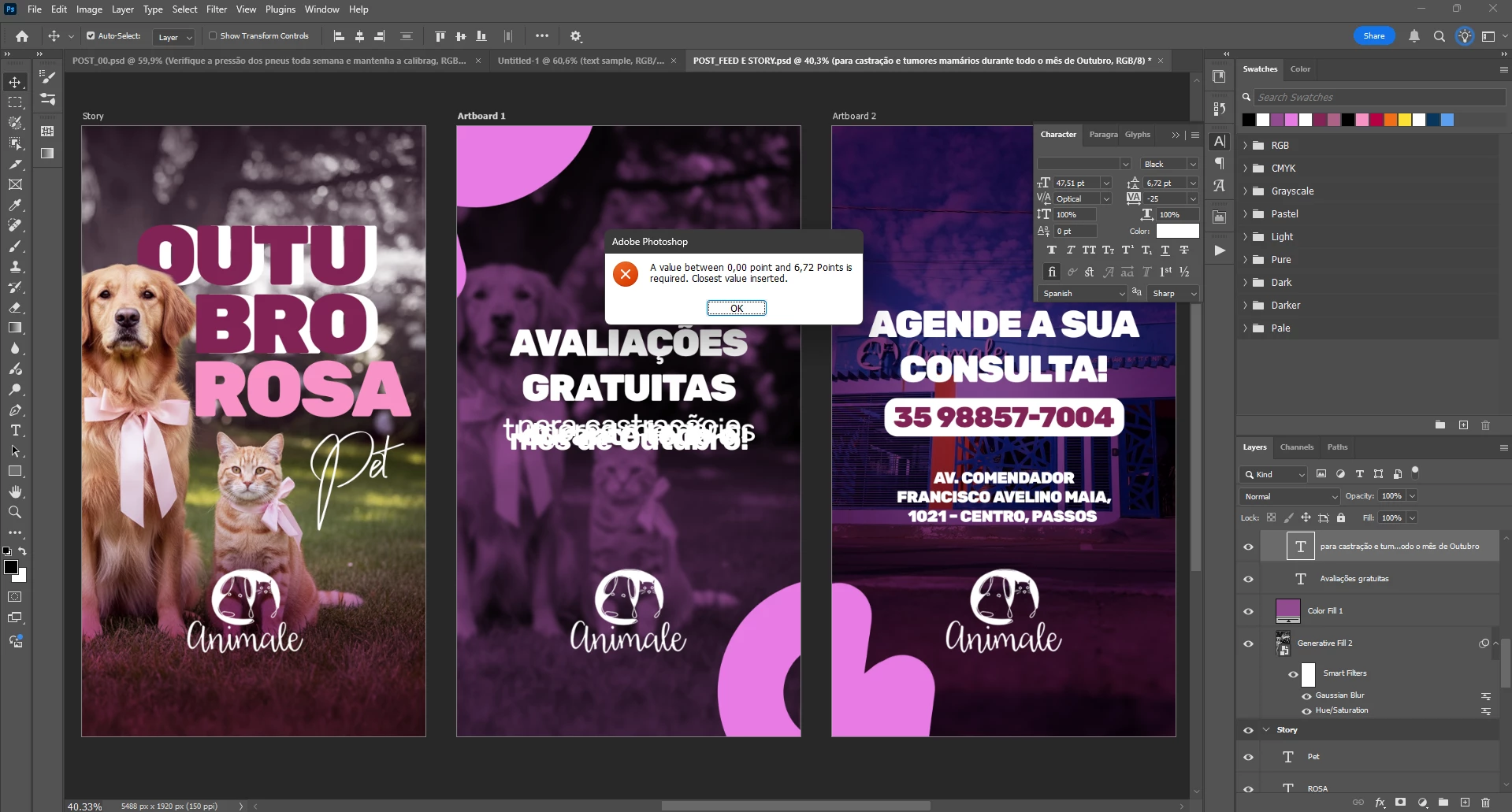
When i try to change the text leading, i see this message: value between 0,00 point and 6,72 Points is required.
And the software doesnt let me change the leading above that value. In this value, the texts becomes unreadable because the lines overlap.
 

1 reply

Trevor.Dennis
Community Expert
Community Expert
October 8, 2025

What do you see if you use the drop down?

I like to work with Text set to milimeters in Preferences > Units, but if I do set it to Points, I have the range shown below.

If you use the dropdown and do not see that, then restart Photoshop for a start, and if still in trouble, reset Preferences. 

Another thing you should be able to do is hover over the icon and click and drag. Try that and see if you see the icon in my screen shot.


Participant
October 9, 2025

I see exactly the same screen as you. When i drag it to a value above 6,72 points, the program doesn let me change it and returns automactly to 6,72 (as in the screen i've sent). Picking one of the preseted values leads to the same result.
In photoshop 2024 (25.12.4 version) the problem disappears. I need to use the program every day so when i have more alternatives i'll download the newest version again and try. Maybe in milimiters this works.... i don't know.
(Reset the preferences and reinstall also doesn't works).
This "6,72" value alternates according to the dpi and text size. But it is always ttoo restrictive to make the design correct

gustavogleandro
jane-e
Community Expert
Community Expert
October 9, 2025

@Gustavogon 

Give this a try: select all of the text first and then try Auto Leading, which is 120% by default.


You might also try: select all of the text first, then type 50 (instead of dragging) into the Leading box.


Jane