

lens blur not working for background
I want to blur the background in an image. I watched Jesus Ramirez of the PS Training Channel on youtube to figure out how to do this. I followed these steps:
I selected the foreground image which should be in focus.
I created a solid color adjustment layer in black.
I created a mask using a gradient.
I dragged the gradient fill below the color fill layer.
I put these 2 layers in a group.
I clicked on channels and duped one and dragged it down to the new channel icon and gave it a name.
I clicked on RGB, then clicked on layers.
I disabled the group.
I duped the layer I am working on so as not to touch the original.
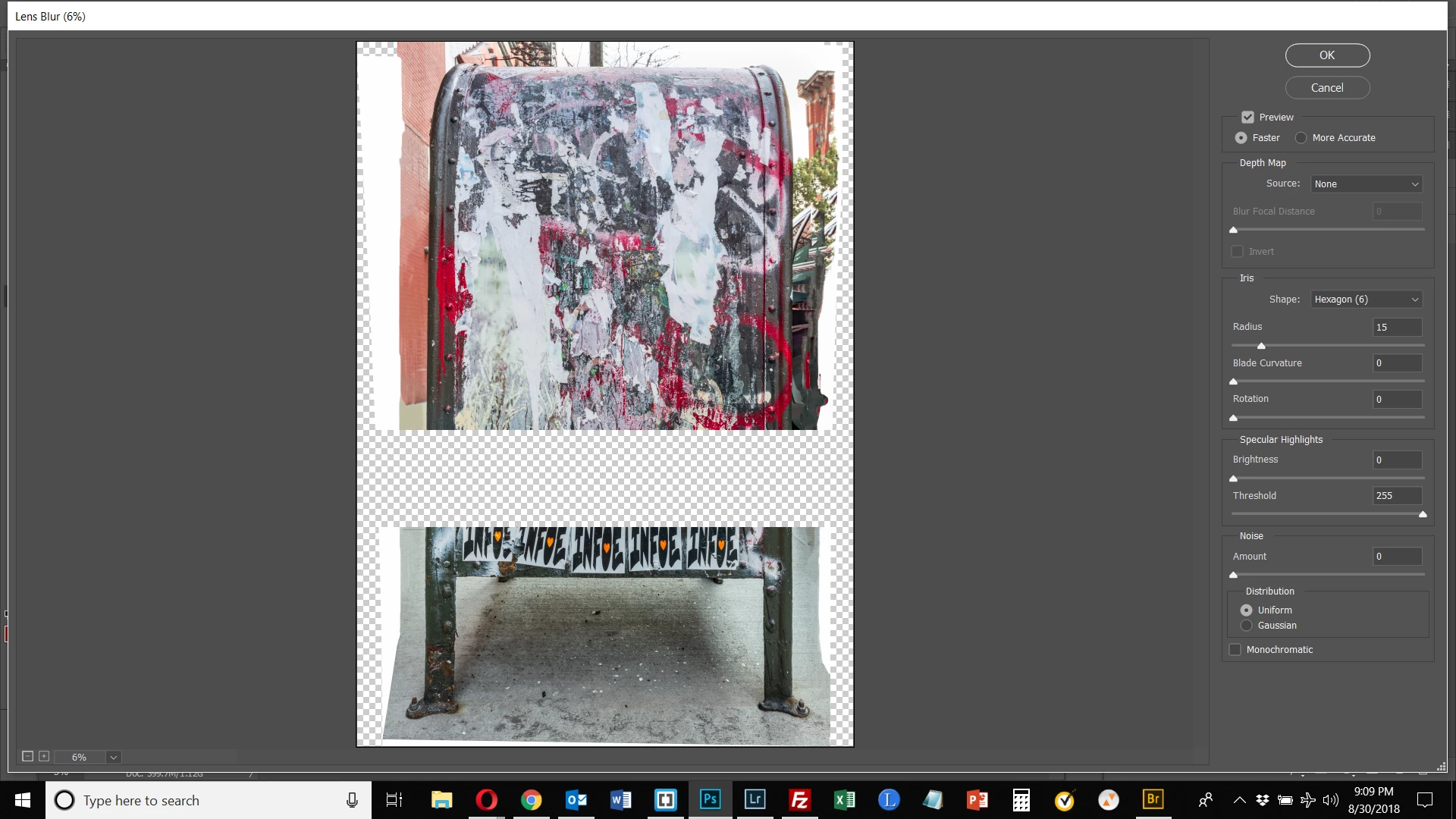
I wen to Filter > Blur > Lens Blur. THIS IS WHERE I RAN INTO PROBLEMS.
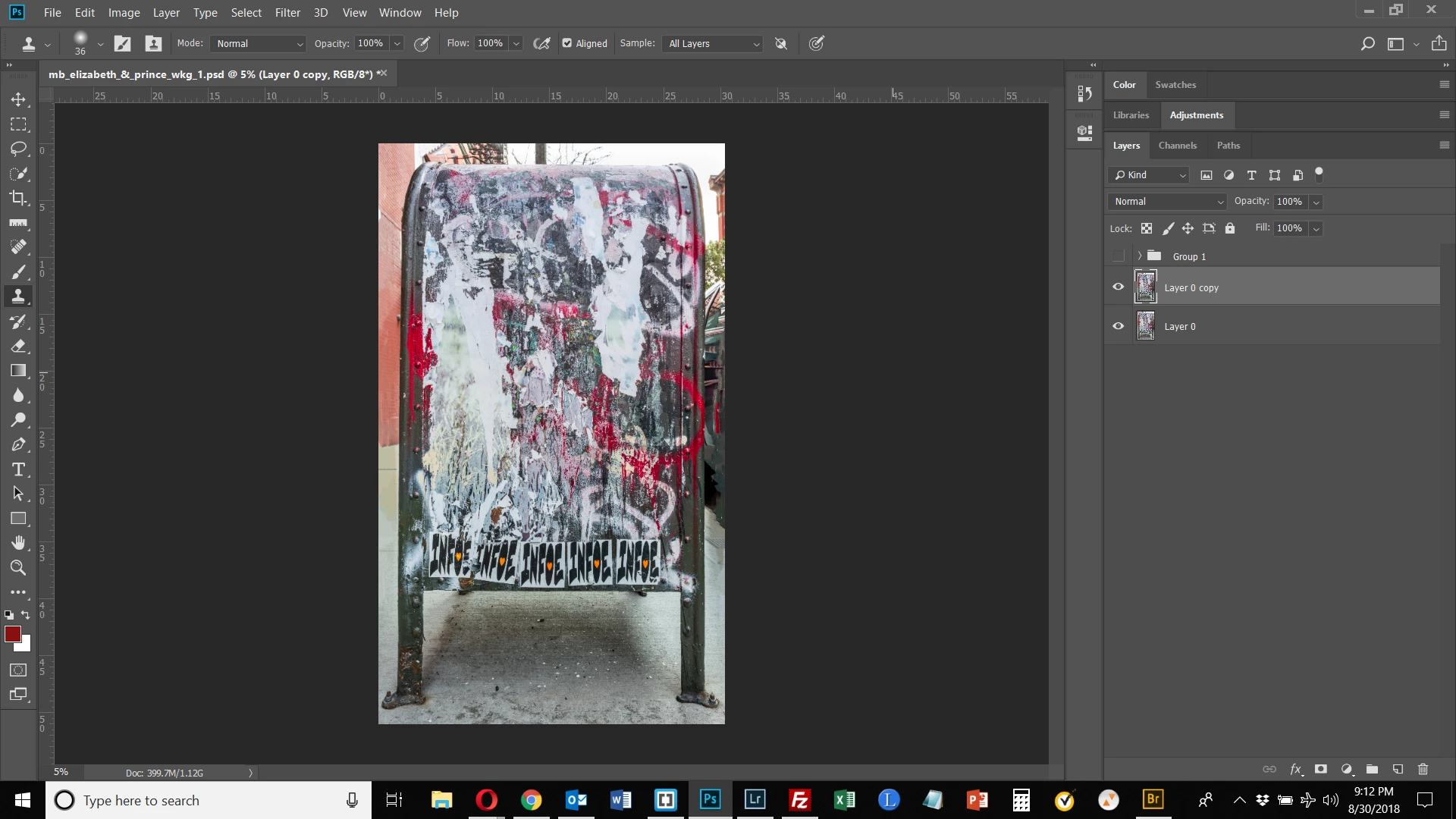
As can be seen, there is an area of the image that is checkerboard. This image was created using the Panorama tool and assembled from 2 images. The area shown is roughly where the two images intersected. I output the panorama to a DNG file once merged. I began the exercise with a single layer, merged from these 2 layers. Why is this happening?
Secondly, the background is not blurred at all. Is that because of the problem with the checkerboard?
Beneath the 1st image is the image shown before applying Lens Blur. Any help would be appreciated. Thank you.
 AdChoices