
Answered
Lens profile Samsung S25 Ultra
Yesterday an update of Photoshop (27.7.0) and ACR (18.3.1.2580) came out. Lens profiles for Samsung S25 Ultra are missing in both. In the previous release I could use them.
Please fix this bug

Yesterday an update of Photoshop (27.7.0) and ACR (18.3.1.2580) came out. Lens profiles for Samsung S25 Ultra are missing in both. In the previous release I could use them.
Please fix this bug
Your ACR screenshot shows Samsung as an option in the make. Click on that and you should see the S25 Ultra lens options in the model.
This is Photoshop 27.7 with ACR 18.3.1 on Windows 11.
ACR :
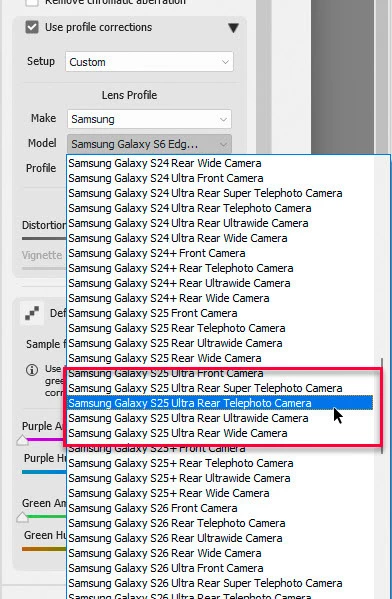
In Photoshop Lens correction. I see three Samsung entries in ‘Camera Make’. If I choose the one at the bottom of the list, I get the phone options in Camera Model, including Samsung S25 Ultra
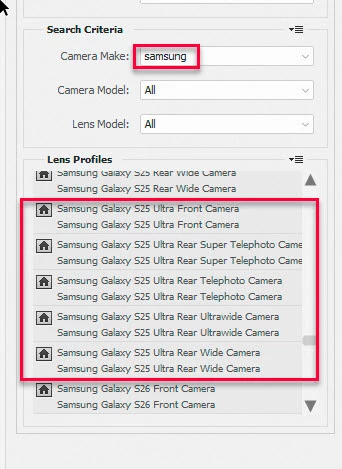
If you are not seeing those options, I would try a reinstall.
Dave
Already have an account? Login
Enter your E-mail address. We'll send you an e-mail with instructions to reset your password.


 AdChoices