Participating Frequently
March 31, 2025
Answered

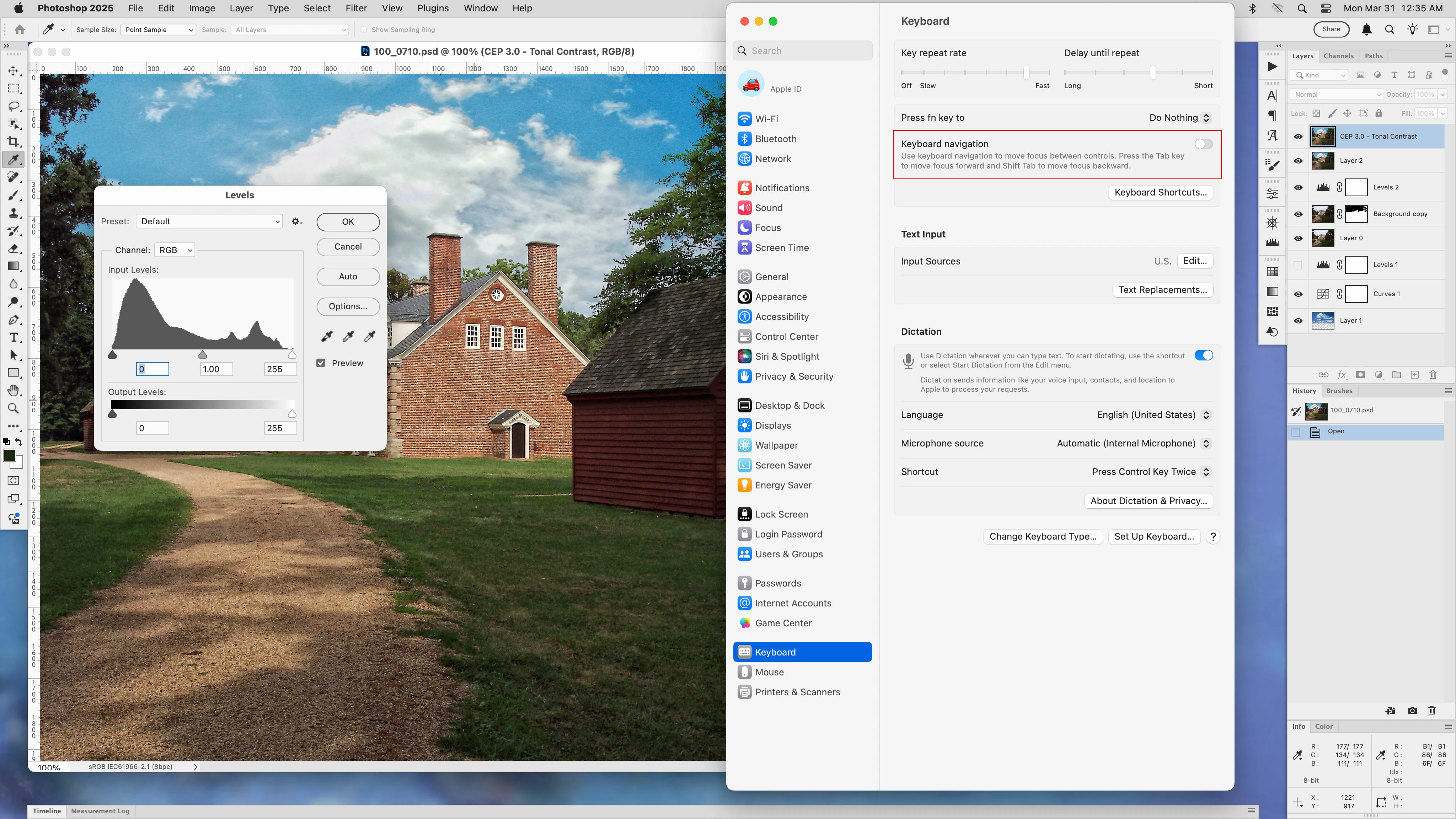
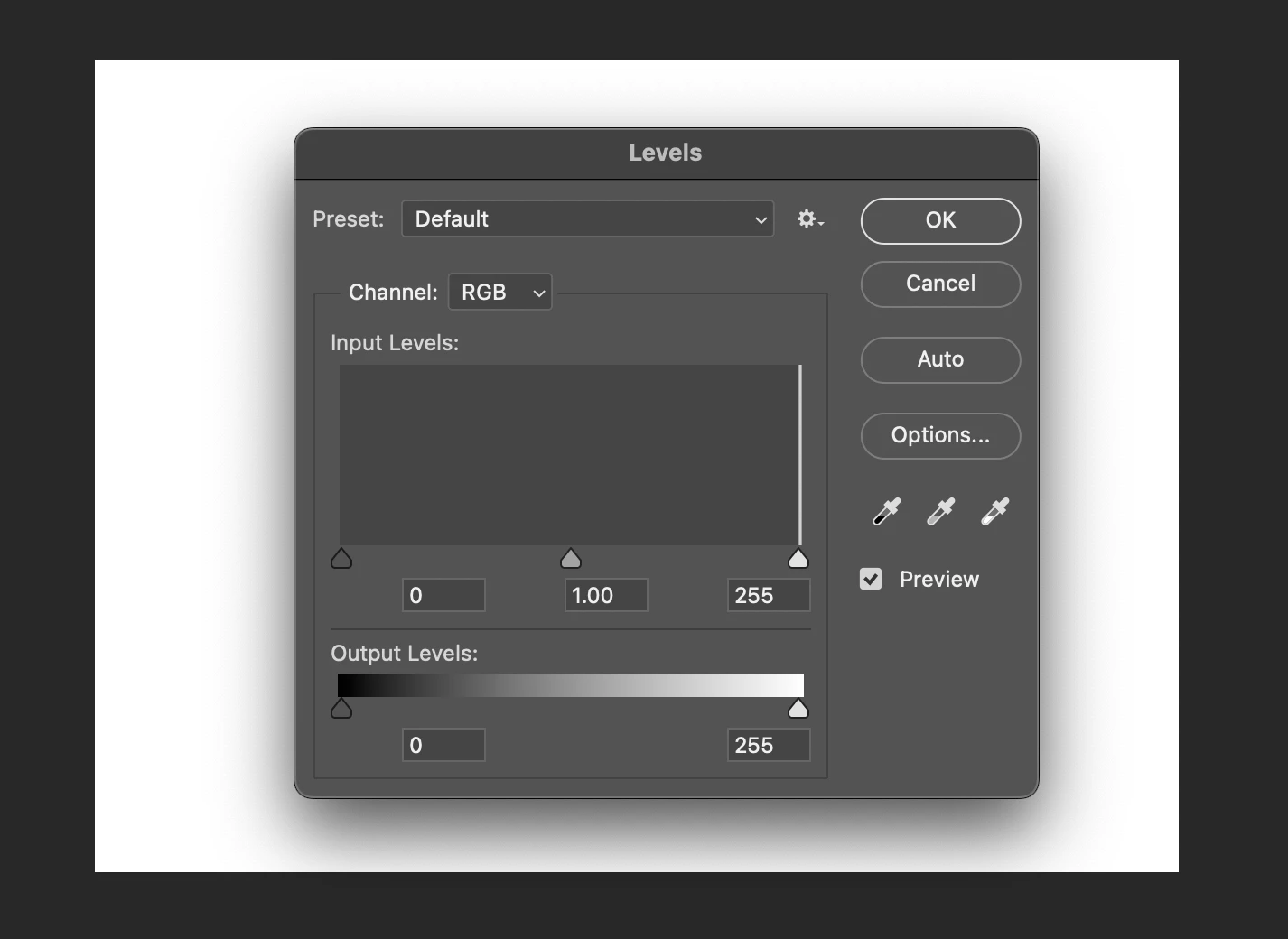
Levels input widow is not highlighted

  • March 31, 2025
  • 8 replies
  • 445 views

Hi, I have a strange issue.


Is there a way for the levels adjustment command to automatically have the value box highlighted?

Just yesterday when I bring up a levels adjustment using command+L, there is no longer a highlighted "0" in the input level window.


Now, I have to press the tab key in order to highlight the input level window so I can enter a value. I prefer to enter numbers instead of using the slider.


It is a minor quibble, but speed in my workflow is crucial sometimes. I'd love to find a way to get the value box highlighted automatically without pressing tab.

 

Correct answer Jeff Arola

It turns out that is a system wide macOS setting that can be inadvertly changed by pressing Ctrl + F7


Go to Apple>System Settings>Keyboard and turn off Keyboard navigation


8 replies

Jeff Arola
Community Expert
Jeff ArolaCommunity ExpertCorrect answer
Community Expert
March 31, 2025

It turns out that is a system wide macOS setting that can be inadvertly changed by pressing Ctrl + F7


Go to Apple>System Settings>Keyboard and turn off Keyboard navigation


Participating Frequently
April 7, 2025

@Jeff Arola thank you so much, that is amazing!!! Not sure how you discovered it but spot on, very much appreciated - I had given up after trying a few things.

Participating Frequently
March 31, 2025

Hi Jeff,


Thank you yes it has worked for me all along, but suddenly 2 days ago it stopped working. I haven't updated anything or installed anything in that time, it was odd. And it is very minor, but I find it messes with my workflow albeit very slightly. But I use that always when processing images, so it is annoying.


I tried re-setting preferences and it didn't work.

Participating Frequently
March 31, 2025

Photoshop 2025 version 26.5.0


Sequoia 15.3.2

Jeff Arola
Community Expert
Community Expert
March 31, 2025

I've checked several different Macs with various macOS versions and Photoshop versions back to Photoshop 2021

and they all have the Shadow Input Level field highlighted when opening Image>Adjustments>Levels, though like babara_a commented i don't know of a setting that regulates that like one can with Adjustment Layers.


macOS Sonoma 14.7.4 with Photoshop 2025 (ps version 26.4.1)


barbara_a7746676
Community Expert
Community Expert
March 31, 2025

I don't think that there is a way to automatically have a number box highighted when you open the Levels dialog box. 

Instead of using the Tab key if you click on a triangle slider, it will highlight the corresponding number box.

Jeff Arola
Community Expert
Community Expert
March 31, 2025

What version of Photoshop and macOS are you using?

Participating Frequently
March 31, 2025

Thanks, it didn't change the issue unfortunately.

Jeff Arola
Community Expert
Community Expert
March 31, 2025

Perhaps a reset of the Photoshop preferences will correct the issue:

https://helpx.adobe.com/photoshop/using/preferences.html