Participant
January 27, 2024
Answered

Lightning Effects missing after 25.4 newest update

  • January 27, 2024
  • 6 replies
  • 16026 views

Hey Community,


after the update some days ago the option in the filter category -> render filters - > Lightning Effects is completely missing. Not greyed out (like openGL or cmyk mode). It's just gone. 
I've used it for YEARS and now it just disappeared? Any news regarding the effect? Was it removed in the version? Or maybe moved to another category?

Does anyone got the same issue?

Running on Win 11
GPU is a RADEON 6900XT

Thanks for help

Correct answer Ged_Traynor

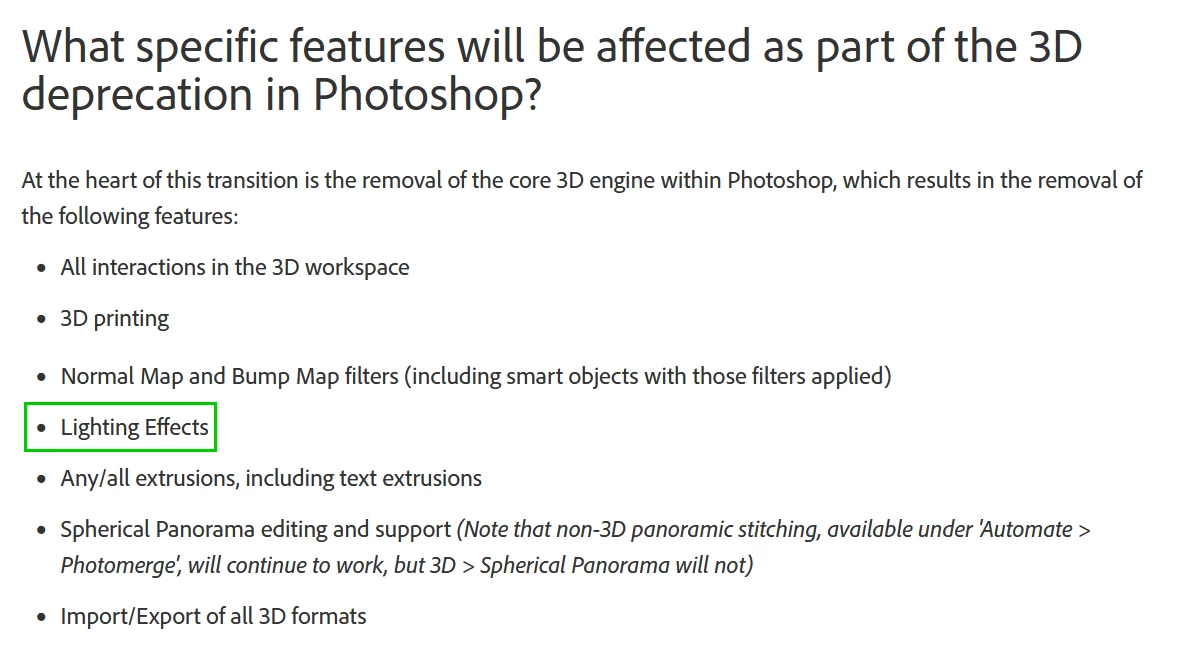
@William_Robert3460 you obviously didn't read through this thread before posting, Lighting Effects have been removed from Photoshop, this is not a bug and Adobe are not going to fix it in the next patch

https://helpx.adobe.com/photoshop/kb/3d-faq.html

6 replies

Ged_Traynor
Community Expert
Ged_TraynorCommunity ExpertCorrect answer
Community Expert
November 5, 2025

@William_Robert3460 you obviously didn't read through this thread before posting, Lighting Effects have been removed from Photoshop, this is not a bug and Adobe are not going to fix it in the next patch

https://helpx.adobe.com/photoshop/kb/3d-faq.html

Participant
November 11, 2025

Hardly a kind or respectful answer as per Community Guidlines. Most of us are not happy that Adobe has removed a very useful tool. It has added in lots of much less useful gimmicky tools. Adding lighting effects to photos is a top three activity I suggest so its removal is a poor decision. 

matthewp17579616
Participant
February 27, 2025

I went on the Adobe site via Creative Cloud and an older version of PS was there that had the filter. Not a premanent solution but good enough for now.


Participant
August 12, 2024

Perhaps Adobe can put back the version of Lighting Effects we used prior to the addition of the 3D engine.

JeanPierre33
Participating Frequently
February 5, 2024

Bonjour, j'ai constaté le même problème et c'est ben dommage que ce filtre d'éclairage est été supprimé.

Jeff Arola
Community Expert
Community Expert
January 27, 2024

Adobe has been in the process of removing all 3D from photoshop and Lighting Effects is one of the filters that depended on the 3D engine, so i guess 24.5 was the version they decided to do a major removal of 3D, although there are some remnants still left like the 3D panel and Filter>3D>Generate Bump and Normal Map which crash photoshop.

https://helpx.adobe.com/photoshop/kb/3d-faq.html


While most of us hope Adobe would have a replacement Lighting Effects, which go back all the way to photoshop 3, no one that knows can say until Adobe gives the okay.

htdmbzlAuthor
Participant
January 27, 2024

Thank you for the fast reply. Sad adobe is removing all 3D engine from ps 😕😕
I hope we'll have a replacement similar to Lightning Effects. I just downgraded to 25.3.1. It seems to be the last version where the filter is available.

jane-e
Community Expert
Community Expert
January 27, 2024

@htdmbzl 


Lighting Effects uses the 3D engine and has been removed due to changes in operating systems: Direct X in Windows and Metal on macOS..

https://helpx.adobe.com/photoshop/kb/3d-faq.html

PS 22.2 is the last stable version for 3D and lighting effects. It's still available in the CC app as of this writing.


Jane

htdmbzlAuthor
Participant
January 27, 2024

Thanks for the fast reply. Makes me sad adobe is removing the tool. Always loved it.

PS: I downgraded to 25.3.1 and it's still available there (maybe other 3D engine stuff is missing tho). 

I guess I'll enjoy it as long as I still can then.

jane-e
Community Expert
Community Expert
January 27, 2024


quote

Thanks for the fast reply. Makes me sad adobe is removing the tool. Always loved it.

By @htdmbzl


You're welcome 🙂. You can have multiple versions of PS installed 22.x, 23.x, 24.x. 25.x. You can only have one dot release: 25.1, 25.2, 25.3, 25.4.


We all hope lighting effects will come back, but we have no inside information. It doesn't work with Direct X.


Jane