Participant
August 27, 2025
Answered

Lightroom, photoshop histogram

  • August 27, 2025
  • 2 replies
  • 259 views

Hello,

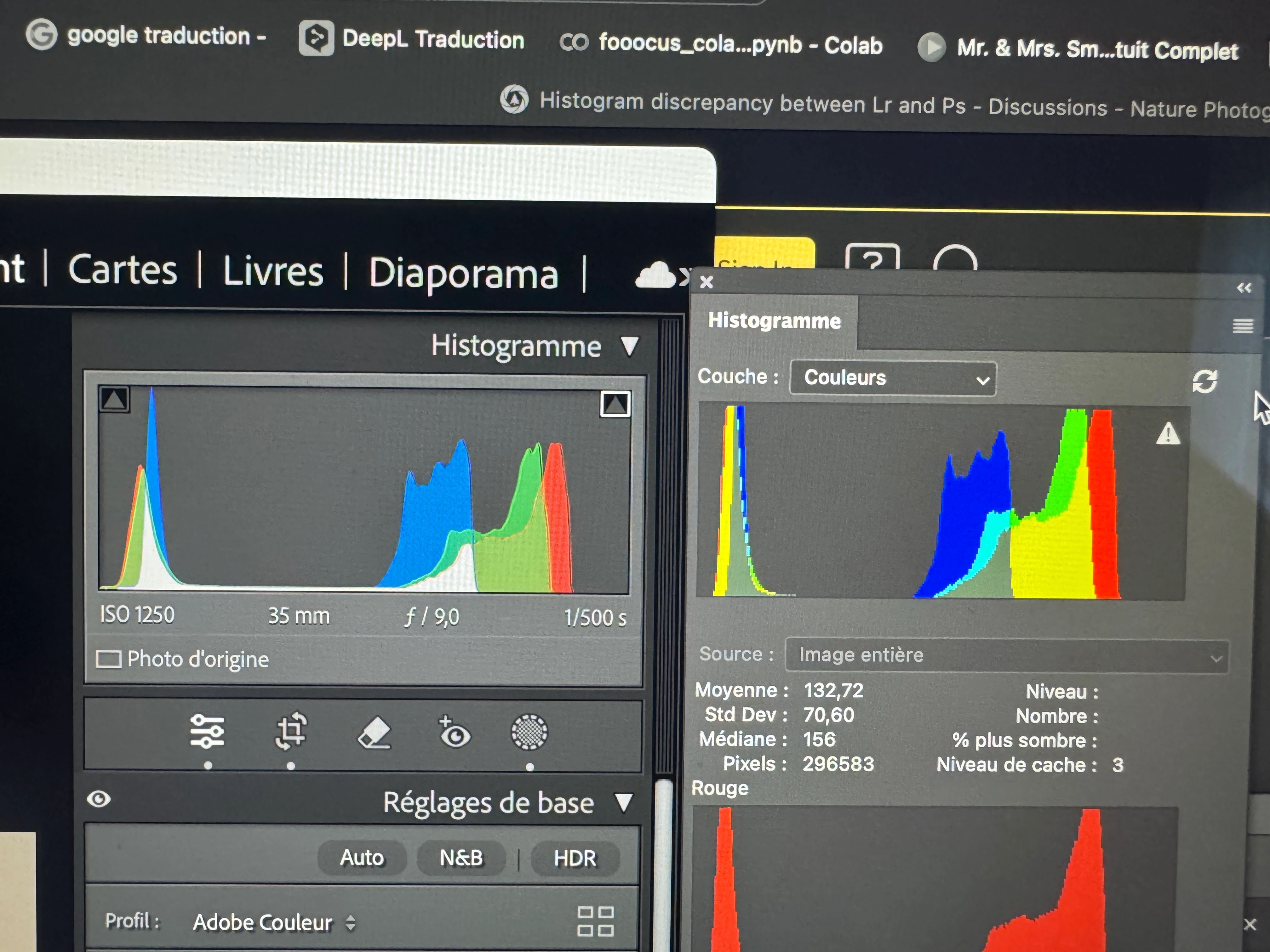
1) I edit first my pictures in lightroom. Prophoto colorspace right? "Correct" histogram... no clipping


2)export to photoshop in prophoto , tiff 16 bits. 
Prophoto colorspace in photoshop. 


3)in attachments (left lr, right ps),  histograms result...

( on screen the picture is the same in lr and ps). 


so... which one to believe? Should i adjust one more in ps? 

thank you very much.
Correct answer D Fosse

@Sébastien30477208fh18 

Note that the histograms will not, and are not supposed to, match completely.


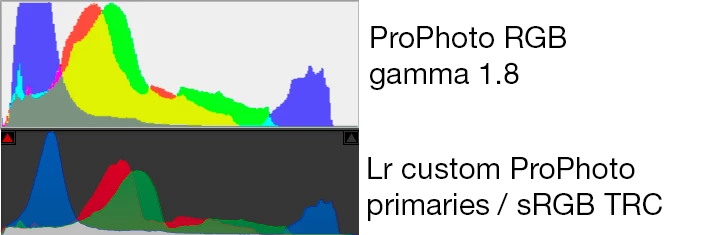
The numbers represented in the Lightroom histogram are not ProPhoto RGB. They are in a custom color space with ProPhoto primaries, but sRGB tone curve. This is a different color space from ProPhoto RGB with gamma 1.8 tone curve.


You will see this difference even more clearly if you open from Lightroom in other color spaces, where both primaries and tone curve are different.


If you enable Proof in Lightroom, the histogram is represented in the proof color space.

2 replies

D Fosse
Community Expert
D FosseCommunity ExpertCorrect answer
Community Expert
August 27, 2025

@Sébastien30477208fh18 

Note that the histograms will not, and are not supposed to, match completely.


The numbers represented in the Lightroom histogram are not ProPhoto RGB. They are in a custom color space with ProPhoto primaries, but sRGB tone curve. This is a different color space from ProPhoto RGB with gamma 1.8 tone curve.


You will see this difference even more clearly if you open from Lightroom in other color spaces, where both primaries and tone curve are different.


If you enable Proof in Lightroom, the histogram is represented in the proof color space.

Participant
August 27, 2025

Thank you for these clear informations.

davescm
Community Expert
Community Expert
August 27, 2025

The triangle in the Photoshop histogram indicates it is using cached data, it is not a clipping indicator. Click on that triangle and the histogram will refresh.
Dave 

Participant
August 27, 2025

Thank you.