
alexandroj84889843
Participant
September 11, 2018
Question

Line-Art Distortion Effect Help

  • September 11, 2018
  • 1 reply
  • 553 views

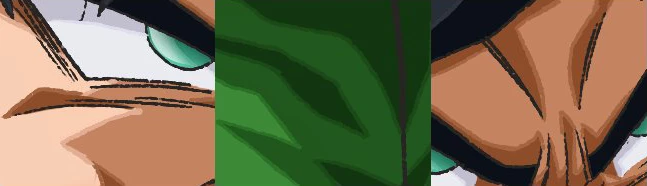
Hey guys, I was wondering if anyone knows how to create this distortion effect in Photoshop.

Specifically, the line-work on the examples shown below, which have this rough almost charcoal chalk look along with line separation gaps in some areas.

Thanks in Advance!

EXAMPLES:
    This topic has been closed for replies.

    1 reply

    c.pfaffenbichler
    Community Expert
    Community Expert
    September 12, 2018

    If I understand you correctly no functionality that achieves that by default comes to my mind.

    Rough edges are fairly easily achieved but to achieve random breaks in a stroke the best I could think of would be using a Dual Brush, though in a quick test I have not achieved pleasing results.

    alexandroj84889843
    Participant
    September 13, 2018

    How would you achieve the rough edges?

    c.pfaffenbichler
    Community Expert
    Community Expert
    September 13, 2018

    A custom Brush Preset/brush-tip is one option (and probably the better one) but even a plain round tip with randomisation (Shape Dynamics and Scattering) could be used.