
Participant
March 25, 2026
Question

Line being displayed under fixed size canvas

  • March 25, 2026
  • 3 replies
  • 76 views

May not be consistently reproducible but photoshop creates artifacts at the bottom and right side of the canvas after scaling an image inside the canvas, giving the impression that other objects on the canvas are extending outside/inside its boundary.

Steps where this occurred: 

Create a new document at 240 x 240 pixels.
Create a square block 24x24px to use as a means of setting guides on each side of the canvas.
Drag an image of larger scale onto the canvas and then scale it down to fit.
Zoom in, then zoom out to 100%.
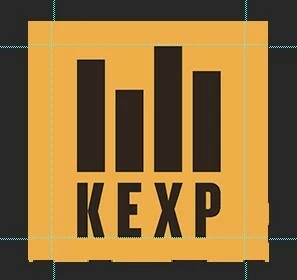


Lines appear at bottom and right of image after zooming to 100% using the menu to select.

    3 replies

    Trevor.Dennis
    Community Expert
    Community Expert
    March 26, 2026

    Going off-topic here, but you do know about Guide Lay-outs?  I’m assuming that all Photoshop users would rather die than place a Guide even one pixel away from perfect.  [Shivering at the thought!]


    barbara_a7746676
    Community Expert
    Community Expert
    March 26, 2026

    It’s a bug. Could be a GPS issue.

    MassC
    Legend
    March 26, 2026

    Hey @garylund

    Thank you for reporting this issue. May I ask what version of Photoshop you're using? You can find this information by going to Help > System info while in Photoshop.


    ^CM

    garylundAuthor
    Participant
    March 26, 2026

    27.4.0 Release

    Sameer K
    Community Manager
    Community Manager
    March 26, 2026

    Hey, ​@garylund & ​@barbara_a7746676. Thanks for sharing the info and confirming this behavior exists. Based on the description, I couldn’t exactly recreate this.

    Could you record a workflow video and share it here? 

    Thanks!
    Sameer K