


Known Participant
March 25, 2025
Question

local security authority issue

  • March 25, 2025
  • 1 reply
  • 654 views

statred to get the following message recently 

this module is blocked from loading into the local security authority

\device\harddiskvolume3\program files\bonjour\mdnsnsp.dll
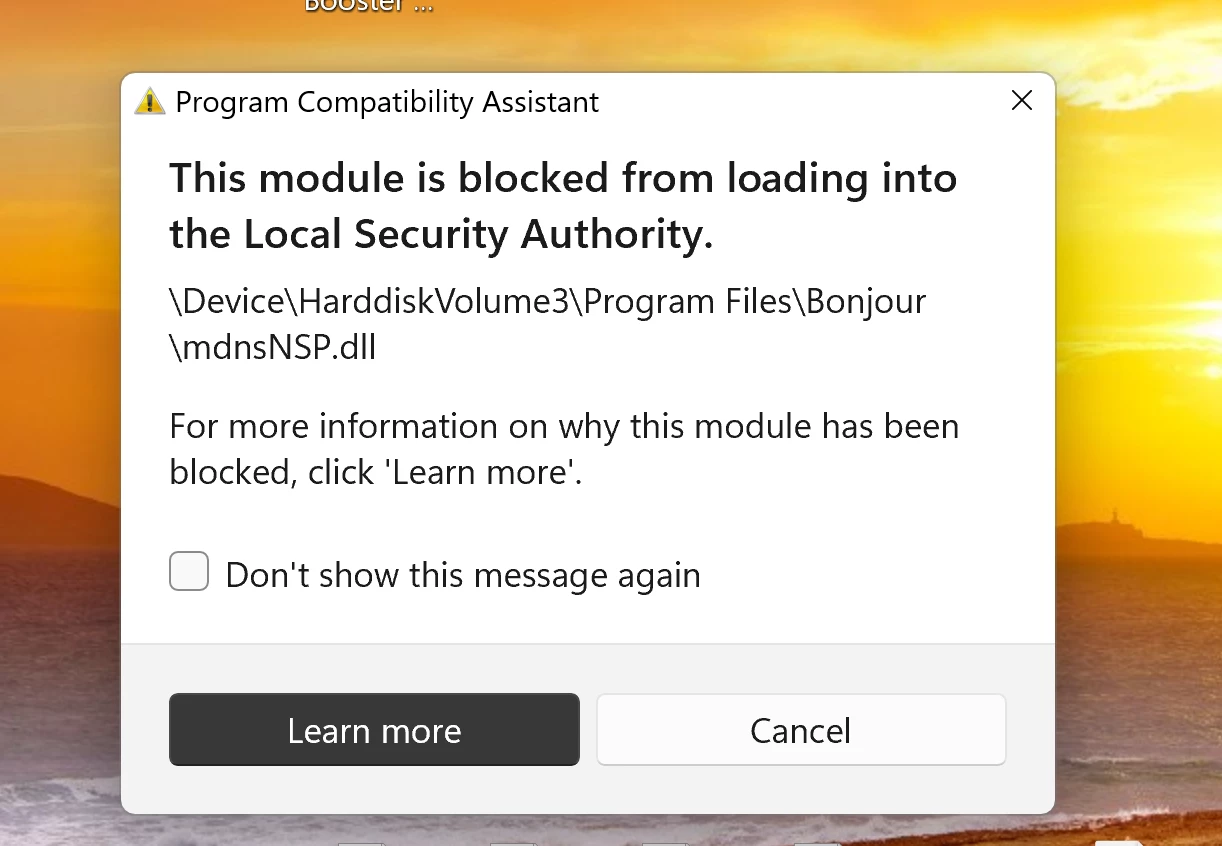
 

some answers says that it is linked to adobe softeware

i'm currently using Photoshop beta V26.5 and LRC 14.2.


is this message related to these software?

sys info

Adobe Photoshop Version: 26.5.0 20250309.m.3003 e305078 x64
Number of Launches: 92
Operating System: Windows 11 64-bit
Version: 11 or greater 10.0.26100.3476
System architecture: Intel CPU Family:6, Model:7, Stepping:2, AVX2, AVX-VNNI, HybridCPU(8:8), HyperThreading
Physical processor count: 16
Logical processor count: 24
Processor speed: 2419 MHz
Built-in memory: 65277 MB
Free memory: 35884 MB
Memory available to Photoshop: 51198 MB
Memory used by Photoshop: 60 %
Crash Handler: Adobe
DCX Version: 8.20.0
SAM SDK Version: 12.1.1

1 reply

AxelMatt
Community Expert
Community Expert
March 25, 2025
My System: Intel i7-8700K - 64GB RAM - NVidia Geforce RTX 3060 - Windows 11 Pro 25H2 -- LR-Classic 15 - Photoshop 27 - Nik Collection 8 - PureRAW 5 - Topaz Photo
Participant
November 3, 2025

Any solutions yet?

I'm also getting this and it seems that this is going to become increasingly problematic with the new updates to Windows 11 enforcing better security.  Adobe needs to fix as it seems to prevent Creative Cloud app from running properly

AxelMatt
Community Expert
Community Expert
November 3, 2025

Do you logged in as an Administrator or user with Admin rights?

Check the access rights for the appropriate folder.

How to Change Folder Permissions on Windows | V2 Cloud


My System: Intel i7-8700K - 64GB RAM - NVidia Geforce RTX 3060 - Windows 11 Pro 25H2 -- LR-Classic 15 - Photoshop 27 - Nik Collection 8 - PureRAW 5 - Topaz Photo