
Participant
Jul 2, 2022 7:12 PM UTC
Question

Loupedeck plugin does not connect

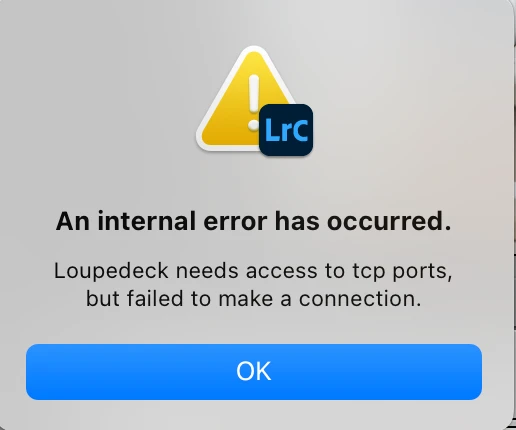
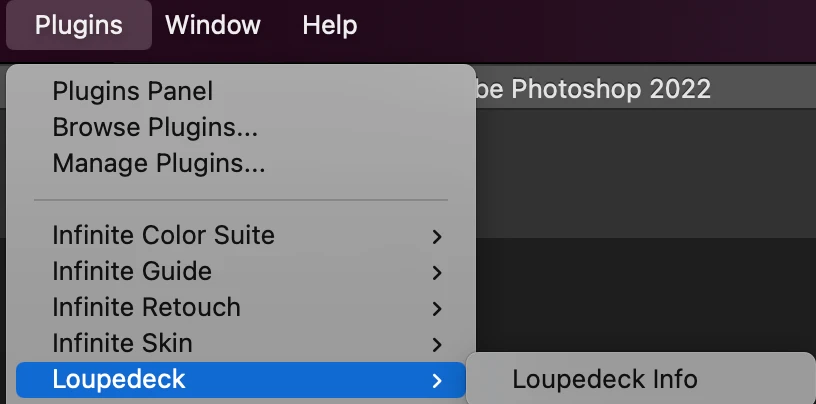
Hello I am having problem with loupedeck - it will not connect - have unistalled it and installed it again - in photoshop it only lets me see loupedeck info and not to connect and also in LrC internet error pops up


Best regards


This topic is closed to new replies. Start a new post to keep the conversation going.

4 replies

Participant
Jul 4, 2024 3:43 AM UTC

I have the same issue


Translate
Participant
Jul 4, 2024 4:09 AM UTC

Thow the Loupedeck+ is on, and it starts, it doesn't produce any changes in Lrc. No effects are applied. I can see it in Plug-ins manager as installed and runing, the device is green, I've selected Lightroom Classic Profile but no action....I have tried on my laptop. I can se some arrows that indicate what a certain button does, but no effect is applied.

Translate
Karo Holmberg Logitech
Inspiring
Jun 16, 2023 8:45 AM UTC

I am not an expert on the communications things, but Loupedeck is using TCP ports (or something) internally for communicating between the Loupedeck service and target application plugins (Photoshop in this case).

It seems that you have restricted communications and that blocks Loupedeck from making a connection with Photoshop. You should whitelist Loupedeck software and allow it access to the TCP ports (or something) it requires.

Translate
--// Karo Holmberg, Loupedeck/Logitech (PO: Photoshop, Lightroom Classic, Illustrator, Capture One)
jane-e
Community Expert
Community Expert
Jul 2, 2022 8:25 PM UTC

Hello I am having problem with loupedeck 

By @rakelpho


You might try support at Loupedeck to better assist with their plug-in:

https://support.loupedeck.com/


Jane


Translate