Participant
Jun 11, 2025 8:26 PM UTC
Answered

Luminescent brushes similar to Procreate

Hi there... I was wondering if anyone knows where I can find some good quality luminous brush packs? I want something simple but effective - similar to the one's in Procreate. 

I've included a film below to give you an idea...


Many thanks!

Trevor.Dennis
Trevor.DennisCorrect answer
Community Expert
Jun 11, 2025 10:38 PM UTC

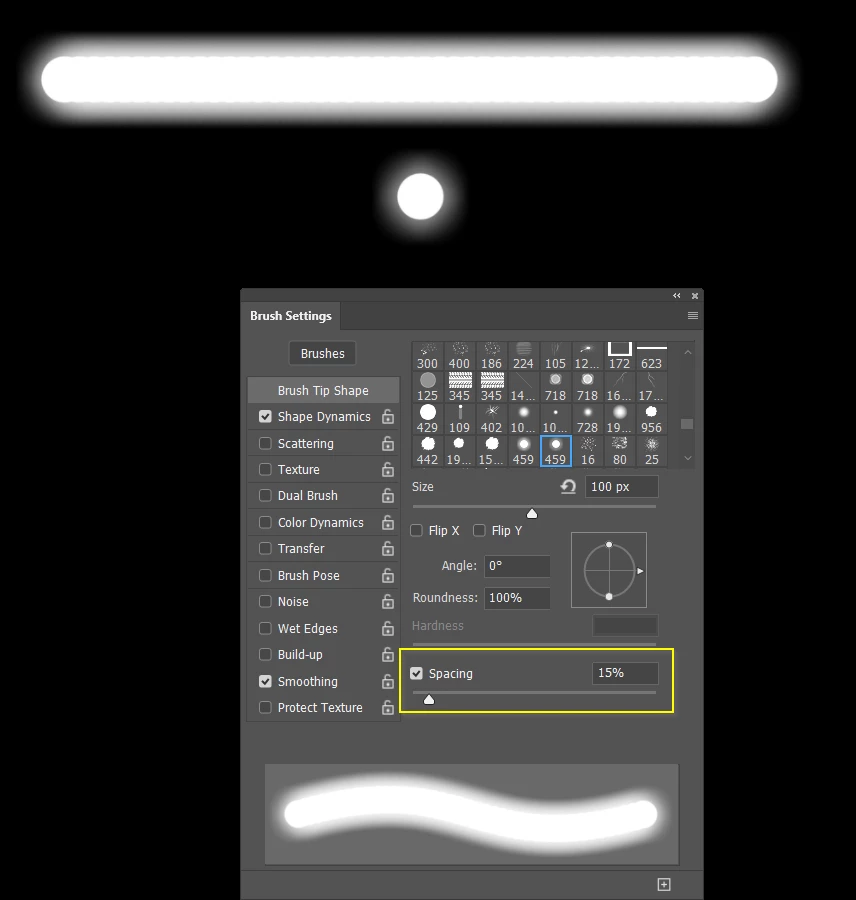
It's tricky doing it with a brush preset, because moving the brush continues to lay down colour which thickens the glowing edges.  If you define this as a brush preset.

And set spacing to 15% it will give you the effect below. The line is a brush stroke, and below is a single stamp of the brush.  Note: you canm see each stamp down in the upper line because of the wide spacing, so not ideal.


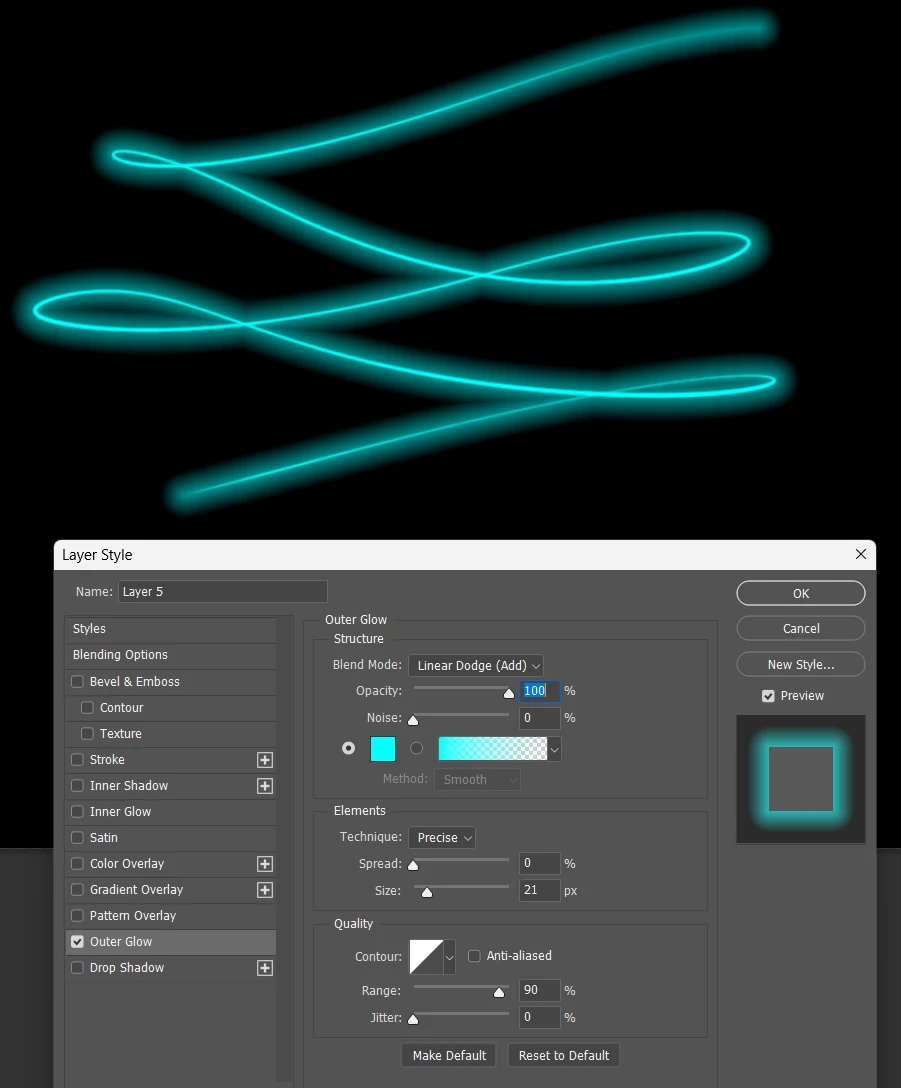
It's much better to use a Layer Style. In this case Outer Glow

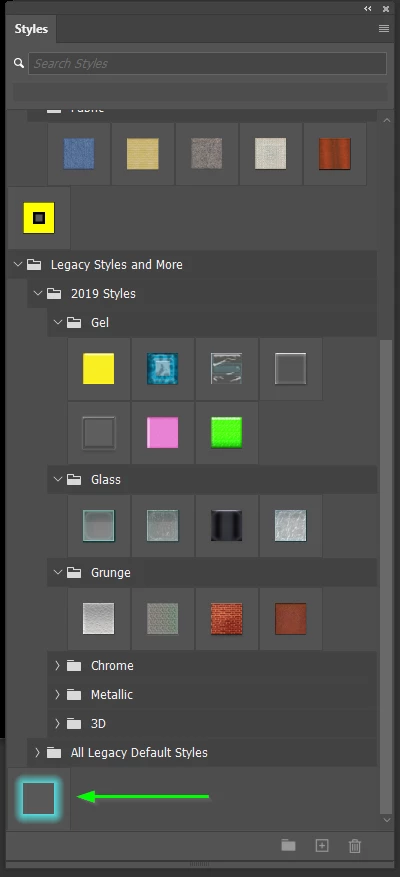
If you create  something that you like, then save it as a New Style so you can simply select a layer and click on the Style, and it is done.

4 replies

c.pfaffenbichler
Community Expert
Community Expert
Jun 12, 2025 2:42 PM UTC

Quite frankly I don’t understand what the video is supposed to show. 

Could you post screenshots from Procereate to illustrate the kind of brush/effect you want to achieve? 


Translate
Trevor.Dennis
Community Expert
Community Expert
Jun 13, 2025 4:25 AM UTC
quote

Quite frankly I don’t understand what the video is supposed to show. 

Could you post screenshots from Procereate to illustrate the kind of brush/effect you want to achieve? 


By @c.pfaffenbichler


AFAICT I'm seeing this smudge effect which might be water on a camera lens, or the Photoshop Smudge tool set to 11.


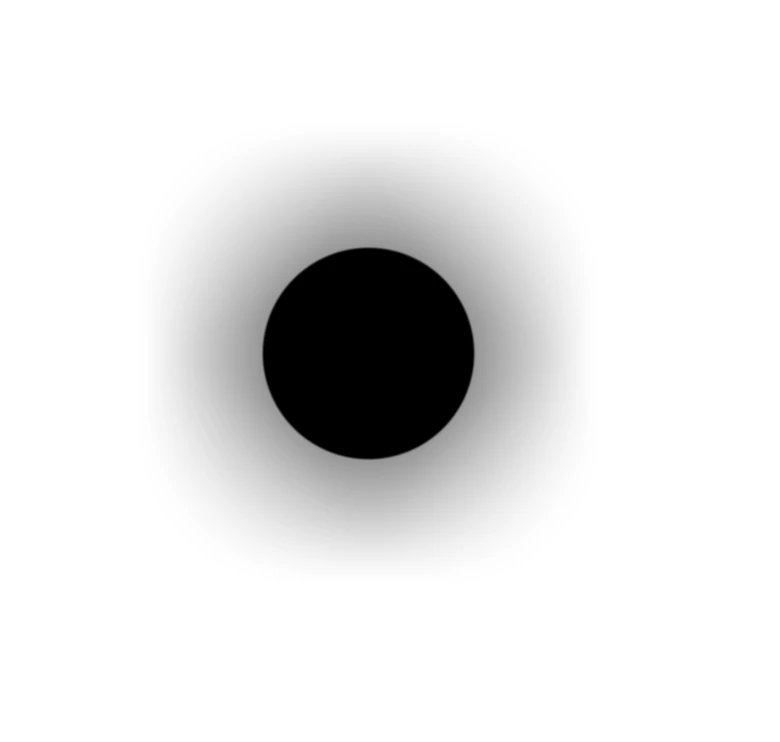
_Very_ carefully dragging the timeline (it is super sensitive) showed me this.  I think it might be a single frame, so hard to spot.  I'm interpretting it as an outer glow, so Layer Style and not a brush.  I'll have a look at ParticleShop, but I don't remember a brush that does that.

Translate
Inspiring
Jun 14, 2025 4:17 PM UTC

Hello Trevor, 


Thank you so much for your kind and detailed reply... really appreciated. 

I'll try it out and let you know how I get along. 

Translate
Trevor.Dennis
Community Expert
Trevor.DennisCommunity ExpertCorrect answer
Community Expert
Jun 11, 2025 10:38 PM UTC

It's tricky doing it with a brush preset, because moving the brush continues to lay down colour which thickens the glowing edges.  If you define this as a brush preset.

And set spacing to 15% it will give you the effect below. The line is a brush stroke, and below is a single stamp of the brush.  Note: you canm see each stamp down in the upper line because of the wide spacing, so not ideal.


It's much better to use a Layer Style. In this case Outer Glow

If you create  something that you like, then save it as a New Style so you can simply select a layer and click on the Style, and it is done.

Translate