Hi, I just updated my Mac from 14.x to 15.5. Now, the dock is in the way. I resetted the Essential workspace, but to no avail. Does that mail Photoshop is no longer compatible with my MacBook Pro 16?
Never mind, I just resetted the Photoshop Settings. All is good now!
There will be times when it is useful to see the Dock, so I would be tempted to save two custom workspaces — one full screen, and the other with the Dock.
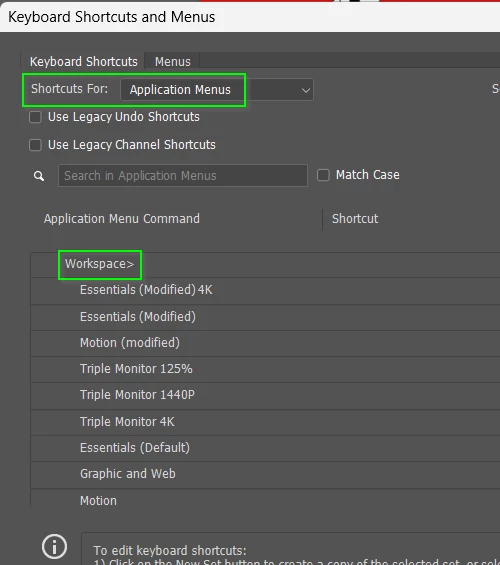
You can set shortcuts to toggle between those workspaces
Howeverr, this will set the workspace to its last used state, so I prefer to use an Action that sets, and then resets the workspace, and trigger the Actions with Function keys.
There will be times when it is useful to see the Dock, so I would be tempted to save two custom workspaces — one full screen, and the other with the Dock.
You can set shortcuts to toggle between those workspaces
Howeverr, this will set the workspace to its last used state, so I prefer to use an Action that sets, and then resets the workspace, and trigger the Actions with Function keys.




 AdChoices