Participant
March 23, 2026
Question

Magic wand selection or Select by Colour Range not working correctly when transparency is involved

  • March 23, 2026
  • 1 reply
  • 26 views

Making selections on a transparent layer, where opacity gradient is involved, around the edge of the transparency, does not function correctly.

Repeatable scenario:

This works exactly the same in version 26.11.3, and version 27 (not sure which specific version).

Set up a document in RGB, 8bit colour, so that you have a single layer that is fully transparent. Select the paintbrush tool and make sure you have a really soft standard brush selected. Draw any shape. 

Sample shape with soft brush

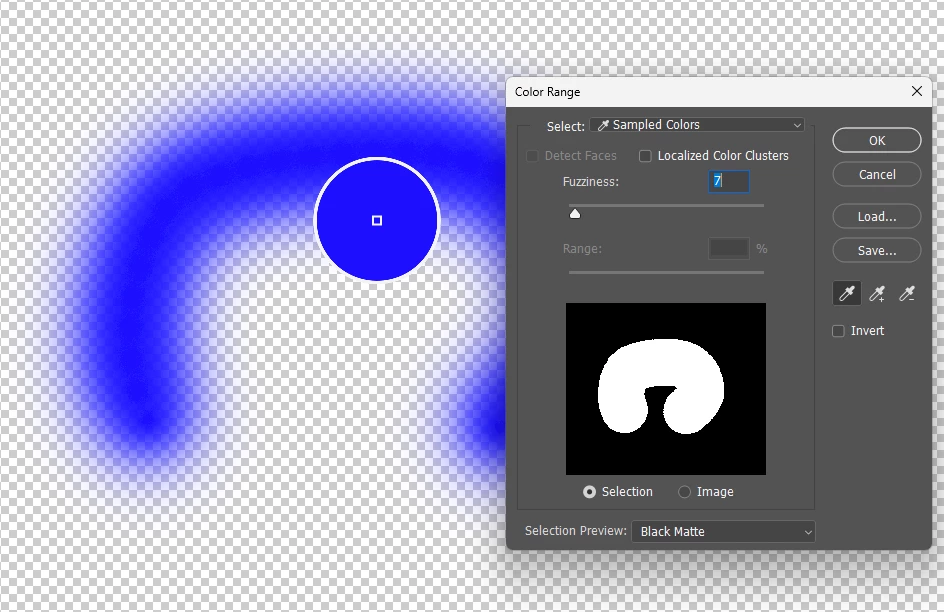
You should now have a nice soft edged shape, with a gradient transparency from opaque to transparent. Now select either the magic wand tool, or the Select → Colour Range tools and try to make a selection of the colour you have painted. What you will observe is that no matter what your settings for the magic wand, or the Select → Colour Range, you will always see that the selection made always covers any pixel that has any amount of the colour you painted at 100% selection, even if the pixel is only 1% colour filled and 99% transparent.

Magic wand selection below:
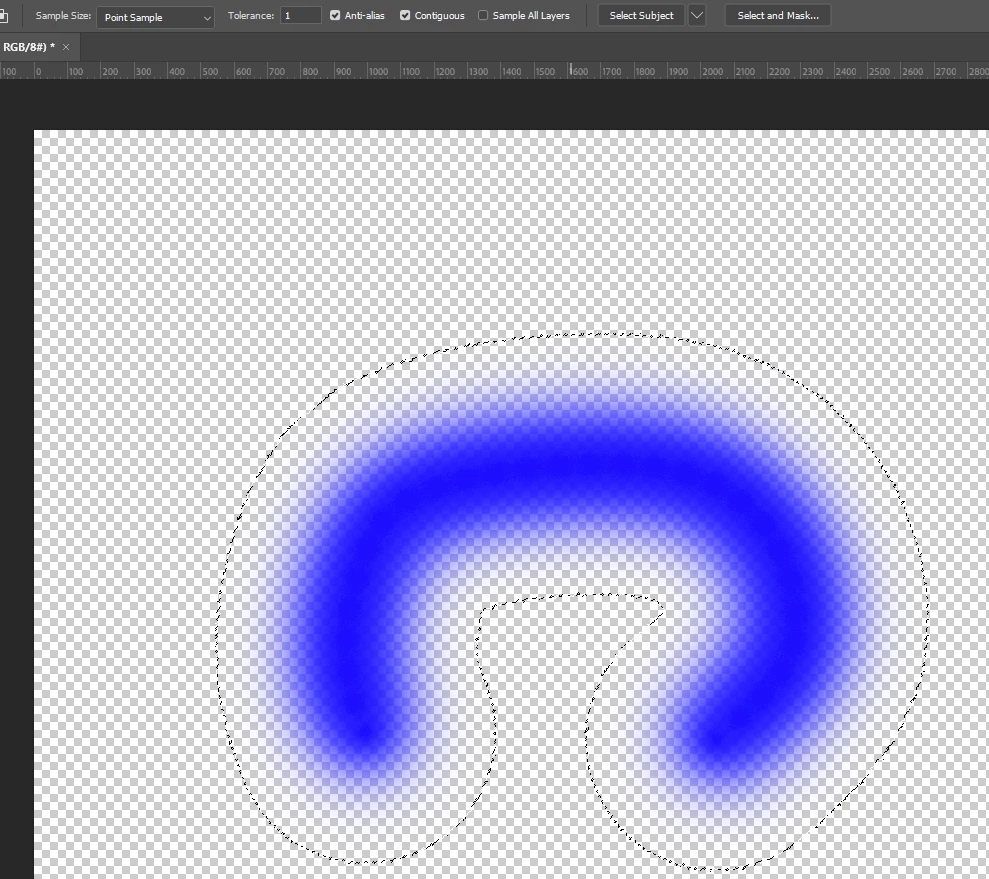
Selection attempt with the magic wand


Selection attempt with the colour range tool.

For clarity, I even tried with many settings of both magic wand and Colour Range tool, but the results are always the same, when transparency is involved.

It is worth noting that this ONLY occurs when transparency is involved on the layer being selected, in the area that is being selected.

I also tried making the selections, and then filling the resulting selection on a new layer, and the resulting fill has a 100% hard edge, with zero edge gradient.


I hope this helps to identify the bug and get it resolved.

Bill


    1 reply

    D Fosse
    Community Expert
    Community Expert
    March 23, 2026

    As far as I can understand, this is how it should work. You’re selecting the color, not the transparency.


    Once there’s another layer there so it’s no longer transparent, you have a color gradient. And that changes the selection accordingly.


    If you want a transparency selection, ctrl-click the layer.


    In other words, not a bug.

    Participant
    March 23, 2026

    But, if you’re selecting the colour, and there is only 1% colour, surely it should only make a 1% selection? If you do exactly the same process, but on a white filled layer, you see the same result with the brush, so it feathers out to zero colour fill, but any selection returns with the colour fill percentage correct. Here’s another sample, to show how frustrating the selection is:
     

    Making a selection of the blue, using the magic wand tool, when the selection overlaps an opaque area

    below is the fill of the selection above:

    There is no gradient selection at all, using the magic wand tool.

    Here’s the selection made with the Colour range tool:
     

    and here is the result if you fill the selection made above:


    I just can’t believe this is how it is supposed to work. 

    It didn’t used to work like this.

    Previously, the selection would be the same, irrespective of the transparency, as the selection is supposed to be of the amount of colour. I would possibly accept this, if the coloured area was completely 100% filled colour and it had some sort of transparency mask, but that is not the case.