Participant
March 20, 2024
Question

Make Up Transfer Neural Filter - Can't select an image as reference

  • March 20, 2024
  • 5 replies
  • 633 views


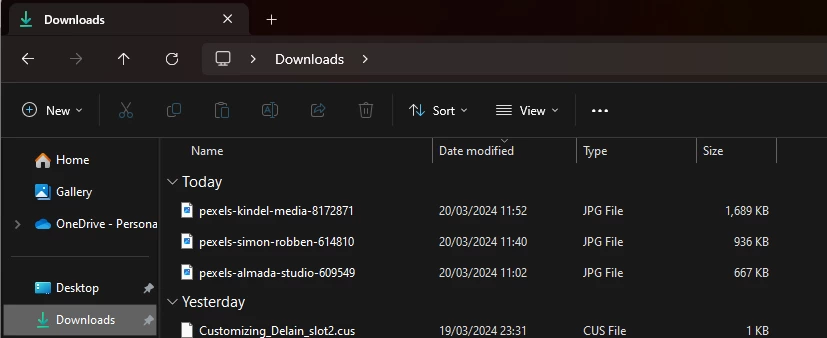
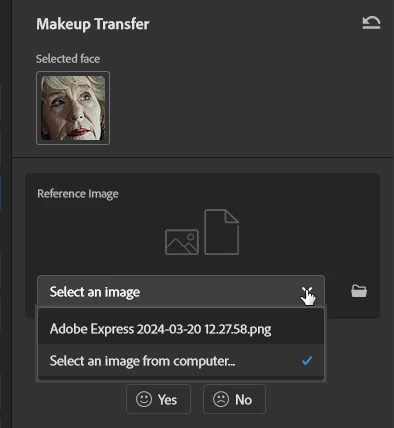
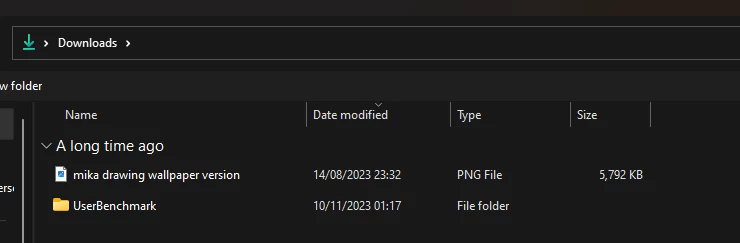
As said in the title, when I click on select an image from computer, it doesn't show any file, anywhere, as you can see from the screenshots... how my download folder looks like after clicking "select an image" on photoshop, and how it looks if I normally open the download folder. Files are just not there. Tried to move the files elsewhere, didn't help. No matter which location I select, photoshop doesn't see any file. Updated and restarted the photoshop multiple times, also didn't help. Any idea why is this happening?


This topic is closed to new replies. Start a new post to keep the conversation going.

5 replies

D A V A
Participating Frequently
October 21, 2024

Having exact same problem.

ChristineLon
Participant
May 3, 2024

There's a bug I think. Makeup Transfer in Ps expects source images to be in PNG format, if the folder you select has no PNG images then it won't show other images unless you change the drop down to show JPEG or JPG.

Participant
May 6, 2024
Yes! That's it thank you so much
Rick Spaulding -
Legend
April 17, 2024

Hi,

Sorry you're having trouble. After you click "Select an Image" you need to click "Select an Image from computer."

That will let you browse your computer for a reference image. Keep in mind it should be a .jpg. A raw file won't work.


Does that help?

Known Participant
December 1, 2024

Can you tell me how to change which face was "selected"? It picked the wrong face and won't seem to let me move the box or reselect (when did I select?).