
Answered
making path into selection: why always feathered?
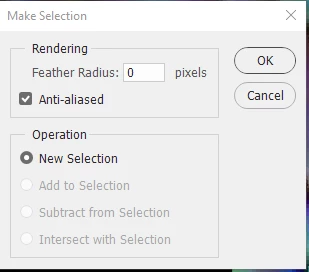
I created some paths in AI, then copied and pasted them into Photoshop (with the Paths tab selected, so they would go into the Paths area). Then I used the path selection tool to select one of the paths (a closed shape) and clicked the dashed-edge circle in the Paths area to turn it into a selection. I then did some painting inside this selection.
The problem is that the selection is feathered. I want it to be sharp.
I have been working with selections recently and have, several times, created a selection and the feathered it by selecting Select -> Modify -> Feather. I am not aware of changing any kind of setting, however, that would act as a default for the way selections are created from paths.
Anyone know what is going on?


 AdChoices