



Question
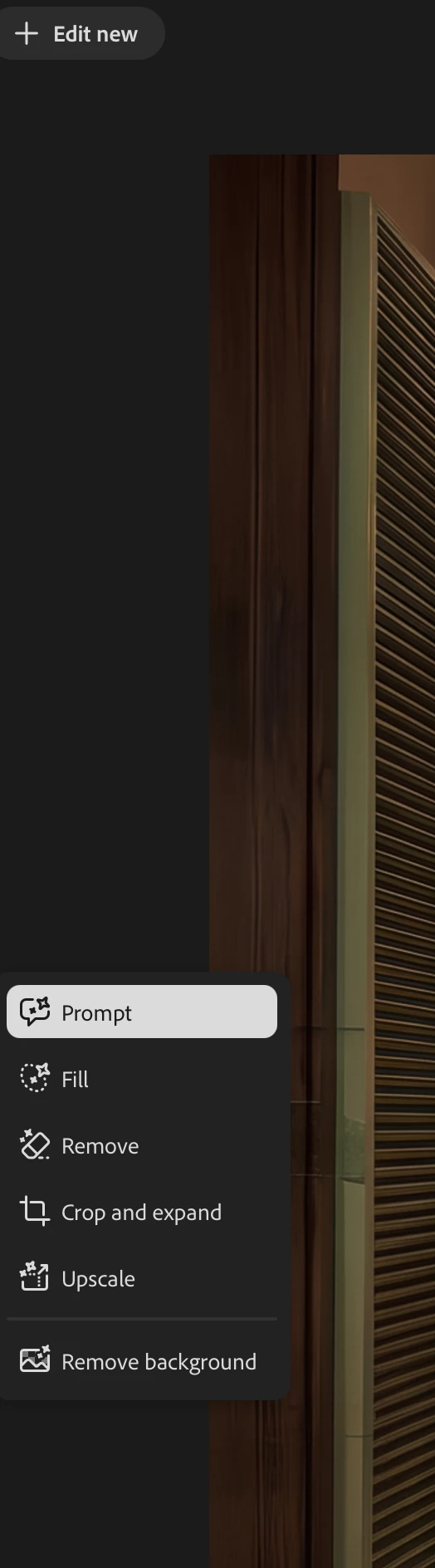
Markup and Tune tools are missing in AI Assisted Editor
Markup and Tune tools are missing in AI Assisted Editor.
AI Assisted Editor is enabled in my updated Photoshop 2026, but the Markup and Tune tools are missing from the toolbar.
The only available tools are:
- Prompt
- Fill
- Remove
- Crop and expand
- Upscale
- Remove background
I have tested both Photoshop 2026 and Photoshop (Beta) 27.11.0 on macOS. I also opened JPG/PNG images directly instead of adding them as reference images, but Markup and Tune still do not appear.
Adobe’s AI Assisted Editor documentation shows that Markup and Tune should be available. Could you please confirm whether these tools are being released gradually by account or region, or whether this is a bug?
System: MacBook Pro M4
Region/account: Japan
 AdChoices