


antie
Participant
January 23, 2023
해결됨

Maske geht nicht zu invertieren / umkehren

  • January 23, 2023
  • 4 답변들
  • 557 조회

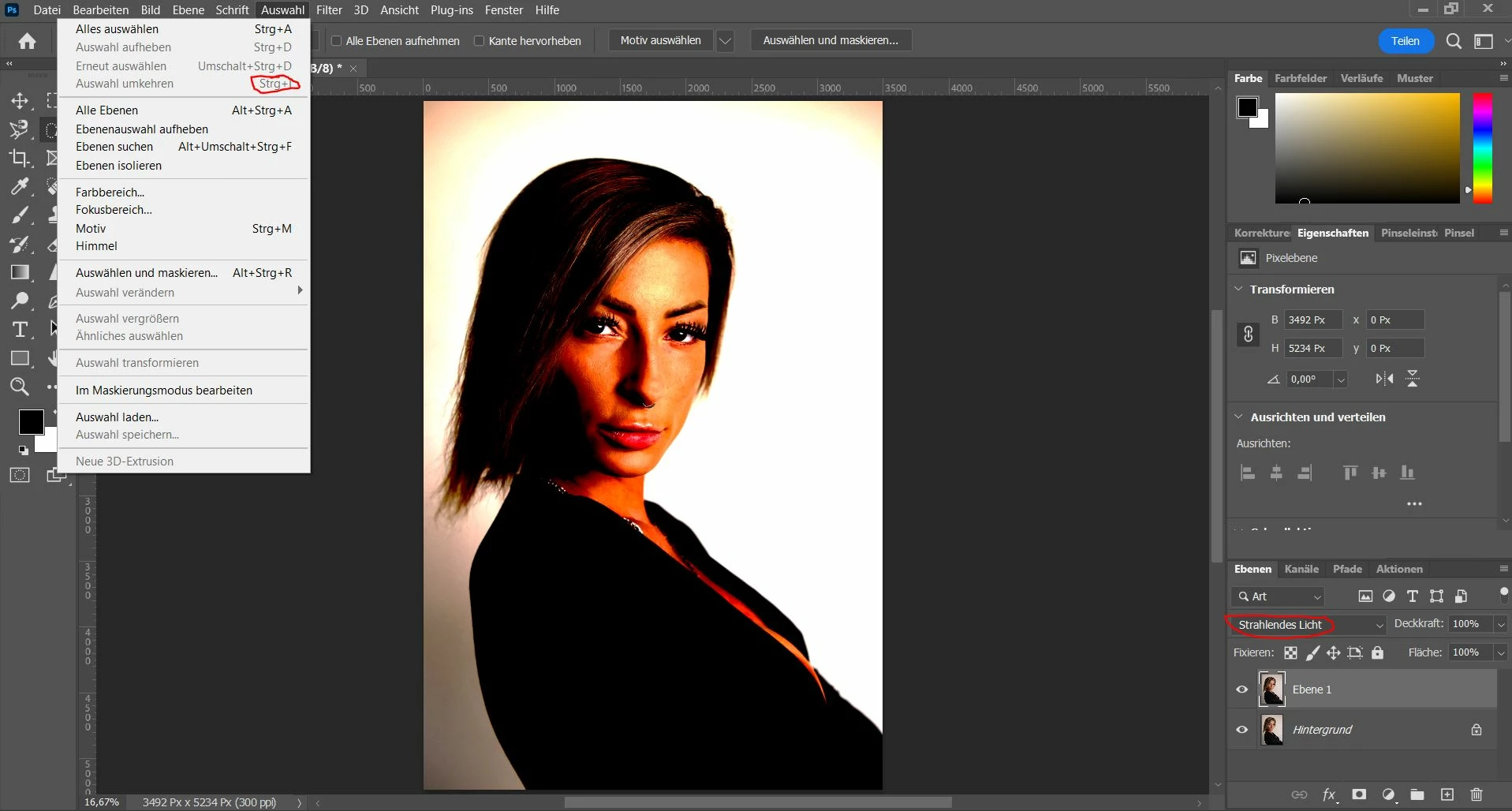
Ich duplizieren eine Ebene, stelle diese auf "strahlendes Licht" und will dann mit Strg+I diese umkehren, was nicht geht - siehe Bild.

Wieso, ist eine Einstellung falsch oder ist PS defekt? Ich habe überigens PS und LR aktualisiert.
이 주제는 답변이 닫혔습니다.
최고의 답변: Jeff Arola

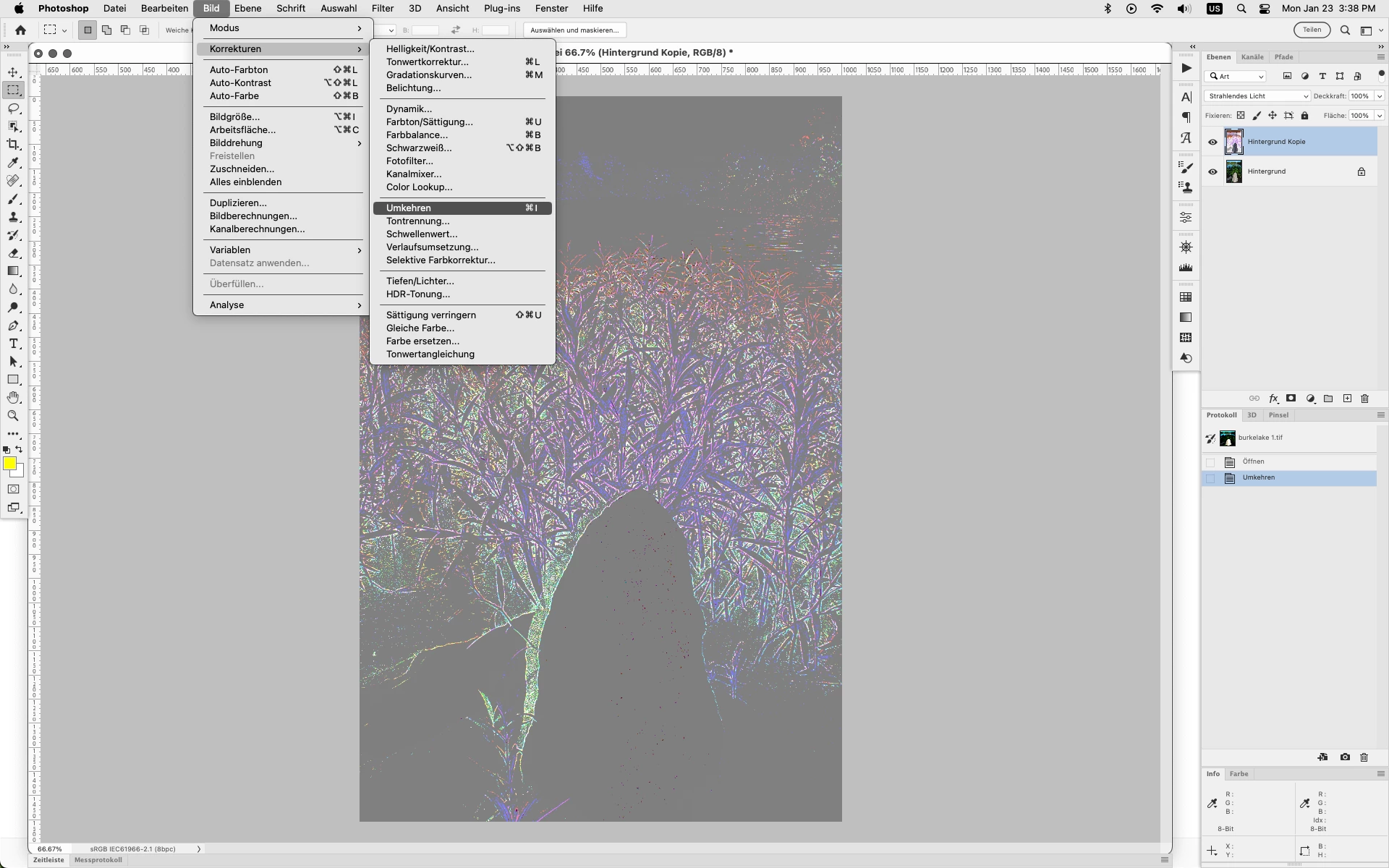
You have the Vivid Light Layer Blending Mode

(Strahlendes Licht)


To Invert the layer you want Image>Adjustments>Invert Ctrl+i (windows) Cmd+I (mac)

Bild>Korrekturen>Umkehren


4 답변

Jeff Arola
Community Expert
Community Expert
January 23, 2023

If you look at Image>Adjustments>Invert (Bild>Korrekturen>Umkehren) on the actual menu is the shortcut Ctrl+I?

antie
antie작성자
Participant
January 24, 2023

No, there wasn't Ctrl+I because i changed it in the past

antie
antie작성자
Participant
January 23, 2023

Image>Adjustments>Invert is right, but doesn't stand there: Ctrl+I . Maybe i changed this in the adjustments

Jeff Arola
Community Expert
Community Expert
January 23, 2023

You have the Vivid Light Layer Blending Mode

(Strahlendes Licht)


To Invert the layer you want Image>Adjustments>Invert Ctrl+i (windows) Cmd+I (mac)

Bild>Korrekturen>Umkehren


CShubert
Legend
January 23, 2023

Hi @antie there must be a translation issue, could you share what blend mode you are trying to use? We see either "radiant light" or "shining light" which are not actual selections.  Happy to help once we can get which one you are using.


Thank you,

Cory